
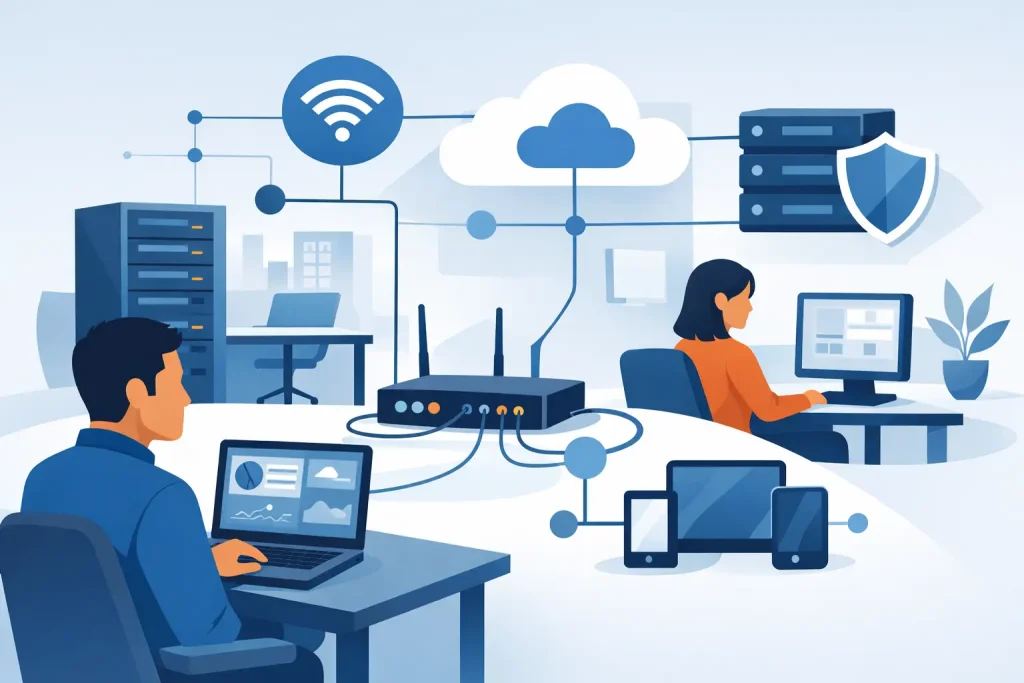
A slow internet connection during payroll, dropped VoIP calls at the front desk, and a printer that only works for one person are not minor annoyances. In a small organization, those problems interrupt sales, delay service, frustrate staff, and create risk. That is why network management for small offices matters more than many owners realize. Your network is not just cables, Wi-Fi, and a router. It is the system that keeps your business moving.
For small businesses, nonprofits, clinics, and community organizations, the challenge is rarely scale for its own sake. The real issue is reliability. You need a network that supports daily work without constant troubleshooting, and you need it to stay secure as more devices, cloud apps, and remote connections enter the picture. Good network management is what turns a patchwork setup into something your team can depend on.
What network management for small offices really includes
Many offices think of network management as fixing the Wi-Fi when it goes down. That is part of it, but only part. A managed network includes monitoring, maintenance, security controls, device oversight, backup planning, and performance tuning. It is about knowing what is connected, how traffic is flowing, where the weak points are, and what needs attention before users feel the impact.
In a small office, that often starts with a simple question: who is responsible for the network right now? If the answer is the office manager, the owner, or the one employee who is “good with computers,” the network is probably being handled reactively. That approach may work for a while, especially in a five-person office with basic needs. But once you add shared files, cloud software, guest Wi-Fi, security cameras, hosted phones, or remote staff, the cost of guesswork goes up fast.
A well-managed network should cover the basics without becoming overly complicated. That usually means business-grade routing and switching, dependable wireless coverage, firewall protection, password and access controls, software and firmware updates, and some form of active monitoring. It also means documenting the setup so changes can be made intelligently instead of by trial and error.
Why small offices feel network problems faster
Large enterprises usually have redundancy, internal IT teams, and room in the budget for specialized systems. Small offices operate differently. One weak access point or one misconfigured firewall can affect everyone. If the network goes down, the whole office feels it at once.
That is why trade-offs matter. A small office does not need enterprise complexity in every case. It does need the right level of structure. Spending too little often leads to downtime and security gaps. Spending too much on tools your team will never use is not smart either. The goal is fit, not excess.
This is especially true for organizations that serve the public. A local clinic, museum, chamber, or retail office depends on stable connections for transactions, scheduling, communications, and customer trust. If staff cannot access systems quickly, the issue becomes visible to clients and visitors. Network performance becomes part of the customer experience.
The common weak spots in small office networks
Most small office networks do not fail because of one dramatic event. They wear down through small oversights. Consumer-grade hardware gets pushed beyond what it was designed to handle. Password practices stay loose. Old devices remain connected long after anyone remembers why. Wi-Fi coverage gets extended with quick fixes instead of proper design.
Another common issue is growth without planning. A business starts with five devices and one internet connection. A year later, it has twenty-five devices, cloud backups, video meetings, smart TVs, mobile phones, and a second printer in the back office. The original setup was never designed for that kind of load, but no one stopped to redesign it.
Visibility is often the missing piece. If you do not know which devices are on the network, what software versions they are running, or where traffic spikes are happening, you cannot manage performance or risk well. Problems show up as symptoms first – buffering, lag, random disconnects, login issues – while the actual cause stays hidden.
A practical approach to network management for small offices
The best starting point is an assessment of what the office actually depends on. Not every device matters equally. Your payment systems, file access, phones, cloud apps, and backups deserve a different level of attention than a break room tablet or guest device. Once priorities are clear, the network can be built around business function instead of convenience.
From there, three areas usually need the most focus.
Stability and coverage
If staff are moving around the office, relying on wireless, or using cloud-based tools all day, Wi-Fi quality matters as much as internet speed. Dead zones, interference, and overloaded access points can make a decent connection feel broken. Proper placement, business-grade equipment, and network segmentation often solve issues that people mistakenly blame on the internet provider.
Wired connections still matter too. Workstations that handle accounting, large file transfers, or critical applications often benefit from a stable wired connection. Wireless is flexible, but it is not always the best answer for every role.
Security and access control
A small office is not too small to be targeted. In many cases, smaller organizations are easier targets because their systems are less closely monitored. Basic protections such as managed firewalls, secure Wi-Fi settings, multi-factor authentication, segmented guest networks, and regular updates make a major difference.
Access control is just as important as perimeter security. Employees should only have access to the systems and data they actually need. When someone leaves the organization, their access should be removed quickly and completely. That sounds straightforward, but many small offices discover too late that old credentials, shared passwords, and unmanaged devices are still part of the environment.
Monitoring and maintenance
Waiting for a failure is expensive. Ongoing monitoring helps catch device issues, bandwidth strain, failed backups, and unusual activity early. Regular maintenance keeps firmware current, removes obsolete devices from the network, and reduces the chance that a small issue will turn into downtime.
This is where managed support becomes valuable. It brings consistency. Instead of reacting when something breaks, the office gets a network that is being watched, maintained, and adjusted over time.
When in-house management works and when it does not
Some small offices can manage their own networks reasonably well if the setup is simple and someone on staff has time and practical experience. That might work in a very small environment with a few users, limited compliance concerns, and predictable workflows.
But it breaks down when the network becomes tied to revenue, service delivery, or security obligations. If your team depends on cloud systems, handles sensitive records, serves the public, or cannot afford even a few hours of disruption, informal management becomes risky. The hidden cost is not just repair time. It is lost productivity, staff frustration, delayed service, and reputational damage.
A good outside partner should not overcomplicate things or push unnecessary hardware. They should help you understand what needs attention now, what can wait, and what will support growth over the next few years. That is especially valuable for organizations trying to consolidate vendors and avoid the burden of coordinating separate IT, security, web, and communications providers.
The business case for better network management
Reliable networks support more than internal efficiency. They support visibility, communication, and growth. Your website updates, hosted email, customer communications, cloud applications, digital signage, and marketing systems all depend on an underlying network that works consistently.
That is why network planning should connect to broader business goals. If you are adding remote work, opening a second location, improving cybersecurity, launching new digital services, or modernizing customer engagement, the network has to support that move. Otherwise, the front-facing investment gets undermined by backend instability.
For many organizations, the strongest results come from treating technology as part of the full business ecosystem rather than a separate utility. A partner like Epuerto can support that bigger picture by aligning IT infrastructure with the tools and platforms that help organizations enhance their business and produce real, measurable outcomes.
What to look for next
If your office network has grown piecemeal, the next step is not panic and it is not a full rebuild by default. It is a clear review of what you have, where the pain points are, and what your team needs the network to do well every day. Sometimes the answer is a few targeted upgrades and better oversight. Sometimes it is a broader redesign.
Either way, small offices benefit when network management is approached as an ongoing business function, not a one-time fix. When your systems are stable, secure, and monitored properly, your staff can focus on serving customers, supporting the community, and moving the organization forward instead of chasing the next outage.