
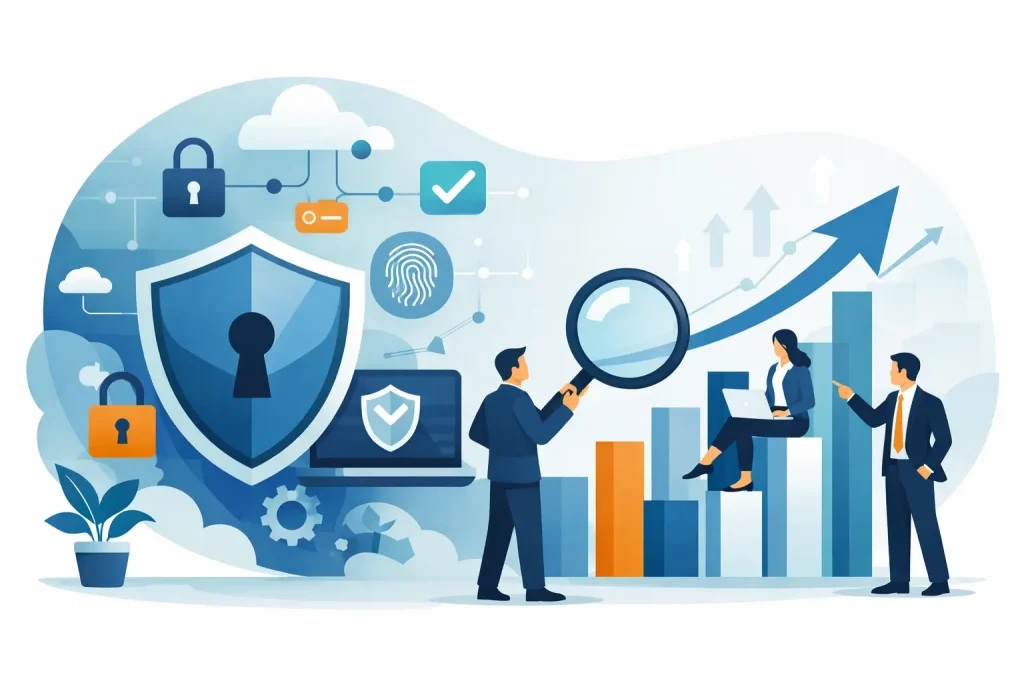
A single phishing email can shut down payroll, freeze appointments, and put customer trust at risk before lunch. That is why every owner, office manager, and executive director needs a small business cybersecurity guide that is practical, realistic, and built for day-to-day operations – not just enterprise IT teams.
For small and midsized organizations, cybersecurity is rarely a standalone issue. It touches your website, email, cloud tools, staff devices, customer records, billing systems, and even the digital channels that support your visibility in the community. The challenge is not just blocking threats. It is keeping your business working, protecting your reputation, and avoiding expensive interruptions that stall growth.
Why a small business cybersecurity guide matters
Small businesses are common targets because attackers know many teams are busy, understaffed, and working with a mix of old and new systems. A local nonprofit, medical office, retailer, museum, or service company may assume it is too small to attract attention. In reality, criminals often prefer businesses with limited internal IT oversight and inconsistent security habits.
The real cost of a cyber incident is usually broader than the ransom demand or recovery invoice. You may lose access to scheduling systems, financial data, donor information, internal files, or hosted email. Staff time disappears into damage control. Customers start asking questions. In regulated industries, reporting obligations and legal exposure can follow.
That is why cybersecurity should be treated as a business continuity issue, not just a technical checkbox. Strong protection helps enhance your business by reducing downtime, preserving trust, and giving leadership more confidence in the systems they rely on every day.
Start with your biggest points of exposure
The best small business cybersecurity guide does not begin with advanced tools. It starts with the places where most attacks actually happen: email, passwords, endpoints, networks, and backups.
Email remains the front door for many security incidents. Phishing messages have become more convincing, and they no longer look obviously fake. A message that appears to come from a vendor, board member, or shipping provider can persuade an employee to click a malicious link, open a file, or change payment details. If your organization depends heavily on email, this is one of the highest-value areas to secure first.
Passwords are another weak point, especially when staff reuse them across multiple platforms. A compromised password from one service can open the door to others. Multi-factor authentication helps significantly, but it should be deployed thoughtfully. For some teams, enforcing it everywhere at once creates friction and confusion. For others, starting with email, financial platforms, and cloud storage is a better rollout strategy.
Endpoints include laptops, desktops, tablets, and smartphones used for business. These devices often hold saved passwords, access company files, and connect to cloud applications. If they are unpatched, unmanaged, or used across both personal and business contexts, risk rises quickly.
Then there is your network. Many smaller organizations still rely on aging routers, weak Wi-Fi passwords, or flat networks where everything can talk to everything else. That setup may work operationally, but it creates more damage if one device is compromised.
Backups are often discussed last, but they matter early. If ransomware hits or a device fails, a clean and recent backup can mean the difference between a short disruption and a major business crisis.
Build a practical cybersecurity baseline
A strong baseline does not have to be complicated. It has to be consistent.
Secure email and user accounts
Begin with business email protection, spam filtering, multi-factor authentication, and policies that reduce account takeovers. Train staff to verify requests involving payments, password resets, bank changes, or sensitive records. The goal is not to make employees paranoid. It is to make verification routine.
User accounts should follow the principle of least privilege. In plain terms, people should have access to what they need to do their jobs and not much more. This reduces fallout if an account is compromised. Shared logins should be phased out where possible because they make accountability and response much harder.
Keep systems updated
Software updates are one of the least glamorous and most effective security controls. Operating systems, browsers, plugins, business applications, firewalls, and network hardware all need regular patching. Delays happen, especially when teams worry updates might interrupt operations. That concern is reasonable. But unpatched systems create longer and more expensive interruptions later.
A sensible approach is to schedule updates during low-impact windows, test critical systems when needed, and keep an inventory of hardware and software so nothing is forgotten.
Protect devices like business assets
Every company device should have endpoint protection, strong access controls, and the ability to be monitored. If staff work remotely or travel, device encryption and remote wipe capabilities become more important. Bring-your-own-device policies can save money, but they also create security and privacy trade-offs. If your team uses personal phones or laptops for work, set clear rules around access, updates, and data separation.
Make backups usable, not theoretical
Many businesses believe they are backed up until they try to restore a file under pressure. A reliable backup plan includes regular backup schedules, offsite or cloud copies, and periodic testing. It also separates backups from the main environment so malware cannot easily reach everything at once.
For organizations that depend on websites, scheduling platforms, accounting systems, or shared drives, recovery planning should answer one basic question: how fast do you need to be operational again?
The people side of cybersecurity
Technology matters, but staff behavior often determines whether a threat spreads or gets stopped early. That is not a criticism of employees. It is a reality of modern business systems, where people move quickly and attackers exploit urgency.
Training works best when it is short, relevant, and ongoing. Annual presentations are rarely enough. Staff need examples that match what they actually see: invoice scams, fake login pages, suspicious attachments, text message impersonation, and phone-based social engineering. Office managers and finance staff often need extra protection because they process payments and sensitive records.
Culture matters too. Employees should feel comfortable reporting a mistake immediately. If someone clicks a suspicious link, early reporting can prevent a much larger incident. If the response is blame, people wait. Waiting makes recovery harder.
How to prioritize if your budget is limited
Most smaller organizations cannot invest in every security tool at once. That does not mean they are stuck. It means they need sequencing.
Start with controls that reduce the most common and costly risks: secure email, multi-factor authentication, endpoint protection, patch management, backups, and basic staff training. After that, review network security, access controls, web security, and monitoring.
Some businesses benefit from a managed approach because internal teams are already stretched thin. Others can handle pieces in-house if they have clear ownership and documented procedures. The right model depends on your risk profile, compliance needs, staff capacity, and how much downtime your organization can tolerate.
A healthcare office, for example, may need tighter controls and documentation than a small retail shop. A nonprofit with seasonal volunteers may need stronger user offboarding processes than a firm with a stable year-round staff. It depends on your environment, not just your size.
Your website and public-facing systems count too
Cybersecurity is not limited to internal computers. Your website, contact forms, hosting environment, and connected marketing tools are part of your risk surface. If your site is outdated, poorly maintained, or built on unsupported components, it can become an entry point for spam, malware, data theft, or brand damage.
This is where integrated digital planning makes a real difference. Businesses often separate IT, website management, and marketing systems as if they have nothing to do with each other. In practice, they overlap constantly. Your domain, email, hosting, analytics, online forms, payment tools, social accounts, and customer communications all connect. Security gaps in one area can affect the others.
A coordinated partner can help align these systems so protection supports performance rather than slowing it down. That is especially valuable for organizations that want comprehensive digital solutions without juggling multiple vendors.
Create an incident response plan before you need one
Every small business cybersecurity guide should include this point: do not wait for an incident to decide what to do.
Your response plan does not need to be overly technical. It should clearly define who to contact, how systems are isolated, where backups live, who communicates with staff and customers, and how key decisions get made. If your internet goes down or email is compromised, you also need an alternate communication method.
The first hour matters. Teams that know their roles make better decisions, preserve more data, and reduce confusion. Even a short written plan is far better than improvising during a crisis.
For many local organizations, cybersecurity is one piece of a larger operational picture that includes uptime, communications, public trust, and growth. That is why firms like Epuerto approach security as part of the full digital environment, not as an isolated service.
Strong cybersecurity does not mean chasing every headline threat. It means making smart decisions about the systems you depend on most, building habits your team can maintain, and putting protections in place that support real, measurable outcomes. The best next step is usually not dramatic. It is the steady work of securing what keeps your business moving.