
- The Core Problem with "Break-Fix" IT
- What a Monthly IT Retainer Should Include
- What's Often Left Out (But Shouldn't Be)
- Hosted Email and Communication Infrastructure
- Virtualization and Cloud Infrastructure
- Why Local Accountability Matters
- The Retainer as a Business Decision, Not Just a Tech Decision
- FAQs
Most small business owners don't think about IT until something breaks. A server goes down on a Friday afternoon. An employee clicks a phishing link. The backup that was supposed to run every night turns out to have been failing silently for three months. By the time you're dealing with the fallout, the cost in lost time, lost data, or lost trust is already real.
A monthly IT retainer is how you stop managing technology in crisis mode. But not all retainers are built the same, and knowing what yours should actually cover is the difference between real protection and paying for a help desk that only shows up after the damage is done.
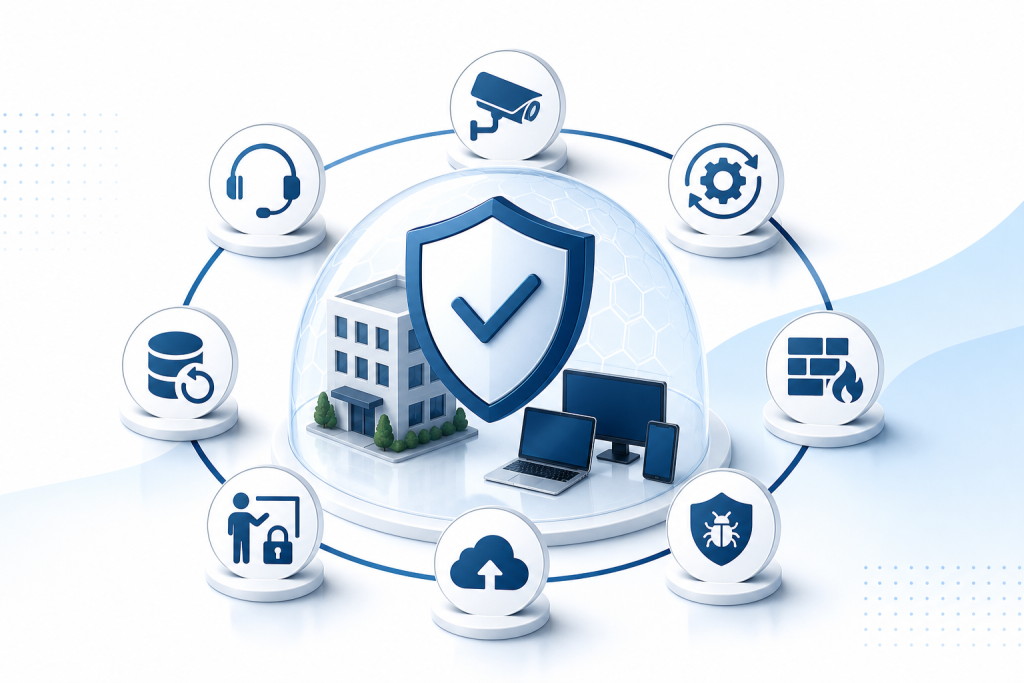
Here's what a solid IT services retainer for a small business should include in 2026.
The Core Problem with “Break-Fix” IT
Break-fix is exactly what it sounds like: something breaks, you call someone, they fix it, you pay. For a two-person shop with no sensitive data, that might be workable. For anyone handling customer records, financial data, or healthcare information, it's a liability.
The issue isn't just cost. It's response time, accountability, and the fact that break-fix providers have no financial incentive to keep your systems healthy. A problem that never happens is a bill they never send. A managed IT retainer flips that dynamic entirely — your provider has every reason to prevent issues before they occur.
What a Monthly IT Retainer Should Include
24/7 Monitoring
Your systems don't stop running at 5 PM, and your IT coverage shouldn't either. Continuous monitoring means someone is watching your network, servers, and endpoints around the clock — anomalies get flagged before they become incidents. A retainer without 24/7 monitoring is really just a scheduled maintenance plan.
Patch Management
Unpatched software is one of the most common entry points for attackers. Operating systems, applications, and firmware all need regular updates, and those updates need to be tested before deployment so they don't break something else. Patch management should be automatic, documented, and included in your monthly coverage — not billed as a separate project every time.
Firewall Management
A firewall isn't a one-time installation. Rules need to be reviewed, firmware needs to be updated, and configurations need to be adjusted as your business changes. If your retainer doesn't include ongoing firewall management, you may have hardware sitting in place that hasn't been properly maintained in years.
Endpoint Detection and Response (EDR)
Traditional antivirus catches known threats. EDR goes further — it monitors device behavior in real time and responds to suspicious activity even when the specific malware signature isn't in any database yet. For a small business running five to fifteen devices, EDR is one of the most practical security investments available. It should be a standard line item in any managed IT package, not an upsell.
Backup and Disaster Recovery
Backups matter. Tested backups matter more. Your retainer should include automated, regular backups with documented recovery procedures and periodic testing to confirm they actually work. You want to know your recovery time objective — how long it takes to restore operations — before you need it, not while you're trying to explain to customers why you've been offline for two days.
Help Desk and Remote Support
When an employee can't connect to the printer, gets locked out of their account, or runs into a software error, they need a real person to call. Your retainer should include a defined help desk with clear response time expectations. Unlimited remote support for day-to-day issues is a reasonable expectation from a managed IT provider. If every small request generates a separate invoice, that's not a managed service.
Employee Security Training
Phishing attacks, credential theft, and social engineering are more common entry points than network-level intrusions for most small businesses. Regular security awareness training is a practical control that reduces risk without requiring any new hardware. A good IT retainer includes at least periodic training — not just a one-time onboarding session and nothing after that.
What’s Often Left Out (But Shouldn’t Be)
Some providers offer a low monthly rate and then bill separately for anything requiring hands-on work, hardware replacement, or after-hours response. Before signing any agreement, get clear answers on:
- What counts as "included" remote support versus billable time? Is there a monthly hour cap?
- Who owns the hardware? If the provider supplies equipment, what happens when you leave?
- What are the contract terms? Month-to-month agreements give you flexibility. Long-term lock-ins without clear exit terms are worth scrutinizing.
- How are after-hours incidents handled? Is there a premium for weekend or emergency response?
These aren't gotcha questions. A provider worth working with will answer them directly.
Hosted Email and Communication Infrastructure
Many small businesses are still running email through whatever came free with their domain registration. Hosted Exchange or a comparable managed email solution gives you better reliability, spam filtering, shared calendars, and the ability to remotely wipe a device if an employee leaves or a laptop goes missing. It's a practical upgrade that belongs in any managed IT relationship.
Virtualization and Cloud Infrastructure
Not every small business needs VMware or Hyper-V virtualization, but if you're running multiple servers or want to consolidate hardware, your managed IT provider should have that capability. Cloud computing — whether hosted applications, cloud backup, or hybrid infrastructure — is increasingly standard. A good provider will advise on what actually makes sense for your size and budget, not just deploy whatever they already know how to sell.
Why Local Accountability Matters
National IT providers can offer remote monitoring and help desk services, but when something requires a physical presence, you're waiting on a dispatch queue. For a small business in a community like Coos Bay, having a local team that can walk in the door makes a real difference in how fast you recover.
Epuerto provides managed IT services to small businesses and organizations throughout Coos County, Oregon — covering 24/7 monitoring, endpoint detection and response, firewall management, patch management, backup and disaster recovery, and employee security training. Because the team is based locally, there's no ambiguity about who picks up when something goes wrong.
The Retainer as a Business Decision, Not Just a Tech Decision
Think of a managed IT retainer the way you'd think about commercial insurance. You're not paying because you expect a disaster every month. You're paying because the cost of being unprepared is higher than the cost of coverage. Downtime has a real dollar value. A ransomware incident has a real dollar value. A data breach affecting customer records has a real dollar value — plus a reputational one.
For a business with two to twenty employees and no dedicated IT staff, a well-structured retainer is usually more cost-effective than the break-fix alternative once you factor in emergency rates, lost productivity, and the hours you personally spend troubleshooting problems that aren't in your skill set.
FAQs
What is a managed IT retainer for a small business?
A managed IT retainer is a monthly agreement where a provider handles your ongoing IT needs — monitoring, security, updates, backups, and help desk support — rather than billing you only when something breaks.
What should always be included in a small business IT services package?
At minimum: 24/7 network and endpoint monitoring, patch management, firewall management, endpoint detection and response, automated backup with tested recovery, and help desk access for employees.
How is managed IT different from break-fix IT support?
Break-fix is reactive — you pay when something fails. Managed IT is proactive. Your provider monitors and maintains your systems continuously, and their business model is aligned with keeping things running, not waiting for them to fail.
Do small businesses really need endpoint detection and response (EDR)?
For most businesses handling customer data, financial records, or any sensitive information, yes. Traditional antivirus only catches known threats. EDR monitors device behavior and can respond to novel attacks before they spread across your network.
What questions should I ask before signing a managed IT contract?
Ask what's included in remote support versus what triggers additional billing, whether there's a monthly hour cap, what the contract length and exit terms are, how after-hours incidents are handled, and who owns any hardware the provider installs.
How often should backups be tested?
At minimum, quarterly. Monthly is better. A backup that's never been tested is an assumption, not a guarantee. Your IT provider should document recovery tests and share the results with you.
Is a local IT provider better than a national one for a small business?
It depends on your needs, but local providers offer faster on-site response, direct accountability, and familiarity with your specific setup. For businesses that occasionally need hands-on work or simply want to reach someone they know, a local managed IT provider is usually the more practical choice.
If you're evaluating managed IT services for your business in Coos Bay or Coos County, Epuerto offers a done-for-you model that covers the full range of IT infrastructure needs from a local team. The starting point is a conversation about what your business actually needs.