
- Why Your Phone System Choice Matters More Than Ever
- What Is a VoIP Phone System?
- Traditional Landlines: What You're Actually Getting
- Hybrid Phone Systems: The Middle Path
- Landline vs. VoIP vs. Hybrid: A Direct Comparison
- What VoIP Actually Requires to Work Well
- VoIP Features That Actually Matter for Small Businesses
- Phone Systems and Your Broader IT Infrastructure
- Special Considerations for Healthcare and Nonprofits
- How to Choose: A Decision Framework
- Common Mistakes Small Businesses Make When Switching to VoIP
- What to Expect From a Managed VoIP Setup
- Frequently Asked Questions
- The Bottom Line
Choosing a phone system feels like a minor decision — until it isn't. A dropped call during a client negotiation, a line that goes dark during a power outage, a system that can't forward calls to someone working from home — these are the moments when your phone infrastructure stops being invisible. If you're weighing phone systems for small business VoIP against traditional landlines or a hybrid setup, this guide breaks down what each option actually delivers in 2026, what it costs you in complexity, and how to match the right setup to your business.
Why Your Phone System Choice Matters More Than Ever
Most small business owners don't think about their phone system until something breaks. That's understandable — you're running a business, not an IT department. But the system you choose has real downstream effects on your team's flexibility, your monthly overhead, your disaster recovery posture, and how professional you sound to customers.
The landscape has shifted. Traditional landlines are expensive to maintain, inflexible, and increasingly hard to get serviced in rural and semi-rural markets. VoIP has matured from a budget workaround into a full-featured business communication platform. Hybrid systems have carved out a niche for businesses that need physical reliability alongside digital flexibility.
The question isn't really "which is cheapest." It's "which fits how your business actually operates."
What Is a VoIP Phone System?
VoIP stands for Voice over Internet Protocol. Instead of routing calls through copper telephone lines, it converts your voice into digital data packets and transmits them over your internet connection. The result is a phone call that behaves just like a traditional one — delivered through your broadband instead of a wire in the wall.
Modern VoIP systems include features that would have required expensive PBX hardware a decade ago: auto-attendants, call routing, voicemail-to-email transcription, call recording, conference bridges, and mobile apps that let your cell phone ring as your office number.
For businesses with remote employees, multiple locations, or staff who move between office and field, VoIP is the natural fit. Your phone number isn't tied to a physical jack — it follows your team.
Traditional Landlines: What You’re Actually Getting
A traditional landline uses the Public Switched Telephone Network (PSTN) — the copper-wire infrastructure that has connected phone calls for over a century. You pay a monthly line rental, and calls route through physical switching equipment.
The appeal is reliability. Landlines typically work during internet outages and, in many configurations, even during power failures if the line carries its own current. For businesses in areas with inconsistent broadband — which includes parts of rural Oregon — that physical reliability is not a trivial advantage.
The drawbacks are real, though. Landlines are expensive per line. Adding call forwarding or a second number means paying for additional lines. The hardware is aging. Carriers have been quietly sunsetting PSTN infrastructure across the country, and service quality in rural markets has declined as investment follows fiber and wireless instead.
If you're running a business in Coos Bay or Coos County and you've noticed your landline service degrading, you're not imagining it. National carriers have deprioritized copper maintenance in markets like yours.
Hybrid Phone Systems: The Middle Path
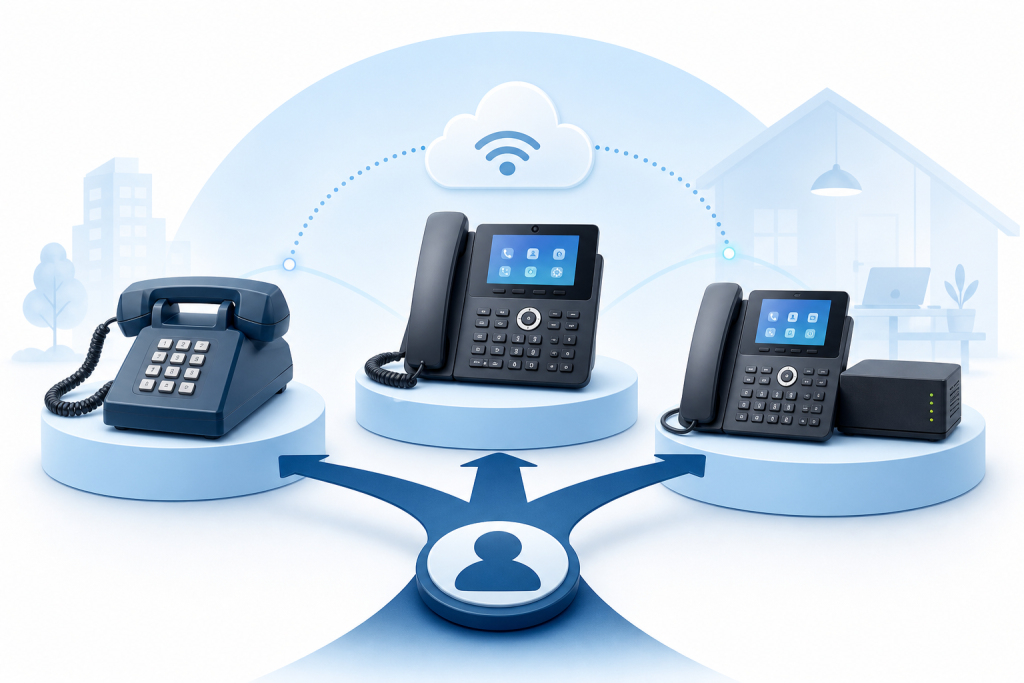
A hybrid system combines a traditional PBX with VoIP capabilities. Your office might have physical desk phones on copper lines for core reliability, while remote workers and mobile staff connect through VoIP extensions on the same system.
Hybrid setups make sense in specific situations:
- You have existing PBX hardware with useful life remaining
- Your internet connection is unreliable but you still want VoIP features for some staff
- You operate in a regulated environment where certain lines must stay on PSTN for compliance
- You want to migrate gradually rather than cut over all at once
The tradeoff is complexity. Hybrid systems require more configuration, more maintenance, and usually more support. If you don't have an IT person on staff — and most small businesses with 2 to 20 employees don't — that complexity lands on you or whoever you can reach when something breaks.
Landline vs. VoIP vs. Hybrid: A Direct Comparison
| Factor | Traditional Landline | VoIP | Hybrid |
|---|---|---|---|
| Monthly cost per line | Higher | Lower | Moderate |
| Setup complexity | Low | Low to moderate | High |
| Remote worker support | Poor | Excellent | Good |
| Reliability during outages | Strong | Depends on internet | Depends on config |
| Feature set | Basic | Advanced | Advanced |
| Scalability | Slow, expensive | Fast, low cost | Moderate |
| Hardware dependency | High | Low | High |
| Rural Oregon suitability | Declining | Broadband-dependent | Flexible |
The cost gap between landlines and VoIP has widened in 2026. Adding a line to a VoIP system is typically a software change. Adding a line to a traditional PBX often means a technician visit, new hardware, and a wait.
What VoIP Actually Requires to Work Well
VoIP is not a magic upgrade. It has real requirements, and ignoring them leads to the choppy audio and dropped calls that give it a bad reputation.
Reliable, Sufficient Internet
VoIP calls consume roughly 100 kilobits per second per active call. For a five-person office where three people might be on calls at once, that's 300 kbps of dedicated bandwidth — a small fraction of a typical business broadband connection. The bigger concern is consistency. A connection with high jitter (irregular packet delivery) will produce audio problems even when average speeds look fine.
Before switching to VoIP, test your connection for jitter and packet loss, not just download speed.
Quality of Service Configuration
Your router needs to prioritize voice traffic over other data. Without Quality of Service (QoS) rules in place, a large file upload or a video stream can degrade call quality in real time. This is a network configuration task — not a VoIP provider task — and it's one of the most commonly skipped steps when businesses self-install VoIP.
A Backup Plan for Outages
The most legitimate criticism of VoIP is that it goes down when your internet does. A cellular failover router — a device that switches to 4G or 5G when your primary connection drops — addresses this directly. For businesses where phone availability is critical, it's worth the investment.
VoIP Features That Actually Matter for Small Businesses
Not every VoIP feature is worth paying for. These are the ones that make a real operational difference:
Auto-attendant. A professional greeting that routes callers to the right person or department. Reduces the need for a dedicated receptionist to handle every incoming call.
Voicemail to email. Voicemail messages are transcribed and sent to your inbox. You can read them without listening — which matters when you're in a meeting or somewhere noisy.
Call forwarding and find-me/follow-me. Calls ring your desk phone, then your mobile, then a colleague — in sequence or simultaneously. No missed calls because you stepped away.
Mobile softphone apps. Your business number rings on your smartphone. Customers see your business number, not your personal cell. Especially useful for field service businesses, healthcare providers doing outreach, and anyone who works outside the office.
Call recording. Useful for training, compliance, and dispute resolution. Most VoIP platforms include it; most landline systems charge extra.
Conference bridges. Multi-party calls without a separate conferencing service.
Phone Systems and Your Broader IT Infrastructure
Your phone system doesn't exist in isolation. It sits on your network, shares bandwidth with your computers and security cameras, and depends on the same router and firewall that protect your business data.
This is where a lot of small businesses run into trouble. They buy a VoIP service from one vendor, get internet from another, and manage their network themselves — or don't manage it at all. When the phone system has problems, there's no single point of accountability.
For businesses in Coos Bay and the surrounding area, Epuerto handles VoIP telephone systems as part of its broader managed IT services. That means your phone system is configured on a network that's already managed for security and performance, with someone accountable when something goes wrong — a different experience from buying a VoIP subscription and hoping for the best.
Special Considerations for Healthcare and Nonprofits
Healthcare clinics and nonprofits in Coos County face additional requirements when it comes to phone systems. Patient communications and sensitive organizational data require careful handling, and the phone system is part of that picture.
VoIP systems used in healthcare settings need appropriate security controls. Voicemail messages, call recordings, and contact information stored in the system can contain sensitive data. This isn't an argument against VoIP — it's an argument for implementing it properly, with a provider who understands the environment.
If your organization handles sensitive communications and you're considering a VoIP upgrade, the configuration and network security decisions matter as much as the platform you choose.
How to Choose: A Decision Framework
Work through these questions in order.
1. How reliable is your internet connection?
Consistent broadband makes VoIP viable. If your connection drops regularly or has high jitter, address the internet first — or plan for a hybrid setup with cellular failover.
2. Do you have remote workers or multiple locations?
If yes, VoIP is the clear choice. The flexibility advantage over landlines is decisive.
3. Do you have existing PBX hardware?
If it's recent and functional, a hybrid migration might make sense. If it's aging, a clean VoIP cutover is usually cheaper than maintaining old hardware.
4. Do you have IT support?
VoIP done right requires network configuration, QoS setup, and ongoing management. If you don't have in-house IT, factor in who will handle this — and what happens when something breaks at 8 AM on a Monday.
5. What features do you actually need?
List the three features your team uses most. Confirm your shortlisted VoIP platform includes them. Don't pay for an enterprise-heavy system when your team needs basic call routing and voicemail.
Common Mistakes Small Businesses Make When Switching to VoIP
Skipping the network assessment. VoIP quality problems are almost always network problems. Test before you commit.
Choosing based on price alone. The cheapest VoIP service often has the worst support. When your phones go down, you need someone to answer.
Ignoring the mobile strategy. If your team works outside the office, configure the mobile app from day one. It's one of VoIP's biggest advantages and frequently goes unused.
Not porting your existing number. You can keep your current phone number when switching to VoIP. The porting process takes time — plan for it rather than discovering it after you've already cut over.
Treating the phone system as separate from IT. Your phone system lives on your network. Manage it that way.
What to Expect From a Managed VoIP Setup
When VoIP is deployed as part of a broader IT engagement rather than a standalone subscription, the experience is different. The network is configured correctly from the start. QoS rules are in place. The firewall is set up to protect SIP traffic. Failover is planned. And when something goes wrong, there's one call to make.
For small businesses without dedicated IT staff, this is often the difference between a VoIP system that works reliably and one that creates more problems than it solves.
Frequently Asked Questions
What is the main advantage of VoIP over a traditional landline for a small business?
VoIP gives you more features at lower cost per line, supports remote workers natively, and scales without hardware changes. The main tradeoff is internet dependency — the quality of your broadband connection matters.
Can VoIP work in rural areas like Coos Bay, Oregon?
Yes, with a reliable broadband connection. The key is testing for jitter and packet loss, not just download speed. A cellular failover device can also protect you during internet outages.
What happens to my VoIP phones if the internet goes down?
Without a backup plan, they stop working. A cellular failover router switches your network to 4G or 5G automatically, keeping your phones operational. Some VoIP systems also allow call forwarding to a mobile number as a fallback.
Do I need special hardware for VoIP?
You can use physical IP desk phones, software-based phones on computers, or mobile apps on smartphones — most small businesses use a mix. Hardware requirements are much lower than a traditional PBX.
Is VoIP secure for a healthcare or nonprofit organization?
VoIP can be deployed securely, but it requires proper configuration: encrypted SIP trunks, secure voicemail storage, and network-level protections. The platform matters, and so does how it's set up on your network.
How long does it take to switch from a landline to VoIP?
The technical setup is usually fast — often a day or less. The part that takes time is porting your existing phone number, which typically takes one to four weeks depending on your current carrier. Plan the transition around that timeline.
What's the difference between a hosted VoIP system and an on-premises VoIP system?
Hosted VoIP runs on the provider's servers. You pay a monthly fee and don't manage hardware. On-premises VoIP runs on equipment at your location, giving you more control but requiring more maintenance. Most small businesses are better served by hosted VoIP.
The Bottom Line
For most small businesses in 2026, VoIP is the right answer. It's more flexible, more affordable per line, and packed with features that genuinely help a small team operate more professionally. Landlines still have a place where internet reliability is genuinely poor or where physical line reliability is non-negotiable. Hybrid systems serve businesses in transition or with specific compliance needs.
The decision that matters most isn't which platform you pick — it's whether your network is set up to support it properly. A VoIP system on a misconfigured network is worse than the landline it replaced.
If you're a small business in Coos Bay or Coos County and you want your phone system handled as part of a properly managed IT environment, Epuerto offers VoIP telephone systems alongside network management, cybersecurity, and the full range of IT services your business needs. One provider, one call when something goes wrong.