
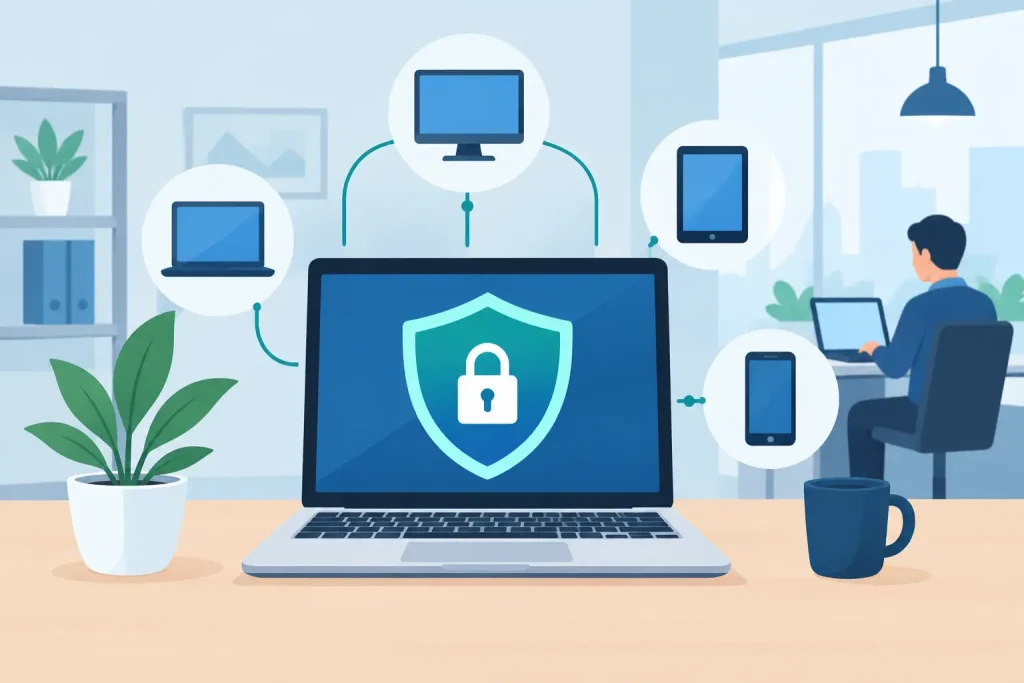
A single employee laptop can become the entry point for a much larger business disruption. A stolen password, deceptive email attachment, or unpatched browser can expose files, interrupt operations, and create difficult reporting obligations. That is why an endpoint detection software review should look beyond feature checklists. For small and mid-sized organizations, the right platform must improve security without creating another complicated system that nobody has time to manage.
Endpoint detection and response, commonly called EDR, monitors computers, servers, and other connected devices for signs of malicious activity. Unlike traditional antivirus tools that largely compare files against known threats, EDR watches behavior. It can identify unusual logins, suspicious processes, ransomware activity, and attempts to move between systems. It also gives IT teams tools to investigate and contain an incident before it spreads.
For a business with limited in-house IT resources, that capability can be valuable. But value depends on coverage, configuration, response planning, and ongoing oversight. Software alone cannot make a business secure.
What endpoint detection software should do
An endpoint is any device connected to your business environment: desktop computers, laptops, servers, tablets, and sometimes mobile devices or point-of-sale systems. Each endpoint creates a possible route into company data, cloud accounts, customer records, or shared files.
A capable EDR platform should collect activity from these devices, identify behavior that deserves attention, and provide clear options for response. That may include isolating an affected computer from the network, stopping a harmful process, removing a malicious file, or preserving evidence for investigation.
The distinction between alerting and response matters. Many products can send a warning. The more useful question is what happens at 2:00 a.m. when nobody is watching the dashboard. Can the system contain a confirmed threat automatically? Is there a managed security team reviewing alerts? Will the organization know who to call and what systems to protect first?
For healthcare providers, nonprofits, museums, chambers, and local businesses, response speed often matters more than an extensive catalog of advanced settings. A solution that produces understandable, prioritized alerts and supports a practiced response plan is usually more valuable than one with impressive capabilities that remain unused.
Endpoint detection software review: the criteria that matter
The best choice is rarely the platform with the longest feature list. A practical evaluation starts with your organization’s real operating environment, including the number of devices, staff work patterns, sensitive data, existing IT support, and tolerance for downtime.
Device coverage and operating system support
Begin with an accurate device inventory. Count office desktops, remote laptops, servers, shared workstations, and devices used by seasonal or part-time employees. Confirm support for the operating systems you actually run, including older systems that may exist because of specialty software or equipment.
Coverage gaps are common. A business may protect staff laptops but overlook a file server, a front-desk workstation, or a computer used for accounting. A platform cannot detect activity on a device where its agent is not installed and functioning. Reporting should make missing, offline, or outdated devices easy to identify.
Detection quality and alert fatigue
Good EDR software looks for behaviors associated with attacks, not only known malware files. Examples include credential theft activity, unusual administrative tools, unauthorized encryption, and suspicious connections to external systems.
Yet sensitivity creates a trade-off. A product that flags every unusual event can bury a small team in alerts. A product tuned too loosely can miss meaningful warning signs. Ask how alerts are prioritized, whether they include plain-language context, and how the provider reduces false positives over time.
A useful alert should tell the reviewer what happened, which device and user were involved, why the activity is concerning, and what action is recommended. If an office manager needs a security certification to understand each notification, the platform may not be the right operational fit.
Containment and recovery options
Detection is only the first half of the job. Review what the platform can do after suspicious activity appears. Network isolation is especially valuable during a ransomware event because it can limit the affected device’s ability to communicate with other systems while allowing a technician to investigate.
Also look for the ability to quarantine files, terminate processes, collect forensic information, and remotely assist with remediation. These functions should be governed carefully. Automatic actions can prevent damage, but an overly aggressive policy could interrupt legitimate business software. Start with tested policies and adjust them around your critical applications.
Managed monitoring versus self-management
Many EDR tools are designed for security operations centers with dedicated analysts. A small organization can purchase the same software and still receive little benefit if alerts are never reviewed promptly.
Managed detection and response, or MDR, adds human security monitoring and investigation to the software. It can be a strong fit for organizations that need around-the-clock coverage but do not have a full internal IT or cybersecurity team. The trade-off is cost and dependency on the provider’s response process.
Ask direct questions: Who watches alerts after hours? What qualifies as an emergency? Can the monitoring team isolate a device, or do they only send an email? How quickly will a decision-maker be contacted? Clear answers are more meaningful than broad claims about 24×7 protection.
Integration with the rest of your security program
Endpoint security performs best as part of a coordinated system. It should work alongside multi-factor authentication, email filtering, secure backups, patch management, network controls, and staff awareness training.
For example, if EDR isolates a ransomware-infected laptop, reliable backup and disaster recovery processes help restore the affected data. If an alert identifies a compromised Microsoft 365 account, multi-factor authentication and conditional access policies can limit further misuse. These layers reinforce each other.
This is also where vendor consolidation can reduce complexity. When the provider managing endpoints, network infrastructure, backups, and user support can coordinate during an incident, businesses spend less time relaying information between separate vendors. That does not mean one vendor is automatically best. It means accountability, documentation, and communication paths should be clear.
Questions to ask during a product demonstration
A polished demonstration can make nearly any platform look simple. Bring real scenarios to the conversation. Ask the vendor or managed IT partner to explain what happens if an employee opens a malicious attachment, if a laptop is lost, or if a user’s account begins accessing unusual amounts of data.
You should also ask how deployment works, how long agents take to install, whether performance is affected, and how updates are handled. Verify where logs are stored, how long they are retained, and whether the service supports your compliance obligations. Healthcare entities may need additional safeguards around protected health information, while nonprofits and local institutions may be particularly concerned about limited budgets and business continuity.
Pricing deserves equal attention. Compare per-device licensing, setup costs, monitoring fees, minimum commitments, and charges for incident response. A low software price can become expensive if meaningful support, remediation, or after-hours coverage requires separate services.
Avoid the common purchasing mistakes
The first mistake is treating EDR as a replacement for backups or staff training. It is neither. Endpoint software can detect and contain threats, but it cannot guarantee that users will recognize every phishing attempt or that critical files can be restored after an attack.
The second is buying a powerful platform without assigning ownership. Someone must review coverage reports, approve policies, respond to escalations, and confirm that terminated employees’ devices and accounts are handled properly. That person may be an internal manager, an outsourced IT provider, or a shared responsibility, but it cannot be undefined.
The third is deploying protection and forgetting it. Business technology changes. New staff join, remote work arrangements shift, servers are replaced, and software updates introduce new variables. Endpoint policies need periodic review, especially after an incident or a major change in your environment.
Make endpoint security part of business continuity
A useful endpoint program begins with priorities rather than products. Identify the systems that keep your organization operating: accounting, customer communication, scheduling, records, payment processing, and shared documents. Then determine how endpoint monitoring, access controls, backups, and response procedures protect those functions.
For regional organizations, security is also a trust issue. Customers, donors, patients, members, and community partners expect their information to be handled responsibly. Strong cybersecurity supports the same confidence that a reliable website, responsive communications, and professional customer service create in public.
Epuerto helps organizations bring IT support, cybersecurity, backup planning, and digital operations into a more coordinated approach. The goal is not to add technology for its own sake. It is to reduce avoidable risk while keeping your people productive and your organization prepared.
The most effective endpoint solution is the one your organization can maintain, monitor, and act on when it counts. Choose a partner and a process that make security a working part of daily operations, not a dashboard left unattended.