
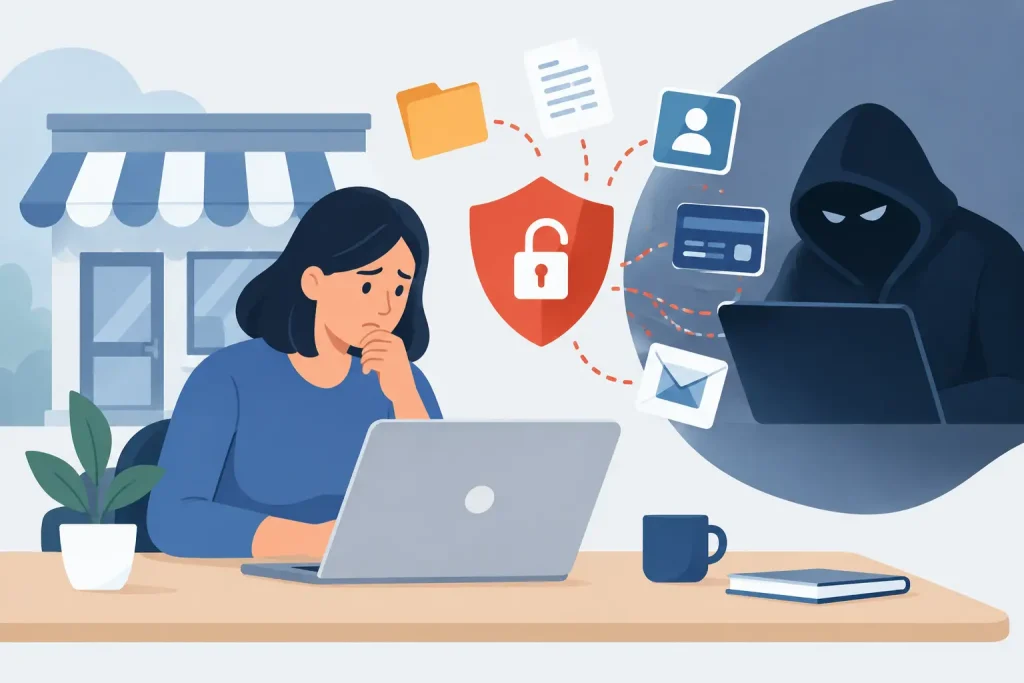
A stolen password can turn an ordinary Monday into a costly business interruption. A staff member clicks a convincing Microsoft 365 notice, an old laptop misses a security update, or a former employee’s account remains active. Within hours, customer records, payroll details, financial information, or email conversations may be exposed.
For community businesses and institutions, the consequences go beyond technical cleanup. A breach can disrupt operations, strain staff, affect public trust, and create reporting obligations. Understanding what causes data breaches is the first step toward making smarter security decisions without asking your team to become cybersecurity specialists.
What Causes Data Breaches Most Often?
Most data breaches do not begin with a movie-style hacker breaking through an impenetrable firewall. They begin where people, processes, and technology leave an opening. Attackers look for the easiest path: a reused password, an unpatched device, an overly broad cloud permission, or an employee who is busy and trying to get through a full inbox.
The specific risk depends on the organization. A healthcare practice may be targeted for patient information, while a nonprofit may hold donor and payment data. A local retailer may be exposed through point-of-sale systems or email-based invoice fraud. Yet the underlying causes are remarkably consistent.
Phishing and Stolen Credentials
Phishing remains one of the most common entry points because it exploits trust rather than software alone. An email may appear to come from a bank, a shipping company, a board member, a vendor, or an internal executive. It may ask the recipient to review a document, reset a password, pay an invoice, or sign into a familiar service.
When someone enters credentials on a fraudulent page, attackers can access email, cloud storage, contacts, and business applications. Email access is especially valuable because it lets criminals read conversations, reset passwords elsewhere, and impersonate employees in convincing follow-up messages.
Weak passwords make the problem worse, but even a long password can be stolen through phishing. Multi-factor authentication significantly limits the value of a stolen password, especially when it uses an authenticator app or security key rather than a text message alone. It is not a complete answer, but it removes one of the attacker’s easiest wins.
Unpatched Software and Unsupported Equipment
Every operating system, browser, firewall, server, and business application needs updates. Some updates add features; others fix known security flaws. When an organization delays critical patching, it can leave a publicized doorway open for attackers who already know how to exploit it.
This risk is often less about carelessness than capacity. Small organizations may have aging computers, specialized software that is difficult to update, or no clear owner for technology maintenance. A device can appear to work perfectly while carrying an outdated operating system or unsupported application.
Patch management requires balance. Installing updates without planning can interrupt specialized workflows, but postponing them indefinitely creates a more serious operational risk. A managed schedule, testing for critical systems, and a current inventory of devices make the trade-off manageable.
Misconfigured Cloud Services and Networks
Cloud platforms make it easier to share files, work remotely, and scale operations. They also make it possible to expose information accidentally. A shared folder may be set to “anyone with the link,” a cloud account may have administrator permissions it does not need, or a remote access tool may be left open after a vendor project ends.
Network configuration matters too. Guest Wi-Fi should not provide a path to systems that process payments, store client files, or manage internal records. Office devices such as printers, cameras, and network storage units also need attention. These systems are often installed, configured once, and then forgotten.
The goal is not to avoid cloud services. Properly configured cloud tools can be more secure and easier to manage than scattered files on individual computers. The key is knowing where data lives, who can access it, and whether those permissions still match each person’s role.
Ransomware and Malware
Ransomware is malicious software that encrypts files or blocks access to systems until a payment is demanded. Many ransomware groups also steal data before encrypting it, then threaten to publish the information if the victim does not pay. That means restoring files from a backup may not fully resolve the incident.
Malware can arrive through phishing, compromised websites, infected attachments, pirated software, or exploited vulnerabilities. Once inside, it may spread through shared drives and weakly protected accounts. Organizations with flat networks, where every device can readily communicate with every other device, can experience wider disruption.
Reliable backups are essential, but they must be protected as carefully as primary systems. Backups connected permanently to the same network can be encrypted by ransomware too. A sound strategy includes protected copies, regular testing, and a clear recovery plan for the systems the organization needs first.
Third-Party and Supply Chain Exposure
Businesses depend on accountants, payment processors, IT vendors, software providers, marketing platforms, and other partners. Each relationship can improve efficiency, but it can also introduce risk. A vendor may have access to a client portal, receive sensitive files by email, or connect remotely to a business network.
A third-party breach does not always mean the vendor did something wrong. However, organizations should know what data each provider receives, what access they retain, and how access is removed when the relationship changes. Contracts, account reviews, and clear communication help prevent forgotten connections from becoming permanent vulnerabilities.
Human Error and Unclear Processes
Not every breach is caused by a criminal act. An employee may send a spreadsheet to the wrong recipient, leave documents in an unsecured shared folder, misplace an unencrypted laptop, or use a personal email account for work files. These mistakes are common when policies are vague, tools are inconvenient, or staff have not been shown a safer process.
Blaming employees is rarely productive. A better approach is to make secure behavior practical. Give people an approved way to share files, provide short and relevant security training, and create a simple process for reporting suspicious activity. Staff should feel comfortable asking, “Does this request look legitimate?” before an urgent payment or data transfer takes place.
How to Reduce the Risks That Cause Data Breaches
Security works best as an ongoing business practice, not a one-time project. Start with the information and systems that would cause the greatest harm if lost, exposed, or unavailable. That includes customer records, employee data, financial accounts, email, cloud storage, website administration, and critical line-of-business software.
A practical security program should include these connected priorities:
- Require multi-factor authentication for email, cloud platforms, financial systems, remote access, and administrator accounts.
- Maintain automatic updates where possible, with a documented process for devices and applications that require planned maintenance.
- Use unique passwords stored in a business password manager, and remove shared credentials whenever possible.
- Limit access based on job responsibilities, then review user accounts and vendor access regularly.
- Keep tested, protected backups and document who will make decisions if systems become unavailable.
- Train staff to recognize phishing, invoice fraud, and unusual requests for information or payments.
These actions are most effective when paired with 24×7 monitoring and clear accountability. Someone needs to receive alerts, investigate unusual sign-ins, confirm that backups completed, and respond quickly when a device shows signs of compromise. For many small organizations, that responsibility is difficult to maintain internally while also serving customers and running daily operations.
A Breach Is Also a Response-Test Problem
Even well-managed organizations can face an incident. What separates a contained event from a prolonged crisis is often the first few hours. Teams need to know who to call, which accounts can be disabled, how to isolate a device, where backups are located, and how to communicate with employees, clients, and leadership.
An incident response plan does not need to be a lengthy binder that no one reads. It can begin with a concise set of decisions: identify the technical contact, define who can authorize emergency actions, list critical vendors, and record the steps for reporting a suspected breach. Review it after staff changes, technology changes, or a close call.
Epuerto helps organizations connect cybersecurity, managed IT, backup planning, and day-to-day operations so security measures support the business instead of slowing it down. The right level of protection depends on your data, budget, regulatory obligations, and tolerance for downtime.
The most useful next step is simple: choose one high-risk account or system this week, confirm who has access, turn on multi-factor authentication, and verify that its data can be restored. Consistent progress on the basics creates the foundation for safer growth and stronger community trust.