
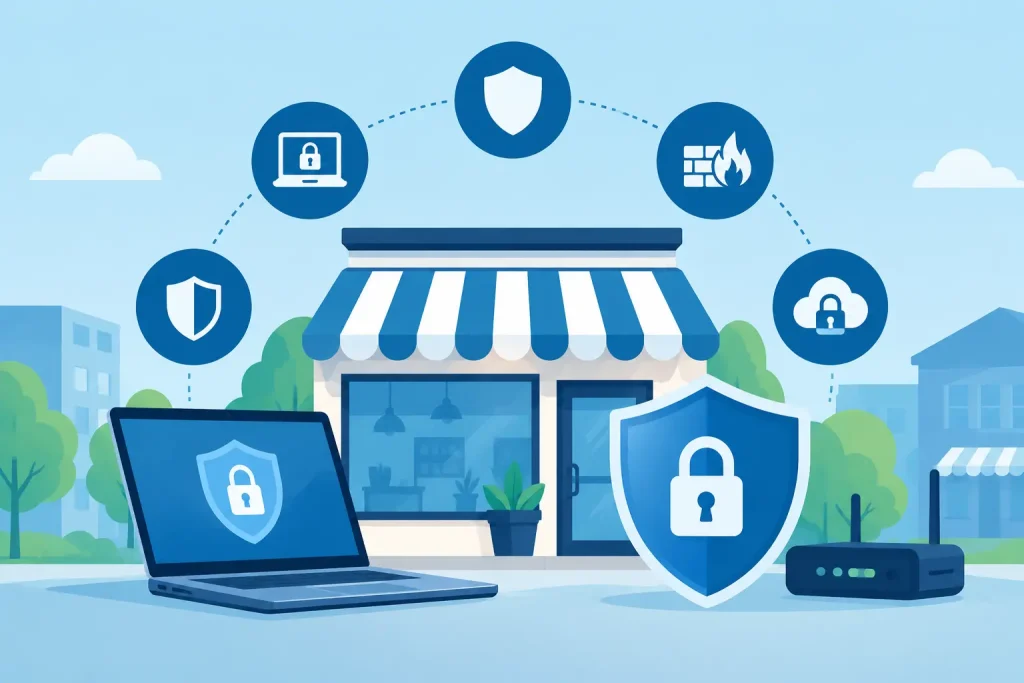
A phishing email can arrive disguised as an invoice from a familiar supplier. A staff member opens it between customer calls, enters a password, and suddenly an attacker has a doorway into email, files, banking details, or patient information. The top cybersecurity tools are not just for large corporations. They give local businesses and community organizations practical ways to reduce risk before one ordinary click becomes an operational crisis.
The goal is not to buy every security product available. It is to build a layered set of protections that fits your organization, your data, and the way your team actually works. A medical office, museum, nonprofit, retail shop, and professional services firm will not need identical technology. They do, however, need clear controls around identity, devices, email, networks, backups, and response.
The Top Cybersecurity Tools That Cover the Essentials
Multi-factor authentication
Multi-factor authentication, often called MFA, is one of the highest-value protections a business can put in place. It requires a second proof of identity after a password, such as an authenticator app prompt, a security key, or a code. If an employee’s password is stolen through phishing or reused from another compromised account, MFA can stop the attacker from signing in.
Prioritize MFA for email, cloud storage, accounting software, remote access, administrator accounts, and any system holding customer or employee data. Platforms such as Microsoft Entra ID, Duo, and Okta can help organizations manage this requirement across many applications. For smaller teams, the MFA features already included with a business email platform may be the sensible starting point.
Not all MFA methods provide the same protection. App-based prompts and physical security keys are generally safer than text-message codes, which can be vulnerable to phone-number takeover attacks. The trade-off is convenience. A thoughtful rollout, clear instructions, and an emergency account recovery process will prevent security from becoming a daily frustration.
Password management
Strong passwords matter, but asking people to memorize dozens of long, unique credentials is unrealistic. A business password manager generates and stores unique passwords, supports secure sharing, and gives leaders better visibility when an employee leaves or a shared credential must be changed.
Tools such as 1Password, Bitwarden, and Dashlane are commonly used options. Look for centralized administration, individual user accounts, secure sharing rather than shared spreadsheets, and activity controls appropriate for your team. A password manager works best alongside MFA, not as a substitute for it.
Endpoint protection and device management
Every laptop, desktop, and mobile device connected to your systems is an endpoint. Modern endpoint protection goes beyond traditional antivirus by detecting suspicious behavior, isolating compromised devices, and helping a support team investigate what happened.
Microsoft Defender for Business, SentinelOne, Huntress, and similar managed detection and response tools can provide this added coverage. The right choice depends on whether your organization has internal IT staff who can review alerts. Many small and mid-sized organizations benefit from a managed service because a warning is only useful when someone can act on it quickly.
Device management is the partner to endpoint protection. It helps enforce screen locks, encryption, operating-system updates, approved software, and remote wiping for lost devices. For businesses with remote or hybrid employees, this control is especially valuable. It also reduces the risk of one neglected laptop becoming the weakest point in the network.
Email security and phishing protection
Email remains one of the most common paths into a business. Attackers use fake invoices, payroll requests, shipping notices, and messages that appear to come from executives or vendors. An email security tool filters malicious messages before they reach inboxes and can scan links and attachments for harmful content.
Microsoft Defender for Office 365, Proofpoint, and Mimecast are examples of products organizations may evaluate. The best configuration should also include protections against impersonation, suspicious forwarding rules, and spoofed versions of your own domain. Domain authentication settings such as SPF, DKIM, and DMARC help receiving email systems verify that messages claiming to come from your organization are legitimate.
Technology cannot catch every deceptive message. Short, recurring phishing-awareness training gives employees a practical habit: pause, verify unusual requests through a known phone number or separate message, and report anything suspicious. That culture protects operations without turning every employee into a security specialist.
Secure firewalls and network protection
A business-grade firewall sits at the edge of the network and controls what traffic is allowed in and out. It can segment sensitive systems, block known threats, create secure connections for remote workers, and provide visibility into unusual activity.
Fortinet, SonicWall, Cisco Meraki, and similar platforms offer different levels of capability. The product name matters less than ongoing configuration, firmware updates, and monitoring. An expensive firewall that has not been updated or reviewed can create a false sense of security.
Network segmentation is particularly useful for organizations with guest Wi-Fi, point-of-sale systems, security cameras, public-facing displays, or medical devices. Guests should not share the same network path as systems that hold payment, operational, or confidential information. Separating these environments limits the damage if one device is compromised.
Encrypted backup and disaster recovery
Backup is a cybersecurity tool because ransomware often targets both business data and the backups meant to restore it. A reliable backup strategy keeps protected copies separate from the primary network, encrypts data, and tests recovery on a regular schedule.
Look for a solution that follows the 3-2-1 principle: maintain three copies of important data, on two different types of storage, with one copy kept offsite or otherwise isolated. Veeam, Datto, Acronis, and cloud-native backup services can support different versions of this approach.
The critical question is not simply whether backups run. Ask how long it would take to restore email, files, line-of-business software, and critical workstations after an outage. A nonprofit preparing for an event or a healthcare office scheduling patients cannot afford to discover recovery limitations during an emergency. Test restores turn a backup promise into a workable recovery plan.
Security monitoring and incident response
Security tools produce alerts, but alerts need interpretation. Centralized monitoring can collect activity from endpoints, email, firewalls, and cloud services to identify patterns that deserve attention. Larger organizations may use a security information and event management platform, while smaller teams often rely on a managed detection and response provider.
This is where response planning matters. Decide in advance who can disable an account, isolate a device, contact your IT partner, communicate with leadership, and notify affected customers or regulators if required. A documented plan saves valuable time when stress is high and facts are still developing.
How to Choose Top Cybersecurity Tools Without Overspending
Start with a simple risk review rather than a product catalog. Identify the data you store, the systems needed to serve customers, the number and type of users, and the damage a day of downtime would cause. Then address the most likely and most damaging gaps first.
For many local organizations, the first priorities are MFA, managed endpoint protection, email security, patching, and tested backups. Those controls cover a large portion of common attacks. A specialized compliance platform or advanced monitoring system may be appropriate later, particularly for healthcare entities, financial data, or organizations with contractual security requirements.
Integration deserves attention as well. A collection of disconnected tools can create duplicate costs and missed alerts. When your email, identity, devices, backups, and monitoring work together, your technology team can respond faster and manage access more consistently. This is one reason a coordinated IT partner can be more practical than asking office staff to manage several separate vendors.
Finally, measure tools by outcomes, not feature lists. Can you see which devices are protected? Can you confirm every staff member uses MFA? Can you restore a critical file or server? Can someone respond after hours if a serious alert appears? Clear answers to these questions are more valuable than a long list of technical specifications.
Cybersecurity should support the work your organization is known for: serving patients, members, visitors, customers, and the local community. Begin with the controls that reduce real risk, review them as your operations change, and make security a dependable part of how your business grows.