
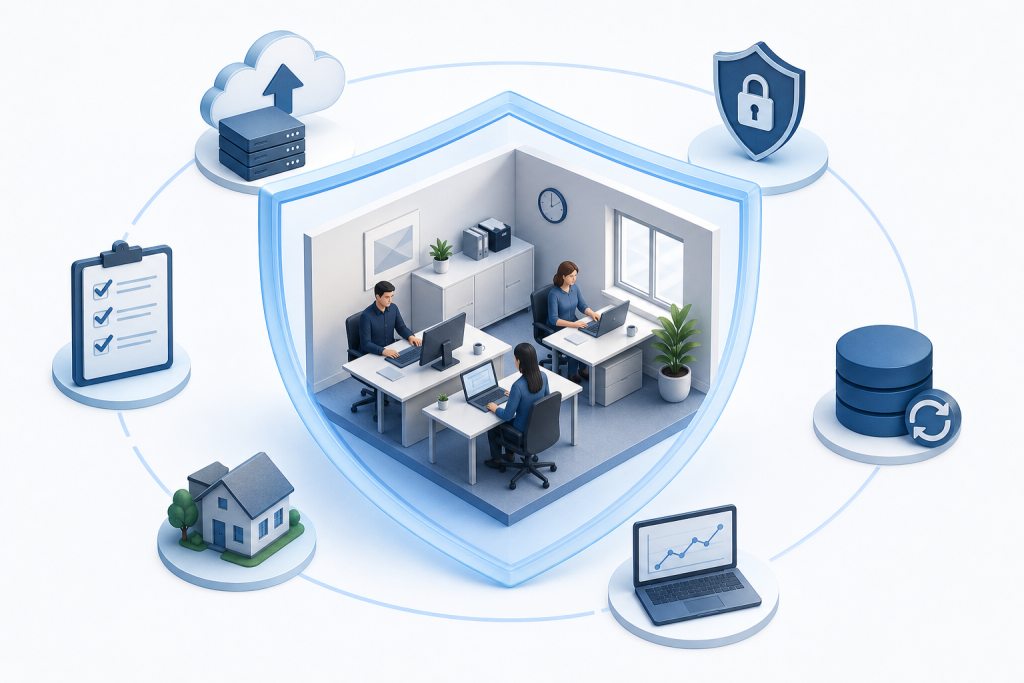
Business continuity planning means identifying the operations your small office cannot afford to lose, then documenting exactly how you will keep them running, or restore them fast, when something goes wrong. A solid plan covers risk assessment, critical-function mapping, data backup, communication, and regular testing, all sized for a small team.
Large organizations can absorb a disruption with spare staff, redundant systems, and dedicated IT departments. Small offices cannot. When a key person is out sick, a power outage kills your server, or ransomware locks your files, there is no backup team waiting. A written continuity plan is not a corporate formality. It is the practical tool that keeps a small office from turning a bad day into a weeks-long crisis.
Step 1: Business Continuity Planning Starts With Your Real Risks
A useful risk assessment starts with the threats that are realistic for your specific office, not a generic checklist pulled from an enterprise template.
Start by thinking in four categories:
-
Physical and environmental threats. Power outages, fires, flooding, and severe weather top this list for most small offices. If your office sits in a coastal or rural area, extended outages and road closures become more likely than they would be in a dense urban center. Think about what happens to your operations when the building itself is inaccessible for a day, or a week.
-
Technology failures. Hardware dies without warning. A line-of-business server can fail mid-week, taking your billing system or scheduling software with it. Internet service disruptions, though brief, can halt work entirely for offices that depend on cloud-based applications.
-
Cyberattacks and data threats. Ransomware, phishing, and unauthorized access are not problems reserved for large corporations. Small offices are frequent targets precisely because their defenses tend to be lighter. A successful attack can encrypt files, expose client data, or shut down operations for days. For a deeper look at what recovery from a cyberattack actually involves, the Cyberattack Recovery Example for SMBs article walks through a realistic scenario.
-
Key-person dependency. Many small offices run on institutional knowledge held by one or two people. If the person who manages your billing, your client relationships, or your IT access is suddenly unavailable, that knowledge gap becomes an operational risk.
Once you have listed your threats, note the ones most likely to occur and the ones that would cause the most damage if they did. You do not need a formal scoring matrix. You need an honest conversation with your team about what would actually hurt.
Key Takeaway: A risk list grounded in your real environment is more useful than a comprehensive but abstract one. Start with what you know.
Step 2: Map Your Critical Business Functions
Not every function in your office deserves the same level of protection. The goal of this step is to identify which processes, if interrupted, would cause immediate and serious harm to your clients, your revenue, or your legal obligations.
Work through this process with whoever knows your daily operations best:
-
List every core activity your office performs. Include billing and invoicing, client communications, appointment scheduling, file access, payroll, and any service delivery that happens on a regular cycle.
-
Ask: what happens if this stops for one hour? One day? One week? Some functions can wait. Others cannot. A medical office that loses access to patient records faces a different urgency than a marketing firm that cannot reach its file server for an afternoon.
-
Assign a recovery time objective (RTO) to each critical function. The RTO is the maximum amount of time your office can tolerate that function being unavailable before the impact becomes unacceptable. Be specific: "billing must be restored within four hours" is useful. "As soon as possible" is not.
-
Assign a recovery point objective (RPO) to any function that depends on data. The RPO, or recovery point objective, defines how much data loss your office can absorb. If your RPO for client records is four hours, your backup system needs to capture changes at least every four hours.
-
Rank your functions by priority. Group them into tiers: functions that must recover within hours, those that can wait a day, and those that can wait longer. This ranking drives every other decision in your plan.
These are not technical details to leave to chance. They are operating decisions that only you and your team can make.
Key Takeaway: Define your RTOs and RPOs before you choose any technology. The targets come first; the tools follow.
Step 3: What Should Your Data Backup Strategy Include?
A sound data backup strategy for a small office rests on a few core practices, not on any single product or platform.
The first principle is redundancy. Keeping one copy of your data is not a backup strategy. You need multiple copies stored in more than one location. A copy on your local server and a copy stored offsite or in the cloud means that a single failure, whether a hardware crash, a fire, or a theft, cannot wipe out everything at once. The offsite or cloud copy is what you actually restore from when your primary system is gone.
The second principle is frequency. How often your backup runs should match the RPO you set in Step 2. If losing a full day of billing data is acceptable, a nightly backup may be enough. If losing even two hours of client records is a problem, your backup needs to run more often. Automated, scheduled backups remove the human error of remembering to run them manually.
The third principle is verified restores. A backup you have never tested is a backup you cannot trust. Schedule regular restore tests, at least quarterly, to confirm that your files are actually recoverable and that the process works within your RTO. Many small offices discover their backup is incomplete or corrupted only when they need it most.
For a full picture of how backup fits into a broader continuity and disaster recovery approach, the cloud backup and disaster recovery services page covers the options available to small and mid-sized businesses.
Finally, document what is being backed up. Staff turnover and system changes can quietly leave critical data outside your backup scope. A written inventory of what is protected, where it is stored, and how to restore it belongs in your continuity plan alongside everything else.
Key Takeaway: Multiple copies, an offsite or cloud location, automated scheduling, and regular restore tests are the four non-negotiable elements of a small office backup strategy.
Step 4: Build a Communication and Roles Plan
When a disruption hits, communication is usually the first thing that breaks down. People do not know who is in charge, who to call, or what to tell clients. A communication and roles plan fixes that before the pressure is on.
Work through these steps to build yours:
-
Assign a continuity lead. One person owns the response. This does not need to be the owner or the most senior staff member. It needs to be someone reliable who is present most of the time and knows the plan well. Name a backup for this role too, in case the primary person is the one who is unavailable.
-
Build a contact list and keep it current. Document names, mobile numbers, and personal email addresses for every staff member. Add your key vendors, your internet service provider, your landlord, and any clients whose work cannot wait. A contact list that lives only inside your office network is useless when the network is down. Keep a printed copy offsite and a digital copy in cloud storage.
-
Define the notification sequence. Who gets called first? Who notifies clients? Who contacts vendors? Write this out as an ordered list, not a general description. "The continuity lead contacts all staff within one hour, then notifies affected clients within four hours" is actionable. "We will reach out to people as needed" is not.
-
Prepare short, pre-written message templates. Draft a brief message for staff, one for clients, and one for vendors. Each should state what happened, what you are doing about it, and when you will update them next. You will not want to write these from scratch during a crisis.
-
Clarify decision authority. Document who can authorize expenses, approve temporary workarounds, or make commitments to clients during an incident. Ambiguity here causes delays.
Key Takeaway: A communication plan is only useful if the contact information is accessible when your systems are down. Store it somewhere your team can reach from anywhere.
Step 5: Document Your Recovery Procedures
A continuity plan that says "restore from backup" or "switch to remote work" is not a procedure. It is a goal. Recovery procedures are the step-by-step instructions that move your team from disruption to restored operations without guessing.
Write a short runbook for each critical function you identified in Step 2. A runbook does not need to be long. It needs to be specific enough that a staff member who does not normally handle that function can follow it under stress. If only one person knows how to do something, that knowledge gap is exactly what the runbook is there to close.
Each runbook should cover four things. First, what the normal state looks like, so the person executing recovery knows what they are aiming for. Second, the exact steps to restore or work around the function, in order, with no assumed knowledge. Third, where to find the tools, credentials, or resources needed, including any passwords stored in a secure location outside the affected system. Fourth, who to contact if a step fails or the procedure does not work as expected.
Beyond individual runbooks, document your alternate work arrangements. If your office becomes physically inaccessible, where do staff work? Which functions can operate remotely, and which cannot? If a key application goes down, what is the manual workaround for the first 24 hours? These answers belong in writing, not in someone's head.
Review each runbook whenever a system, a vendor, or a staff role changes. An outdated procedure is nearly as dangerous as no procedure at all.
Key Takeaway: Write recovery procedures for the person who has never done the task before. If they can follow it successfully, the runbook is good enough.
Step 6: How Do You Test and Maintain a Business Continuity Plan?
A plan that has never been tested has never been proven. Testing is what separates a document that sits in a drawer from one that actually works when you need it.
Build these practices into your calendar:
-
Run a tabletop exercise at least once a year. Gather your team, present a realistic disruption scenario, and walk through your plan out loud. You are checking whether everyone knows their role, whether the contact list is current, and whether the procedures make sense. A one-hour session reveals gaps that months of document review would miss.
-
Test your data restores on a set schedule. Quarterly is a practical target for most small offices. Pick a file or a system, restore it from backup, and confirm it works. Log the result. If a restore fails or takes longer than your RTO allows, fix the issue before a real incident forces your hand.
-
Review the full plan every six months. Staff changes, new vendors, new software, and office moves all create gaps. Set a calendar reminder and treat the review as a standing obligation, not an optional task.
-
Update the plan after any real incident. Even a minor disruption reveals something. Document what happened, what the plan said to do, and where it fell short. Update accordingly.
-
Trigger a review after any major change. A new line-of-business application, a staff departure, or an office move each changes your risk profile. Do not wait for the next scheduled review.
Key Takeaway: Testing is not a one-time event. It is the maintenance schedule that keeps your plan accurate and your team ready.
When Does Managed IT Support Make Business Continuity Easier?
For many small offices, the hardest part of continuity planning is not writing the plan. It is maintaining the technical infrastructure the plan depends on: reliable backups, monitored networks, patched systems, and someone who can respond when something breaks. That workload is difficult to sustain without dedicated IT staff.
A managed IT provider takes on that operational burden. Instead of asking your office manager or most tech-savvy staff member to also monitor backup jobs, apply security patches, and respond to alerts, you hand those responsibilities to a team whose job is exactly that. The practical effect is that the technical layer of your continuity plan, the part most likely to fail quietly and unnoticed, gets consistent attention.
The scenarios where this matters most are specific. If your office has no one who can restore a failed server from backup under pressure, a managed provider fills that gap. If your cybersecurity posture is thin, meaning no monitored endpoint protection, no multi-factor authentication (MFA) enforced across accounts, and no one reviewing access logs, a managed provider can deploy and oversee those controls. If your backup has never been tested, or you are not certain what is actually being backed up, those are problems a managed IT relationship resolves before they become crises.
The trade-off is cost and coordination. You are relying on an outside party for functions that affect your operations directly. That relationship works best when expectations are documented, response times are agreed upon in advance, and your internal continuity plan still assigns a staff member as the point of contact during an incident.
Epuerto is a managed IT provider that serves small and mid-sized businesses, covering backup, cybersecurity infrastructure, cloud computing, and network management as a done-for-you service rather than a self-serve platform. For offices on the Oregon Coast and beyond that lack an internal IT department, that kind of hands-on support can be the difference between a continuity plan that works and one that only looks good on paper.
FAQs
What is the difference between a business continuity plan and a disaster recovery plan?
A business continuity plan covers how your office keeps operating during and after a disruption, including communication, roles, workarounds, and critical function recovery. A disaster recovery plan focuses specifically on restoring your technology systems and data. Disaster recovery is one component inside a broader continuity plan. You need both, but the continuity plan is the larger document that gives the recovery plan its context and priorities.
How long does it take to write a business continuity plan for a small office?
A practical first draft for a small office, covering risk assessment, critical functions, backup strategy, communication, and recovery procedures, typically takes two to four weeks when treated as a part-time project alongside normal work. The bottleneck is usually gathering accurate information: current contact lists, a complete inventory of critical systems, and agreement on recovery time objectives. Starting with your highest-priority functions and building outward keeps the process from stalling.
What is a recovery time objective (RTO) and why does it matter?
A recovery time objective, or RTO, is the maximum amount of time your office can tolerate a specific function being unavailable before the impact becomes unacceptable. For example, if your billing system must be restored within four hours or you miss a payment cycle, your RTO for billing is four hours. The RTO drives your technology choices, your staffing decisions during an incident, and how you prioritize recovery when multiple systems fail at once.
Does a small office really need a written business continuity plan?
Yes, and the size of the office is precisely the reason. A small office has no spare capacity to absorb a disruption informally. When the person who knows the passwords is unavailable, or the server fails during a busy week, the absence of a written plan means every decision gets made under pressure with incomplete information. A written plan does not prevent disruptions. It prevents a manageable problem from becoming a prolonged crisis.
What documents should be stored offsite or in the cloud as part of a continuity plan?
At minimum, store your contact list, your recovery runbooks, your backup credentials and restore instructions, your vendor account information, and a copy of the continuity plan itself. Any document your team would need to operate or recover without access to your primary office or network belongs offsite. A cloud storage folder with controlled access is a practical location. A printed copy kept at a secondary location adds another layer of protection for the most critical items.
Conclusion
Business continuity planning gives your small office a documented path through disruption rather than a scramble. The steps covered here, identifying real risks, mapping critical functions, building a sound backup strategy, assigning clear roles, writing usable recovery procedures, and testing regularly, form a complete and workable framework sized for a team without a dedicated IT department.
Start with the two questions that anchor everything else: which functions your office cannot afford to lose, and how long each one can be down before the damage becomes serious. Those answers shape every other decision. From there, assign owners, write the runbooks, and put a restore test on the calendar. A plan that gets reviewed and tested twice a year will serve you far better than a polished document that never leaves the folder.