
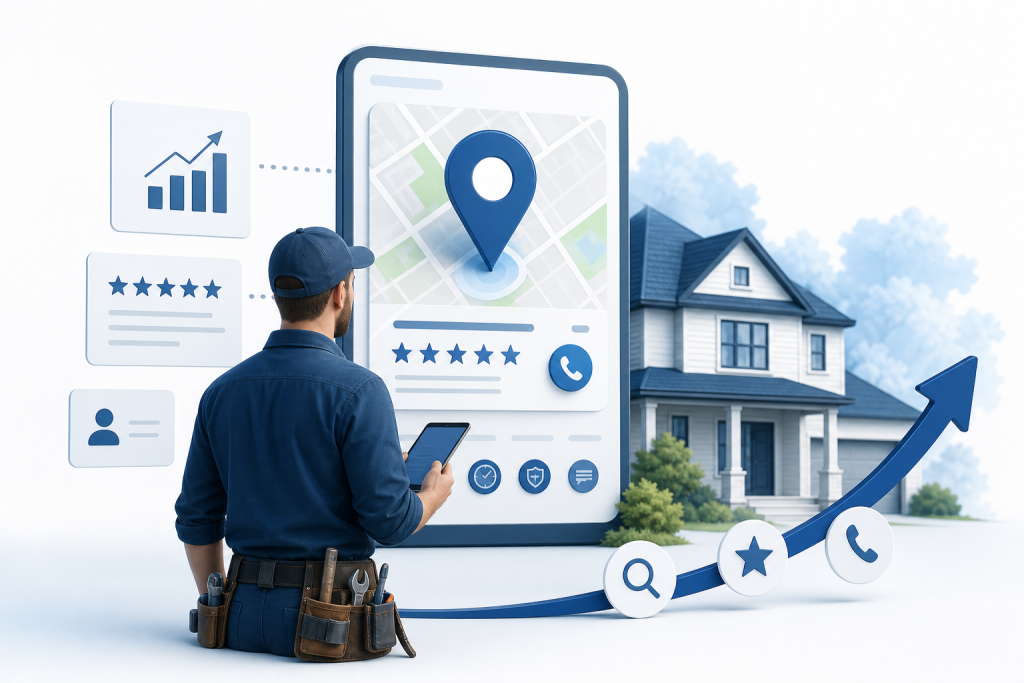
Digital marketing for contractors works best in a set order: claim and complete your Google Business Profile, build a steady review routine, add service-area pages to your website, and use Local Services Ads for quick leads. Then track where every call comes from so you can cut what doesn't pay.
You may have already covered the basics of marketing a small business: a website, a phone number, a few social accounts. If so, the next problem is narrower. You need an order of operations built for trade businesses, one that tells you what to do first, what can wait, and what to drop. A general starting guide covers the foundation. This guide picks up from there and sequences the work for contractors.
How Much Should a Contractor Spend on Digital Marketing?
Set a fixed marketing budget before you choose a single channel. The SBA advises businesses with under $5 million in annual revenue to put 7 to 8% of that revenue toward marketing. Treat that as a starting guideline, not a rule for every contractor. A new crew chasing its first 50 customers may spend more, and a shop with a full schedule and a waiting list may spend less.
Here is how to apply it. Take last year's revenue, or your realistic projection if you are new. Multiply by that 7 to 8% range, then divide by 12 to get a monthly number. That number is your ceiling for the year, and it keeps you from reacting to every sales call from an ad vendor.
Demand gives you a reason to spend with intent. According to Acorn Finance's 2026 research, 72% of homeowners who bought property when interest rates were low are planning a repair or renovation project within the next 12 to 24 months. That is a vendor-reported figure, and it describes the market, not your results. It does not mean any individual contractor will see more leads. It does mean people will be searching for your services.
Key Takeaway: Pick a budget as a percentage of revenue first, then assign it to channels in the order below.
Step 1: Audit Your Visibility and Fix Your Google Business Profile
Before you spend anything, find out what a customer sees when they look for you. Search engines like Google are the main way 72% of consumers find information about local businesses, according to Search Engine Land's 2026 guide. If your listing is thin or missing, you lose the job before the customer ever reads your website.
Run the audit in four moves:
- Open an incognito browser window so your own search history doesn't skew the results.
- Search for your trade plus your city, such as "roofing contractor Coos Bay," and write down who shows up in the map results and the first page.
- Ask an AI tool like ChatGPT the same question and note whether your business is named, and what it says about you.
- Search your own business name and check that the phone number, address, and hours match everywhere they appear.
Then fix the gaps you found in your Google Business Profile, the free listing that powers your map presence:
- Claim and verify the profile if you haven't.
- Choose the most accurate primary category, then add secondary categories for other services you offer.
- List your service area honestly. Don't claim cities you won't drive to.
- Add real photos of finished jobs, your trucks, and your crew.
- Write a plain business description that names your trades and the towns you serve.
Duplicate or outdated listings are a common problem here, so look for old versions under a previous name or address and merge or remove them.
Key Takeaway: Audit first, because the gaps you find tell you where your first hours should go.
Step 2: How Do I Get More Reviews From Customers?
Reviews often decide which contractor gets the call. BrightLocal's 2026 survey found that 97% of people read reviews before choosing a local business, and 41% now check them every time they browse. The figure is vendor-reported, but the behavior it describes is easy to confirm: you probably read reviews before hiring anyone yourself.
The fix is a routine, not a one-time push. Build it like this:
- Decide who asks. Pick one person, whether that's the crew lead, the office manager, or you. Shared responsibility usually means nobody does it.
- Ask right after the job is finished. The customer is looking at the completed work and feeling good about it. A week later, that moment is gone.
- Send a direct link. Create your Google review link from your profile and text or email it. Every extra tap costs you reviews.
- Make it part of the closeout. Add the request to your invoice or completion checklist so it happens on every job.
- Reply to every review. Thank the happy customers and answer complaints calmly and specifically. Future customers read your replies too.
Your field service software can help keep this consistent. ServiceTitan, for example, includes a feature to update business listings and respond to reviews across multiple platforms. The trade-off is size: it is a large system, and rolling it out is a real project, so it fits bigger operations better than a two-truck shop. A text message and a checklist item work fine at a smaller scale.
Key Takeaway: One named person asking every customer, with a direct link, beats any occasional review campaign.
Step 3: Build Service and Service-Area Pages That Convert
A website for a contractor has one job: turn a visit into a phone call or a quote request. Your Google Business Profile gets people to look at you. Your site closes the deal.
CallRail research found that 66% of home services companies name lead conversion and follow-up as their main challenge, not generating traffic. That figure is vendor-reported, but it points at a real problem. Many contractors pay for visitors and then lose them on a slow, confusing page.
Build these pages and elements:
- One page per core service. A roofer needs separate pages for roof repair, roof replacement, and storm damage, not one page that lists everything. Each page targets what a specific customer is typing into search.
- One page per service area. If you work in Coos Bay, North Bend, and Bandon, give each town its own page with real details: neighborhoods you work in, jobs you've completed there, and local permit or weather concerns. Don't copy the same text and swap the town name.
- A phone number at the top of every page that works with one tap on a phone.
- A short quote form asking for name, phone, address, and a one-line job description. Every extra field costs you leads.
- Photos of your own work, not stock images.
- A visible license and insurance statement, so customers can verify you.
Then fix follow-up speed. A fast website means little if the form submission sits in an inbox until Monday. Decide who answers new leads and how quickly, and write it down.
If you'd rather hand off the build, Epuerto builds and hosts websites as a done-for-you service. That is an option, not a requirement. The pages above work on any platform.
Local SEO vs. Paid Ads: Which Should Contractors Start With?
Start with both, in different roles. Local SEO (search engine optimization, the work of earning visibility in unpaid results) builds a lasting base. Paid ads fill your schedule while that base grows.
| Factor | Local SEO | Paid search and Local Services Ads |
|---|---|---|
| What it does | Earns map and organic placement through your profile, reviews, and pages | Buys placement at the top of results |
| How fast leads arrive | Slowly, over months | Quickly, often within days of launch |
| Cost control | Mostly time and effort, with no per-lead charge | You pay per click or per lead, so spend rises with volume |
| Durability | Keeps working when you stop spending | Stops the day you pause the budget |
| Best for | Building steady, lower-cost leads over the long term | Filling a slow calendar now |
How long does contractor SEO take? Expect months, not weeks. Results depend on how competitive your trade and town are, how complete your profile is, and how many reviews you already have. A small town with few competitors usually moves faster than a metro area. Nobody can promise you a date, and any agency that does is guessing.
The trade-off is simple. SEO costs less per lead over time but moves slowly. Ads work fast, but you rent your visibility. That is why Step 4 uses paid leads as a bridge while the earlier steps build.
Step 4: Should I Use Google Ads or Local Services Ads?
For most contractors, Local Services Ads are the better first paid channel. They place you at the top of search results with a "Google Guaranteed" badge, and you pay per lead rather than per click. That difference matters. With standard Google Ads, you pay when someone clicks, whether or not they ever call. With Local Services Ads, you pay when a customer contacts you.
The badge also builds trust before the customer reads a word about you. It signals that Google has screened the business, which helps when a homeowner is choosing between strangers.
Standard Google Ads gives you more control. You choose keywords, write the ad text, send people to a specific page, and target particular services or areas. That control takes skill, and a poorly managed campaign can burn a budget on clicks that never turn into calls. It fits contractors who have a strong landing page and someone willing to watch the numbers weekly.
Here is a simple way to decide:
- Choose Local Services Ads if you want phone calls with little setup and can answer quickly.
- Choose Google Ads if you promote specific high-value jobs and can manage keywords and landing pages.
- Run both once your budget and tracking can support it.
One warning on Local Services Ads: Google may charge for missed calls, so speed matters. Staff the phone or set up a fast callback before you turn them on.
Whichever you pick, cap the monthly spend inside the budget from the start of this guide.
Step 5: Track Lead Sources and ROI in Your Field Service Software
Tracking tells you which channels earn their budget and which ones to cut. Without it, you are guessing, and the loudest vendor wins.
Set it up in four moves:
- Add a "lead source" field to every new job record. Use a short fixed list: Google Business Profile, Local Services Ads, Google Ads, website form, referral, repeat customer, other.
- Ask every caller how they found you. Make it the second question after their name. Staff who skip it leave you with blank data.
- Tie each lead to a booked job and a final invoice amount. A call that never becomes work is a cost, not a win.
- Review monthly. Divide each channel's spend by the jobs it produced, and compare the revenue those jobs brought in.
Jobber, for example, covers scheduling, quoting, and invoicing, so source tags can sit right on the job. It focuses more on job management than on running ad campaigns, so treat it as your record of results, not your marketing engine. ServiceTitan can do similar work at larger scale.
Cost per lead varies widely by trade, town, and season, so published benchmarks for a specific trade can mislead you. Your own numbers are the only ones that count. Because 66% of home services companies call follow-up their main challenge, also log how fast each lead got a response.
Key Takeaway: A lead source on every job record turns your marketing budget from a guess into a measured decision.
How to Adjust Your Marketing for Peak and Shoulder Seasons
Seasonal trades like HVAC (heating, ventilation, and air conditioning) should shift their marketing, not run one steady plan all year. In peak season, demand outruns your crew, so spend less on new leads and protect response speed. Push review requests hard, since busy months produce the most finished jobs.
In shoulder seasons, when calls slow, email past HVAC customers in spring and fall with a tune-up reminder, and use the quiet weeks to improve your service pages. Trim paid spend if the phone is already full.
FAQs
How long does it take for contractor SEO to work?
Expect months, not weeks. Timing depends on how competitive your trade and town are, how complete your Google Business Profile is, and how many reviews you hold. A small town with few competitors usually moves faster than a metro area. Use paid leads to cover the gap while organic results build.
Should a contractor use Google Ads or Local Services Ads?
Most contractors should start with Local Services Ads. You pay per lead and get the Google Guaranteed badge. Standard Google Ads offers more control over keywords and landing pages but needs closer management. Choose based on how much setup time you have and how fast you can answer calls.
How do I get more reviews from customers?
Ask every customer, every time, right after the job is complete. Assign one person to ask, and send a direct link to your Google review page by text or email. Add the request to your closeout checklist so it never depends on memory, and reply to each review you receive.
What is the cheapest way for a new contractor to get leads?
Claiming and completing your Google Business Profile costs nothing but time. Pair it with a steady review routine and asking past customers for referrals. These build visibility without ad spend. Add Local Services Ads once you can answer calls fast, since they charge only for leads.
Do contractors need a website if they have a Google Business Profile?
Yes. Your profile gets customers to notice you, but a website holds service and service-area pages, photos of your work, and a quote form that turns visits into jobs. The profile also links to your site, so a missing or weak one costs you the final step.
Is social media worth it for contractors?
It can help, but it ranks below the steps above. Customers searching for a contractor are mostly on Google, not scrolling feeds. Use social media to show finished work and reach past customers, once your profile, reviews, and website are in place.
Conclusion
Start with what people already search for: a complete Google Business Profile, steady reviews, and dedicated service pages. Add paid leads to fill your schedule while those grow, and let your own tracking decide where the money stays.
This week, search your trade and city in an incognito window and write down what you find. Then set one fixed monthly marketing budget and add a lead source field to your job records.