
- What Makes VoIP Different From Your Current Phone System
- Before You Switch: Three Things You Must Confirm
- The Migration Process, Step by Step
- Common Problems and How to Avoid Them
- Why Local Support Matters More Than You Think
- Is VoIP Right for Every Business?
- FAQs
Switching your phone system feels riskier than it should. You have customers who call daily, staff who depend on direct lines, and a business number that took years to build. The idea of going dark for even an hour is enough to make most small business owners put it off indefinitely.
Here's the reality: a well-planned business VoIP migration doesn't have to drop a single call. The disruption you're worried about is almost always the result of poor planning, not the technology itself. This guide walks you through exactly how to make the switch cleanly, what to watch for, and how to set up your new system so it works better than what you're leaving behind.
What Makes VoIP Different From Your Current Phone System
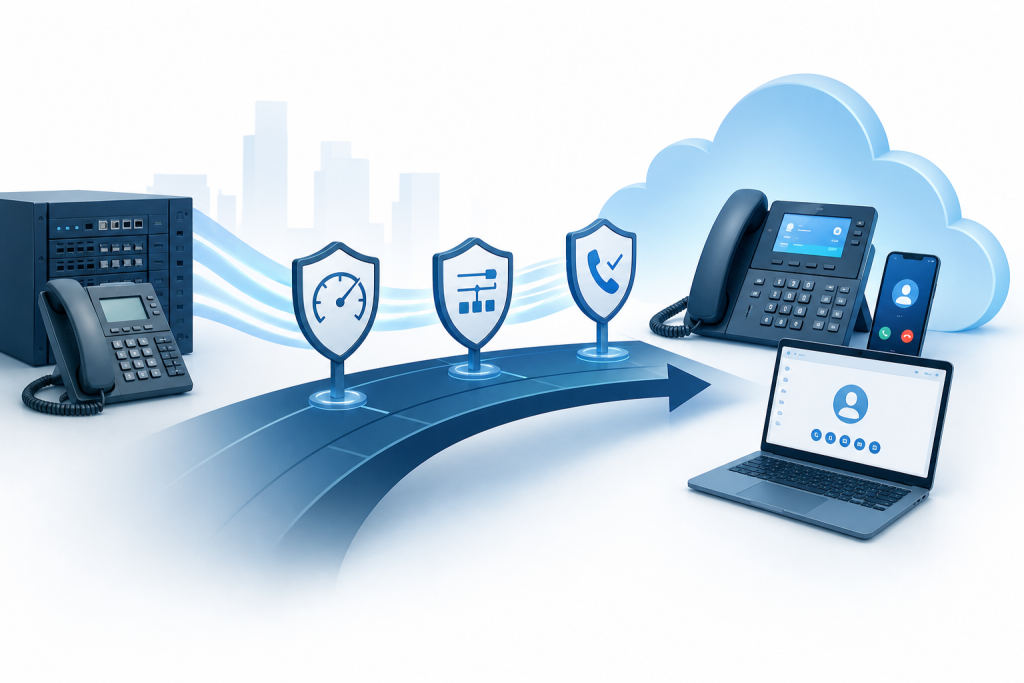
Traditional phone service runs over physical copper lines. Every call travels through a dedicated circuit — reliable, but expensive and inflexible. Business VoIP (Voice over Internet Protocol) routes calls as data packets over your internet connection, turning your phone system into software rather than hardware.
That shift brings real advantages. You can add or remove lines without a technician visit, route calls to mobile phones or remote workers, get voicemail transcribed to email, and manage everything from a browser. For a small business with two to twenty employees, the flexibility alone makes it worth considering.
The catch is that VoIP quality depends entirely on your internet connection and network configuration. A poorly set up network produces choppy audio, dropped calls, and frustrated customers. That's where most DIY migrations fall apart.
Before You Switch: Three Things You Must Confirm
1. Your Internet Connection Can Handle the Load
VoIP calls typically use between 85 and 100 kilobits per second per active call. For a five-person office where three people might be on calls at once, that's roughly 300 kbps of dedicated bandwidth. That number sounds small, but it has to be consistent and low-latency — not just fast on a speed test.
Run a network quality test during your busiest hours, not at 6 a.m. on a Sunday. You're looking for latency under 150 milliseconds, jitter under 30 milliseconds, and packet loss at or near zero. If your connection fails those benchmarks, fix the network first. Switching to VoIP on a flaky connection will make your call quality worse than what you have now.
2. Your Router and Switches Support QoS
Quality of Service (QoS) is a network setting that prioritizes voice traffic over other data. Without it, a large file upload or someone streaming video can degrade every active call in the building.
Most business-grade routers support QoS configuration. Consumer routers often don't, or they implement it poorly. If your current network gear is consumer-grade, this is a good time to upgrade. A proper firewall and managed switches aren't optional for a reliable VoIP deployment.
3. Your Current Numbers Can Port
Number porting moves your existing phone numbers to the new VoIP provider. For most businesses, this is non-negotiable. Losing your main business number simply isn't an option.
Contact your current carrier and get your account number, PIN, and a recent bill showing the exact numbers you want to port. Porting typically takes two to four weeks. During that window, your old service stays active — you don't flip a switch and go dark. Plan your cutover date around that timeline.
The Migration Process, Step by Step
Step 1: Choose Your VoIP Provider and Plan
Not all business VoIP services are built the same. Look for providers that offer number porting support, a clear uptime SLA, responsive support, and features that match how your team actually works: auto-attendants, call queues, voicemail-to-email, mobile apps, and call recording if you need it.
Don't choose based on price alone. A $10-per-month service with no support and mediocre call quality will cost you more in lost business than you save on the bill.
Step 2: Set Up and Test Before You Port
This is where successful migrations separate themselves from painful ones. Get your new VoIP system fully configured on temporary numbers before you touch your real business numbers.
Set up your auto-attendant, configure extensions for every staff member, test call routing, and confirm voicemail works. Have everyone on your team make and receive test calls. Identify any audio quality issues and resolve them at the network level before porting begins.
Step 3: Submit Your Port Request
Once your system is tested and working, submit the porting request to your new provider. They handle the process with your current carrier. Your job is to make sure the information you submit matches your current carrier's records exactly. A mismatch in the account name or address is the most common reason ports get rejected and delayed.
Keep your old service active and paid up until the port completes. Don't cancel early.
Step 4: Schedule a Low-Traffic Cutover Window
Most ports complete early in the morning, often between 2 a.m. and 6 a.m. on a business day. Work with your provider to schedule the cutover during your lowest-traffic window — for most small businesses, that's a Tuesday or Wednesday morning before the phones typically start ringing.
Have someone available to test incoming calls immediately after the port completes. Call your main number from a mobile phone. Confirm it rings to the right destination and that your auto-attendant plays correctly. If anything is off, you'll have time to fix it before the day starts.
Step 5: Notify Your Team and Update Your Listings
Once the system is live, make sure every staff member knows how to use it. VoIP phones and softphone apps work differently from traditional handsets, and a 30-minute walkthrough prevents a week of confusion.
Update your phone number on your website, Google Business Profile, and any directories where it appears. If the number itself didn't change, this step is minimal. But if you added new direct lines or extensions, make sure those are reflected wherever customers might look.
Common Problems and How to Avoid Them
Echo or choppy audio: Almost always a network issue. Check QoS settings, look for bandwidth saturation, and verify your router is business-grade.
Calls not routing correctly after the port: Usually a configuration issue in the new system, not the port itself. This is exactly why you test everything on temporary numbers first.
Staff struggling with the new phones: Invest 30 minutes in training. VoIP systems have features most people have never used, and a brief walkthrough pays for itself immediately.
Voicemail not working: Confirm that voicemail-to-email settings are configured with the correct addresses before going live.
Dropped calls on mobile apps: VoIP mobile apps need a stable Wi-Fi or LTE connection. Weak signal is the culprit in almost every case.
Why Local Support Matters More Than You Think
When something goes wrong with your phone system, the last thing you want is to sit in a national call center queue. A local IT provider who knows your network, your hardware, and your business can resolve VoIP issues in a fraction of the time.
Epuerto handles VoIP telephone system setup and support as part of its managed IT services for businesses across Coos Bay and Coos County. Because the same team manages your network infrastructure, cybersecurity, and phone system, there's no finger-pointing between vendors when something comes up. One call reaches the people who actually know your setup.
That kind of integrated support is especially valuable during a migration. Having someone who can log into your router, check your QoS configuration, test your connection quality, and verify your VoIP settings all at once is a real advantage over juggling three separate vendors.
Is VoIP Right for Every Business?
For most small businesses, yes. The cost savings, flexibility, and features available through a modern business VoIP service are hard to match with a traditional phone system. The main exception is a business with a genuinely unreliable internet connection and no practical way to improve it — in that case, fix the internet first.
If your team works across multiple locations, has remote employees, or regularly needs to route calls to mobile phones, VoIP isn't just a cost decision. It's a capability upgrade.
FAQs
What is a business VoIP service?
A business VoIP service routes phone calls over an internet connection rather than traditional copper lines. It gives businesses features like auto-attendants, call routing, voicemail-to-email, and mobile apps — usually at a lower cost than legacy phone systems.
Will I lose my existing business phone number when switching to VoIP?
No. Number porting lets you move your existing numbers to a new VoIP provider. The process typically takes two to four weeks, and your old service stays active during that time so there's no gap in coverage.
How much internet bandwidth does VoIP require?
Each active call uses roughly 85 to 100 kilobits per second. More important than raw speed is connection quality: low latency, minimal jitter, and near-zero packet loss. Run a network quality test during peak hours to confirm your connection is ready.
What is QoS and why does it matter for VoIP?
Quality of Service is a router setting that prioritizes voice traffic over other data on your network. Without it, file downloads or video streams can degrade call quality. Configuring QoS is one of the most important steps in any VoIP setup.
How long does a VoIP migration take?
The technical setup can be completed in a day or two. Number porting adds two to four weeks. A realistic timeline from decision to fully live system is three to five weeks, with most of that time spent waiting on the port rather than doing active work.
Can VoIP work for a business with remote employees?
Yes, and this is one of VoIP's strongest advantages. Remote employees can use a softphone app on their computer or mobile device and appear as a standard extension on the company phone system, with the same call routing and voicemail features as in-office staff.
What happens if my internet goes down? Will I lose all my calls?
Most VoIP providers offer failover options, including call forwarding to a mobile number if your connection drops. Setting up a failover rule before you need it ensures customers can still reach you during an outage.
Switching to a business VoIP service is one of the more straightforward technology upgrades a small business can make — as long as the groundwork is done properly. Test before you port, get your network right, and have local support available during the cutover. If you'd rather have someone handle the whole process, Epuerto sets up and supports VoIP systems for businesses across Coos County. Reach out and let's talk through what your setup needs.