
Cloud Backup vs Local Backup for Business: Which Is Right for You?
When a server fails at 4:45 on a Friday, the backup conversation stops being theoretical. What matters then is how fast you can restore files, whether your team can keep working, and how much disruption your customers will notice. That is why cloud backup vs local backup is not just an IT preference. It is a business continuity decision that affects revenue, trust, and day-to-day operations.
For small and mid-sized organizations, the right backup approach depends on more than storage space. It depends on how quickly you need to recover, how sensitive your data is, how much downtime your organization can absorb, and whether your current setup reflects the way your business actually operates. A clinic, a museum, a chamber office, and a growing retail business may all need backups, but they will not all need the same backup strategy.
Cloud backup vs local backup: what is the difference?
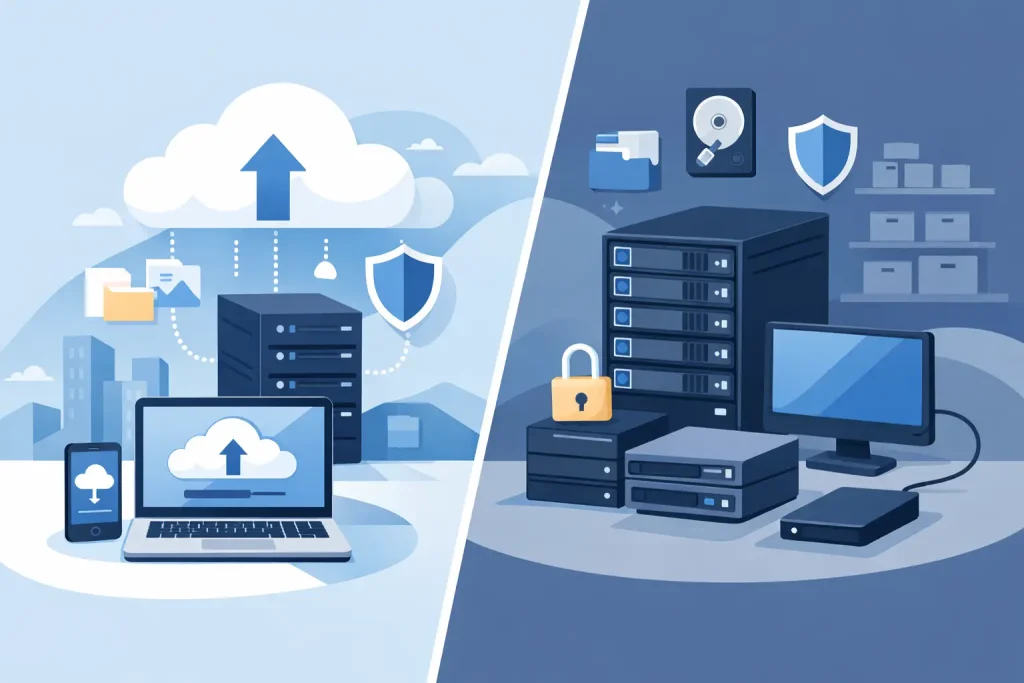
Cloud backup stores copies of your data in an offsite environment managed through an internet-connected service. Your files, systems, or images are copied to remote infrastructure, usually on a schedule or continuously depending on the service.
Local backup keeps data on devices you control on-site, such as external drives, network attached storage, dedicated backup appliances, or a local server. The data stays physically close to your systems, which often means faster access and restores.
On paper, the distinction seems simple: one is offsite, one is on-site. In practice, the choice affects recovery time, risk exposure, compliance posture, staffing demands, and monthly cost. It also changes what happens when there is a ransomware event, a hardware failure, or something less dramatic but just as disruptive, like accidental deletion.
Where cloud backup is strong
Cloud backup appeals to many organizations because it adds geographic separation. If your office experiences fire, flooding, theft, or a power event that damages equipment, your backup is not sitting in the same building facing the same risk.
That offsite advantage matters more than many organizations realize. Businesses often feel protected because they have copied files to a drive in the back office. But if the building is compromised, both the primary system and the backup may be lost at the same time.
Cloud backup can also reduce some of the maintenance burden. There is no physical media rotation to remember, fewer hardware refresh concerns, and less dependence on one person knowing how the whole system works. For organizations without in-house IT depth, that simplicity can be valuable.
Scalability is another benefit. As storage needs grow, cloud services are generally easier to expand than local hardware. That can help businesses with growing file libraries, media assets, email archives, or compliance retention demands.
Still, cloud backup is not automatically better. Recovery can take longer if you are restoring large volumes of data over a standard internet connection. For a business that needs several terabytes back immediately, the bottleneck may not be the backup platform at all. It may be bandwidth.
Where local backup still wins
Local backup remains highly effective because speed matters. If a staff member deletes a shared folder or a server needs to be restored quickly, a local backup can often get you back online faster than a cloud restore.
That speed is especially useful for businesses with limited downtime tolerance. Healthcare offices, front-desk operations, manufacturers, and organizations that serve the public in real time often cannot wait hours or days for a large cloud restore to complete.
Local backup also gives organizations direct control over hardware and physical access. Some businesses prefer that visibility, particularly when they have specialized systems, legacy applications, or predictable workflows that benefit from an on-premises recovery process.
The trade-off is that local backup brings more responsibility. Hardware can fail. Drives age out. Backup jobs can break quietly if no one is monitoring them. And if your local backup is always connected to the same environment, ransomware may reach it too. A backup only helps if it is both recent and recoverable.
Cloud backup vs local backup on cost
Cost is one of the most misunderstood parts of this decision. Cloud backup often looks more affordable upfront because it shifts spending into a monthly operating expense. There is less initial hardware investment, which can be attractive for organizations trying to avoid large capital purchases.
Local backup can look cheaper over time, especially if storage needs are stable and you already have infrastructure in place. But the real cost includes equipment replacement, maintenance time, testing, power, monitoring, and the business impact if something fails unnoticed.
The right question is not which option has the lowest sticker price. It is which option produces the lowest risk-adjusted cost for your organization. A cheap backup that cannot restore quickly during an outage may become the most expensive option you ever chose.
Security and ransomware change the equation
Backup strategy now sits inside cybersecurity strategy. That is no longer optional.
Cloud backup providers often offer encryption, versioning, immutability options, and stronger offsite protection than many small organizations build on their own. Those are meaningful advantages, especially against ransomware and unauthorized access.
Local backup can also be secure, but it requires proper design. If local backup storage is permanently exposed to the production network without segmentation or protective controls, attackers may encrypt or delete both live data and backups in one event.
This is where business leaders need a practical view. Security is not about choosing cloud because it sounds modern or choosing local because it feels familiar. It is about whether the system includes access controls, monitoring, retention policies, testing, and a recovery plan that people can actually execute under pressure.
The real issue is recovery time
Many backup discussions focus too much on where data is stored and not enough on how recovery works. Those are related, but they are not the same.
If your business can tolerate a day of downtime, cloud-only backup may be perfectly reasonable. If your phones, scheduling, transactions, or client services depend on near-immediate recovery, local backup may need to be part of the picture.
This is where two planning terms matter: recovery time objective and recovery point objective. In plain language, recovery time asks how long you can be down. Recovery point asks how much data you can afford to lose between backups. A business that can only lose 15 minutes of work needs a different setup from one that can tolerate overnight backup windows.
For many organizations, the answer is not either-or. It is layered protection built around actual business requirements.
Why a hybrid model often makes the most sense
For small and midsize businesses, a hybrid backup model is often the strongest fit. That means keeping a local backup for fast restores and a cloud backup for offsite protection and disaster recovery.
This approach gives you better coverage across multiple scenarios. If someone deletes a file, local recovery may solve the problem quickly. If your office is inaccessible or equipment is destroyed, cloud backup gives you an offsite copy. If ransomware hits, isolated and well-managed backup layers improve the odds of a clean recovery.
Hybrid does cost more than doing the bare minimum, but it often delivers real, measurable outcomes in resilience. It reduces single points of failure and gives decision-makers more options when something goes wrong.
That matters for organizations serving local communities. A nonprofit cannot easily pause donor records and communications for several days. A healthcare office cannot shrug off lost scheduling access. A local business cannot maintain trust if customer service stalls every time technology has a bad day.
How to choose the right backup approach
Start with business impact, not storage type. Ask what systems must be restored first, how long each department can function without them, and what data would cause serious operational or financial harm if lost.
Then look at practical constraints. Internet speed matters. Staff capacity matters. Compliance expectations matter. So does the age of your infrastructure. A backup plan that sounds efficient in theory can fail quickly if your hardware is outdated or your team does not have time to manage it.
Testing should also shape the decision. The best backup strategy is the one you have restored from successfully, not the one that looks good in a dashboard. Recovery testing reveals whether backups are complete, whether permissions carry over, whether systems boot properly, and whether the process fits your real-world time limits.
For many organizations, this is where working with an experienced partner helps. A business-focused provider can align backup with cybersecurity, network management, cloud systems, and the everyday technology demands that keep operations moving. That integrated view is often what turns backup from a checkbox into a dependable business safeguard.
If you are weighing cloud backup vs local backup, the smartest move is to stop treating it like a simple product choice. It is a resilience decision tied to how your organization serves customers, protects data, and stays visible and operational when the unexpected happens. The best backup is the one that lets your business keep showing up when your community needs you most.