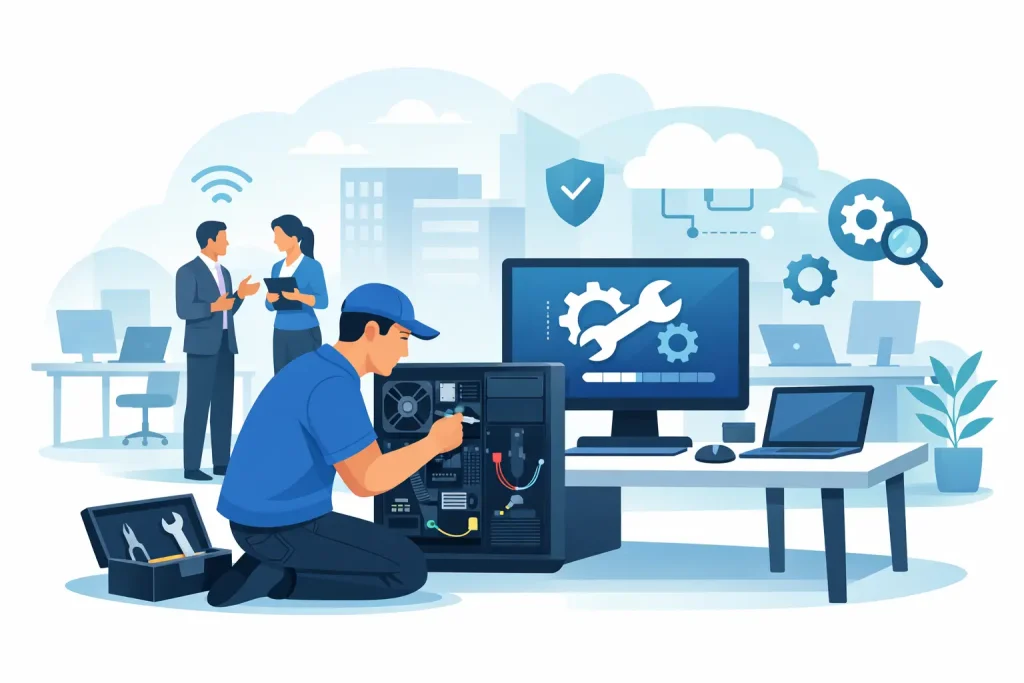
A front desk PC freezes five minutes before opening. The accounting workstation will not print payroll. A shared office laptop starts showing pop-ups that no one remembers installing. These are not minor annoyances. Computer repair for business offices affects scheduling, billing, customer service, staff productivity, and in many cases your reputation.
For small and mid-sized organizations, the real issue is rarely one broken device. It is the chain reaction that follows when systems are patched together, updates are delayed, and no one has clear ownership of the problem. Good repair service fixes the immediate failure. Great repair service also helps prevent the next one.
What computer repair for business offices really means
Business computer repair is different from consumer tech support. In a home setting, a slow laptop is inconvenient. In an office, a slow or compromised machine can disrupt a receptionist, a bookkeeper, a clinician, a sales coordinator, or an executive director who depends on access to files, email, cloud apps, printers, and shared systems.
That is why computer repair for business offices should never be limited to swapping a part or reinstalling software and walking away. The work usually involves diagnosing the root cause, checking whether the issue affects other devices, reviewing security exposure, and making sure the fix fits the way your office actually operates.
A repair may involve failed hard drives, memory issues, overheating, operating system corruption, malware, broken updates, network conflicts, email sync failures, or aging hardware that no longer supports current business software. The right response depends on the role of that machine and the cost of downtime.
Why quick fixes often cost more later
A lot of offices live with recurring tech problems longer than they should. Staff reboot systems, unplug printers, ignore warning messages, and create workarounds that slowly become part of the routine. On paper, this can look like saving money. In practice, it drains time and creates risk.
A computer that keeps crashing may point to a failing drive. A machine that suddenly runs slowly could be dealing with malware, storage failure, or a resource-heavy background process. If the only action is a temporary cleanup, the business may get another few days or weeks before the same issue returns at a worse moment.
There is also a security trade-off. Repair without a broader business IT lens can leave gaps behind. If a workstation is infected, the real question is not just how to clean it. You also need to know what data was exposed, whether passwords should be reset, whether other endpoints were affected, and whether backups are usable if the situation escalates.
The most common office repair issues
Most business environments see the same categories of trouble, even when the symptoms look different. Aging computers often struggle with modern software, browser-based platforms, and cloud storage tools. Failed updates can break line-of-business applications or printers. Storage problems can cause freezing, blue screens, and file corruption.
Network-related issues are another common source of repair calls. A computer may appear broken when the real problem is DNS failure, Wi-Fi instability, switch trouble, or access permission errors on a shared drive. Email problems can also be misleading. What seems like an Outlook issue may actually involve hosted email settings, mailbox size limits, or multi-factor authentication conflicts.
Then there is malware and user error, which remain major factors in office downtime. A single click on a fake invoice or shipping alert can trigger a much larger cleanup effort. Offices that process payments, store client records, or manage donor or patient information need a response that includes containment, review, and prevention, not just device cleanup.
Repair or replace? It depends on the role of the device
Not every office computer should be repaired. Not every slow computer needs to be replaced, either. The right call depends on age, performance requirements, warranty status, failure history, and how critical that device is to daily operations.
If a five-year-old workstation used for basic email and web access needs a memory upgrade and SSD replacement, repair may be the practical move. If an eight-year-old machine that runs key accounting software is experiencing repeated failures, replacement may be the smarter business decision, especially if downtime is expensive and the hardware cannot support current security standards.
This is where business context matters. A nonprofit office may need to stretch hardware budgets carefully. A healthcare practice may need to prioritize compliance, reliability, and secure access over squeezing another year out of an aging desktop. A busy front office may need a same-day replacement plan because delays affect appointments and customer experience.
What to expect from a business-grade repair partner
A business office needs more than a bench technician. It needs a service partner that understands urgency, documentation, continuity, and the bigger picture around your systems.
First, the repair process should start with triage. What is down, who is affected, and what is the immediate business impact? A shared device used for shipping labels and payments deserves faster escalation than a spare conference room laptop.
Next comes diagnosis with context. The goal is to identify not just the symptom but the source. Was the issue caused by hardware failure, software conflict, a bad update, user permissions, security compromise, or a network dependency? Repair that happens in isolation can miss the real cause.
Communication matters too. Decision-makers should understand what failed, what was done, whether data is safe, and whether the issue is likely to return. Clear reporting helps office managers and leadership make better choices about upgrades, training, and budgeting.
Finally, a strong repair partner looks beyond the single device. If one machine fails because of heat, power fluctuation, outdated antivirus, or neglected patching, similar systems in the office may be at risk too.
How repair connects to productivity and growth
It is easy to think of computer repair as a maintenance task, but it directly supports business growth. When employees lose access to core systems, customers wait longer, internal communication slows down, invoices get delayed, and leadership spends time managing avoidable disruption.
Reliable office technology supports more than internal efficiency. It affects how your business appears to clients, members, visitors, and the community. A staff team that can respond quickly, access shared information, and trust its systems is in a better position to serve people well.
That is one reason many organizations prefer a partner that can support both operations and digital presence. If your office technology, website, hosted email, cybersecurity, backups, and public-facing communications are all connected to the same business goals, support becomes more strategic. Instead of solving one isolated issue at a time, you build a stronger foundation for measurable performance.
Preventing the next repair call
The best office repair strategy includes prevention. That does not mean every problem disappears. Hardware still ages, updates still fail, and people still click the wrong link. But the frequency and severity of failures can be reduced.
Routine monitoring helps catch storage issues, patch failures, and resource problems before they create downtime. Managed antivirus and security controls reduce the odds of malware turning into a larger incident. Backup and disaster recovery planning protect the business when repair is not enough. Hardware lifecycle planning keeps critical systems from aging into instability.
Even simple steps matter. Standardizing devices across the office can make repair faster and support easier. Documenting passwords, admin access, software licensing, and printer configurations prevents delays when something breaks. Staff awareness training can reduce phishing and accidental changes that lead to support calls.
For many organizations, this is where a comprehensive provider adds value. A company like Epuerto can support the technical backbone of your office while also helping enhance your business through coordinated digital systems, secure infrastructure, and practical service planning that fits real-world budgets.
Choosing the right support model for your office
Some offices only need break-fix help a few times a year. Others are better served by ongoing support with monitoring, maintenance, cybersecurity, and fast response when issues appear. Neither model is universally right.
If your team has in-house IT knowledge, a project-based repair relationship may be enough for certain hardware and software issues. If your staff is small, your systems are essential, and downtime hits operations quickly, managed support usually brings more stability. The monthly cost can be easier to justify once you compare it with lost productivity, emergency repairs, and preventable disruptions.
The key is to choose a provider that understands your organization, not just your devices. Business offices need support that respects schedules, protects data, and aligns with how the organization serves customers and the community.
A repaired computer is useful. A well-supported office is far more valuable, because every stable system gives your team more time to focus on the work people actually depend on.