
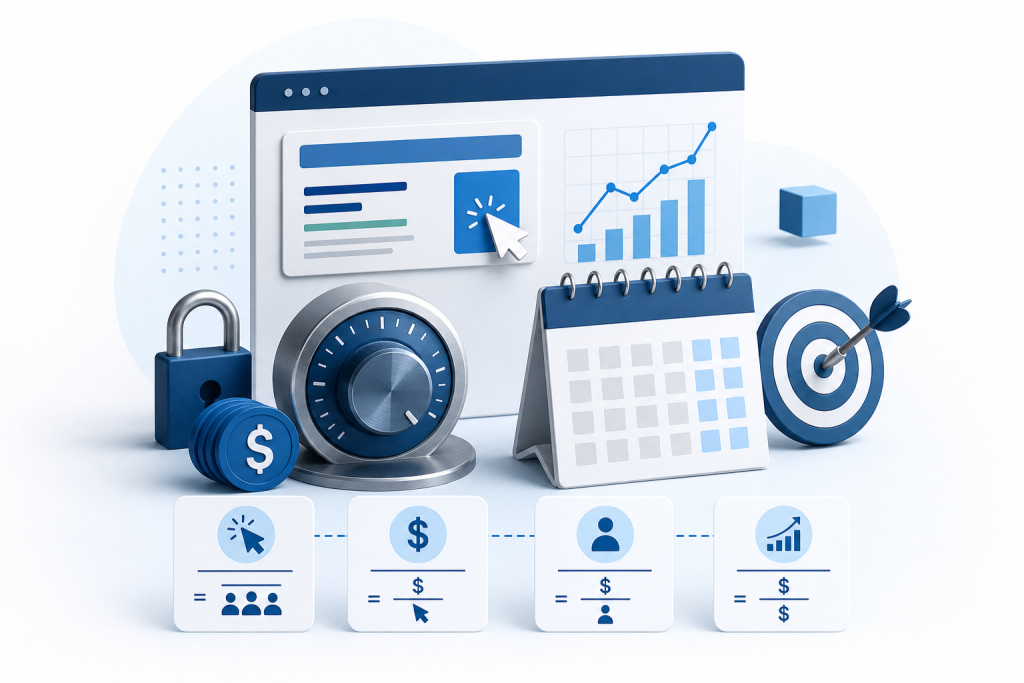
CPC (cost per click) marketing means you pay only when someone clicks your ad. To control monthly spend, set a monthly ceiling, divide it by 30.4 to get a daily budget, cap what you will pay per click with a maximum bid, and tighten keyword targeting so fewer clicks are wasted.
A click-based campaign can feel safe because you never pay for an ad nobody touches. The risk sits on the other side. Without a deliberate cap, clicks add up faster than most owners expect. This guide gives you a step-by-step routine to keep your monthly spend where you decide it should be.
What is CPC marketing and how does it differ from CPM and CPA?
CPC marketing is a pricing model for online advertising in which you pay each time a person clicks your ad. In online advertising, the term CPC stands for cost per click. In sales and reporting, it is the average amount you paid for each click over a period of time.
CPC is one of three common pricing models, and it helps to know which one you are controlling:
- CPC (cost per click): You pay when someone clicks. A search ad for "emergency plumber" costs you nothing until a searcher actually clicks it.
- CPM (cost per thousand impressions): You pay for every thousand times your ad is shown, whether anyone clicks or not. Brand awareness campaigns often use this model. If you are still deciding which channels deserve a share of your budget, our roundup of local marketing ideas can help you compare options.
- CPA (cost per action): You pay when a specific action happens, such as a form submission, a call, or a purchase.
The difference matters because each model hides its risk in a different place. With CPM, you can pay for views that go nowhere. With CPA, you pay only for results, but platforms usually want enough conversion data before they manage this well. With CPC, you pay for visits, so your spend depends on how many people click and what each click costs.
The goal is not to pick the "best" model. It is to know where your money can leak. Digital advertising already takes a large share of the market: a Dentsu report cited in 2024 research projects it will account for 58.8% of total global advertising expenditures. With that much competition, click costs and budgets need active management.
What are CTR, CPC, CPA, and ROAS, and how do you calculate cost per click?
Four metrics tell you whether your CPC spending is working. Learn these before you set any budget.
- CTR (click-through rate): Tells you if your ad is catching the right people. Formula: clicks ÷ impressions × 100.
- CPC (cost per click): Tells you what each visit costs. Formula: total spend ÷ total clicks.
- CPA (cost per acquisition, or cost per action): Tells you what each customer or lead costs. Formula: total spend ÷ number of conversions.
- ROAS (return on ad spend): Tells you if you are making money on ads. Formula: revenue from ads ÷ ad spend.
Here is a small worked example. The numbers are hypothetical and round, chosen only to show the math.
Say your ad was shown 10,000 times, received 200 clicks, and cost $300 in total. Your CTR is 200 ÷ 10,000 = 2%. Your CPC is $300 ÷ 200 = $1.50 per click. If 10 of those clickers booked an appointment, your CPA is $300 ÷ 10 = $30. If those 10 customers brought in $1,200 in revenue, your ROAS is $1,200 ÷ $300 = 4, or $4 earned per $1 spent.
Notice how the metrics connect. A low CTR usually means your ad or keywords do not match what people want. A high CPC paired with a weak CPA means you are paying a lot for clicks that do not convert. Watch all four together and you can see which lever to pull.
Key Takeaway: CPC alone does not tell you whether your campaign works, so track it next to CPA and ROAS.
Step 1: How do you turn a monthly ceiling into a daily budget?
Start by deciding the most you are willing to spend in a month, then convert that number into a daily budget. Google Ads works from a daily figure, so you need the conversion.
Google Ads uses 30.4 as the standard multiplier for the average number of days in a month when it determines monthly spending limits from a daily budget. That multiplier is a Google Ads convention, not a rule for every ad platform, so check how any other platform handles its limits.
Follow this sequence:
- Pick your monthly ceiling. Choose a number you can afford to lose if the campaign underperforms. Treat it as a hard limit.
- Divide by 30.4. This gives your daily budget.
- Enter the daily figure in your campaign settings. Google Ads asks for a daily amount.
- Split it across campaigns. Decide how much of the daily total each campaign gets.
A hypothetical example: with a $900 monthly ceiling, your daily budget is $900 ÷ 30.4, or about $29.61. A cap of about $29 a day keeps you under the ceiling.
Here is where a lot of owners get tripped up. Google Ads can spend up to twice your daily budget on a busy day. The 30.4 multiplier keeps your total monthly spend from exceeding the budget cap, so quiet days balance out busy ones. Plan for daily swings, but trust the monthly limit.
When you split budget across campaigns, use this checklist:
- Give the most budget to the campaign closest to a sale, such as "emergency repair" searches.
- Keep a small test budget for new keywords instead of mixing them into proven campaigns.
- Avoid spreading money so thin that no campaign gets enough clicks to learn from.
What clicks cost varies by industry and by keyword, so expect your own numbers to differ from anyone else's. Your first month is partly a measurement exercise.
Step 2: What is the difference between maximum CPC and actual CPC?
Your maximum CPC is the most you tell the platform you will pay for a single click. Your actual CPC is what you really pay, and it is usually lower. In an auction, the system charges just enough to beat the advertiser ranked below you, not your full bid.
That gap is why bidding feels less risky than it looks. Say you set a maximum CPC of $2.00 (a hypothetical figure). You might pay $1.35 on one click and $1.80 on the next, but never more than your ceiling on any single click.
A maximum bid caps your exposure per click, but it does not cap your total spend. Your daily budget does that job. The two controls work as a pair:
- Maximum CPC limits how much any one click can cost you.
- Daily budget limits how many clicks you can afford in a day.
Set them with each other in mind. A very low bid can leave your ad stuck below competitors, so you get few clicks and learn little. A very high bid can burn through the daily budget on a handful of expensive clicks before lunch.
Most local advertisers begin with Google Ads, which runs this auction on both search and display. HubSpot reports that Google controls 90.48% of the global search engine market share (2026). If you want to be found when someone searches for your service, that share explains why Google's auction is usually the first place to bid.
A practical starting point: begin with a modest maximum CPC, watch your actual CPC for two weeks, then adjust. If your actual CPC sits far below your maximum, you can lower the bid without losing position. If you are losing clicks on your best keywords, raise the bid on those keywords only, not across the whole account.
Step 3: How can keyword targeting and Quality Score lower your cost per click?
Tighter keyword targeting lowers your cost per click because it makes your ads more relevant, and relevance earns cheaper clicks. Google Ads gives each ad a Quality Score, a rating of how well your keyword, ad text, and landing page match what the searcher wants. Better relevance generally means you pay less for the same position.
Start with keyword research and splitting. Use keyword research and splitting to target specific search intent. Instead of one broad group with "plumber" in it, build separate groups for "emergency plumber," "water heater repair," and "drain cleaning." Each group gets its own ads and its own landing page.
Here is what that looks like in practice:
- Group keywords by theme. Put closely related terms together so each ad speaks to exactly what the searcher typed.
- Write ad copy that echoes the keyword. A searcher who typed "water heater repair" should see those words in your headline.
- Match the landing page to the ad. Send the click to a page about that exact service, not your homepage.
- Add negative keywords. These block searches you do not want. A cleaning company can exclude "jobs" and "free" so it stops paying for job seekers and bargain hunters.
Negative keywords protect your budget more directly than any other single setting. Check your search terms report, the list of actual searches that triggered your ads, every week and add irrelevant phrases to your exclusion list.
Relevance and cost meet here. A tightly themed group with a matching ad and page earns a higher Quality Score, which can lower the price of each click. A loose group does the opposite: it attracts mismatched clicks, drags down relevance, and costs more per visit.
Key Takeaway: Smaller, tightly themed keyword groups with matching ads and landing pages cut wasted clicks and lower what you pay for the clicks you keep.
Step 4: Should your clicks come from search or social?
Choose search when people are already looking for what you sell, and choose social when you want to introduce your business to people who were not looking yet. Both can be bought per click, but they behave differently.
Search is intent-driven. Someone types "tire shop near me," sees your ad, and clicks because they have a need right now. Social is interruption-driven. Your ad appears in a feed between posts from friends, so you earn the click by catching attention, not by answering a question.
| Factor | Search ads | Social ads (Meta, TikTok) |
|---|---|---|
| Searcher mindset | Actively looking for a solution | Browsing, not shopping |
| Best local goal | Calls, bookings, visits from ready buyers | Awareness, events, promotions, offers |
| How you control cost | Maximum CPC and daily budget | Bid caps and daily or lifetime budgets, set per platform |
| Typical click cost | Varies by industry and keyword | Varies by platform and audience |
| Risk | Paying for expensive, competitive keywords | Paying for curious clicks that do not convert |
Costs differ across platforms and shift with your audience and industry, so no single number applies to everyone. Test a small budget on each channel and compare your CPA, not just your CPC. A cheap click that never converts costs more than an expensive one that does.
Each platform has its own bid controls, and they work differently from one another. Check the settings on every platform you use instead of assuming the Google approach carries over. Start with the native controls in each platform before exploring outside tools.
If you are unsure, start with search. Searchers who already want your service tend to convert more predictably, which makes your monthly ceiling easier to defend.
Step 5: How do you monitor spend and stay under your monthly cap?
Check your account on a fixed schedule, because a campaign you only look at once a month can overspend for weeks before you notice. A short routine keeps the cap intact.
Weekly review (about 20 minutes):
- Compare spend to your daily budget. Google Ads can spend up to twice your daily budget on a high-traffic day, so judge the week's total, not a single day.
- Open the search terms report. Add every irrelevant phrase to your negative keyword list.
- Pause weak keywords. Stop any keyword that has collected clicks for two weeks without a single call, form, or booking.
- Adjust bids. Lower the maximum CPC where your actual CPC sits well below it, and raise it only on keywords that convert.
Monthly check:
- Add up total spend and confirm it stayed under your ceiling. The 30.4 multiplier is built to keep monthly spend within your budget cap, but you still verify it.
- Recalculate your CPC, CPA, and ROAS from Step 2 of this guide's metrics list.
- Set next month's ceiling based on what produced customers, not on what you spent last time.
Key Takeaway: A weekly 20-minute review and a monthly total check are what turn a budget setting into an actual cap.
When should a local business hand CPC management to an agency?
Hand CPC management to an agency when the time it takes costs you more than the fees would, or when paid clicks are only one of several channels you need to run. Self-managing works well for one or two focused campaigns. It gets harder as you add channels.
Consider an agency if any of these describe you:
- You lack the hours. The weekly routine above is short, but it never ends, and skipped weeks cost money.
- You run several channels. Search, social, email, and print each need their own attention.
- You want one team accountable for results across websites, campaigns, and reporting.
The trade-off is control. An agency handles the work, but you give up some hands-on visibility and add a cost to your budget. Ask any agency how it reports spend and who sets the monthly ceiling.
Epuerto is a done-for-you digital and IT services agency. It builds and hosts websites, manages IT needs like network security and backup, and runs multi-channel campaigns that reach local audiences through mobile apps, digital screens, mailers, and social media. It is not a self-serve bid tool, so it suits owners who want the work handled, not software to run themselves. Pricing is not publicly available.
Agencies that serve international clients or run email marketing can also add channels beyond paid clicks. If you are weighing options, our comparison of pay per click for small business with an agency versus going solo lays out the decision in more detail.
Prices and plan limits verified as of November 2026.
FAQs
What does CPC mean in sales and reporting?
In sales and reporting, CPC means cost per click: the average amount you paid for each click on your ads over a set period. You calculate it by dividing total ad spend by total clicks. Reports use it to show how efficiently a campaign turns spend into website visits, and to compare keywords, ads, and channels against each other.
How do you calculate the cost per click for a campaign?
Divide the total amount you spent by the total number of clicks you received. If a campaign cost $300 and produced 200 clicks (hypothetical numbers), your cost per click is $1.50. Calculate it for a single keyword, a whole campaign, or a full month, and compare it against your cost per acquisition to judge results.
What is the difference between maximum CPC and actual CPC?
Maximum CPC is the highest amount you will pay for one click, set by you. Actual CPC is what you really pay after the auction, and it is usually lower than your maximum because the platform charges only enough to beat the next advertiser. The maximum caps each click, while your daily budget caps the day.
Can Google Ads spend more than my daily budget on a given day?
Yes. Google Ads can spend up to twice your daily budget on a day with strong traffic, then spend less on slower days. It uses a 30.4-day multiplier to keep your monthly total from exceeding the cap. Review spending across the week or month instead of reacting to one high day.
Are there tools outside Google and Microsoft for automating bid caps?
Third-party bid automation software exists, but this guide does not recommend one because we did not verify any in our research. Start with the native controls in each platform: maximum CPC bids, daily budgets, and spending reports. Evaluate any outside tool yourself before you connect it to your ad account or payment method.
How does CPC compare on social platforms like Meta or TikTok?
Social clicks work differently from search clicks. People on Meta or TikTok are browsing, not searching, so the click comes from catching attention, not answering a need. Costs vary by platform, audience, and industry, so no single figure applies. Test a small budget on each channel and compare cost per acquisition, not click price alone.
Conclusion
CPC marketing is controllable when you set the limits yourself. Pick a monthly ceiling, convert it to a daily budget, cap each click with a maximum bid, and tighten your keywords so fewer clicks go to waste.
Next, write down your monthly ceiling and divide it by 30.4 to get your daily budget. Then block 20 minutes each week to review your search terms report and pause any keyword that is spending without producing customers.