
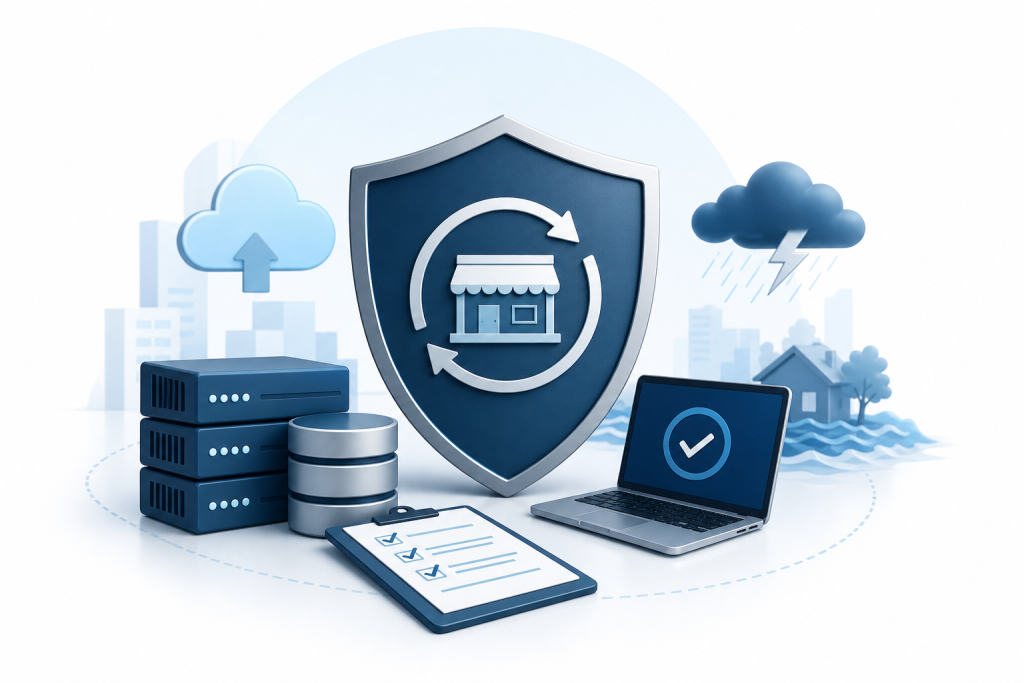
- What Is a Disaster Recovery Plan for Small Business?
- What Disasters Are You Actually Planning For?
- How to Build a Disaster Recovery Plan: Step by Step
- What Does a Disaster Recovery Plan Cost for a Small Business?
- Common Mistakes Small Businesses Make with Disaster Recovery
- How Managed IT Support Simplifies Disaster Recovery
- Disaster Recovery Plan Checklist for Small Business
- Conclusion
- Frequently Asked Questions
Most small business owners don't think about disaster recovery until something actually breaks. A server crashes. Ransomware locks every file. A flood takes out the office. Then the scramble begins — and without a plan, that scramble can cost you customers, revenue, and in serious cases, the business itself.
This guide covers what a disaster recovery plan actually is, what it costs to build and maintain one, and how to put the right pieces in place even if you have no dedicated IT staff.
What Is a Disaster Recovery Plan for Small Business?
A disaster recovery plan (DRP) is a documented set of procedures that tells your team exactly what to do when a technology failure or physical event disrupts your operations. It covers which systems to restore first, where your backups live, who is responsible for each step, and what acceptable downtime looks like for your business.
For a small business, the plan doesn't need to be a 50-page binder. It needs to be specific, tested, and accessible to the people who will actually use it under pressure.
Two numbers drive every decision in a DRP:
- Recovery Time Objective (RTO): How long can your business operate without a given system before the damage becomes unacceptable?
- Recovery Point Objective (RPO): How much data can you afford to lose? If your last backup ran 24 hours ago, a failure today means losing a full day of transactions.
Get clear on those two numbers before you build anything else. They determine everything that follows.
What Disasters Are You Actually Planning For?
Small businesses face a narrower set of realistic threats than large enterprises, but those threats are no less damaging. The most common triggers for a small business disaster recovery event include:
- Hardware failure: A server, workstation, or NAS drive fails without warning
- Ransomware or cyberattack: Files are encrypted or stolen; systems are locked
- Power outage or surge: Unprotected equipment is damaged or corrupted
- Natural disaster: Fire, flood, or earthquake takes out physical infrastructure
- Human error: A file is accidentally deleted, overwritten, or corrupted
- Internet or ISP outage: Cloud-dependent workflows stop entirely
Your plan should address each scenario with a specific response — not a generic "restore from backup" note. What gets restored first? Who makes the call? What do you tell customers while systems are down?
How to Build a Disaster Recovery Plan: Step by Step
Step 1: Take Inventory of Your Critical Systems
Start by listing every piece of technology your business depends on to operate. Servers, workstations, network equipment, cloud services, point-of-sale systems, phone systems, and any software that handles customer or financial data all belong on this list.
For each item, note:
- What it does
- Who uses it
- What breaks if it goes down
- Whether a backup or redundant system exists
This inventory becomes the foundation of everything else.
Step 2: Assign Risk Levels and Priorities
Not every system carries equal weight. Your payment processing system is more critical than your marketing email platform. Rank each system by business impact so your team knows what to restore first when time and resources are limited.
A simple three-tier approach works well for most small businesses:
- Tier 1: Must be restored within hours (point of sale, patient records, core business data)
- Tier 2: Must be restored within 24 hours (internal communications, accounting software)
- Tier 3: Can wait 48 to 72 hours (marketing tools, non-critical reporting)
Step 3: Set Up Your Backup Infrastructure
A backup is not a disaster recovery plan on its own, but no plan works without one. The standard approach is the 3-2-1 rule: three copies of your data, on two different media types, with one copy stored offsite or in the cloud.
Cloud backup is the most practical offsite option for most small businesses. It runs automatically, stores data away from your physical location, and allows recovery from anywhere with an internet connection. Pair it with a local backup for faster restoration of large files.
One more thing: test your backups regularly. A backup you've never tested is a backup you can't trust.
Step 4: Document Your Recovery Procedures
For each Tier 1 and Tier 2 system, write out the exact steps to restore it. Include:
- Where the backup is stored and how to access it
- The sequence of steps to restore the system
- Estimated time to complete the restoration
- Who is responsible for each step
- Vendor contact information and account credentials (stored securely)
Write these procedures so that someone unfamiliar with your systems could follow them under stress. That's the real test of whether your documentation is actually useful.
Step 5: Define Your Communication Plan
When systems go down, your team and your customers both need to know what's happening. Your DRP should include:
- An internal contact list with personal phone numbers, not just work email
- A clear chain of command for who declares a disaster and who coordinates the response
- A customer communication template for outages that run longer than a few hours
- A social media or website update protocol so customers aren't left guessing
Step 6: Assign Roles and Responsibilities
Every step in your plan needs an owner. For a business with two to ten employees, that might mean the owner handles vendor calls while a manager coordinates internal communication. For larger teams, you might assign a recovery lead for each system tier.
If you have no dedicated IT staff, this is where a managed IT provider becomes especially valuable. They carry the technical execution so your team can focus on keeping the business running.
Step 7: Test the Plan
A plan that has never been tested is theoretical. Run a tabletop exercise once or twice a year — walk your team through a simulated failure scenario and identify where the plan breaks down. Do a live restoration test on your backups at least annually.
Document what you learn and update the plan after each test.
What Does a Disaster Recovery Plan Cost for a Small Business?
Cost depends on the complexity of your systems, your backup infrastructure, and whether you build and manage the plan yourself or work with a provider.
The main cost categories are:
Backup and storage: Cloud backup pricing varies based on data volume and backup frequency. Local backup hardware — NAS drives, external drives — carries an upfront cost plus replacement cycles every few years.
Software and monitoring tools: Endpoint detection, patch management, and network monitoring reduce the likelihood of a disaster event and speed up recovery when one happens. These are typically subscription-based.
Labor and expertise: If you're building the plan yourself, the cost is your time. If you're working with a managed IT provider, disaster recovery planning is typically included in or added to a monthly retainer. For most small businesses, the managed route is more reliable because the expertise is already in place when something goes wrong.
Testing and maintenance: Plans need to be reviewed at least annually and updated whenever your systems change. Factor in the time or service cost of keeping the plan current.
There's no single price that applies to every business. A retail shop with five workstations and a cloud POS system has very different needs than a medical clinic managing patient records. The right approach is to assess your systems, define your RTO and RPO, and build a budget around those requirements — not the other way around.
Common Mistakes Small Businesses Make with Disaster Recovery
Treating backup as the whole plan. Backup is one component. Recovery requires documented procedures, tested processes, and clear ownership.
Setting unrealistic RTOs. If your plan says you'll be back online in two hours but you've never tested that, you don't actually know your RTO. Test it.
Storing backups in the same location as the original data. A fire or flood destroys both. Offsite or cloud backup isn't optional.
Never updating the plan. Adding a new server, switching to a cloud phone system, or changing vendors can invalidate large sections of your plan. Review it whenever your infrastructure changes.
Assuming it won't happen to you. Small businesses are frequent ransomware targets precisely because they're less likely to have strong defenses. Being small is not the same as being safe.
How Managed IT Support Simplifies Disaster Recovery
For a small business without dedicated IT staff, building and maintaining a disaster recovery plan is genuinely difficult. The technical knowledge required spans backup configuration, network architecture, security monitoring, and vendor coordination — none of which most business owners have time to develop.
A managed IT provider handles the infrastructure layer: setting up cloud backup, monitoring systems around the clock, managing patches and endpoint security, and maintaining the documentation that makes recovery possible. When something does go wrong, you have a team that already knows your systems and can execute the plan rather than learning your environment in the middle of a crisis.
Epuerto provides backup and disaster recovery as part of its managed IT services for small and mid-sized businesses in Coos Bay and Coos County, Oregon. The service includes 24/7 monitoring, cloud computing infrastructure, and endpoint protection designed to reduce both the frequency and impact of failure events. If you're ready to put a real plan in place, start the conversation at Epuerto.
Disaster Recovery Plan Checklist for Small Business
Use this as a starting point. Adapt it to your systems and team.
- Critical systems inventory completed
- RTO and RPO defined for each Tier 1 system
- 3-2-1 backup rule implemented (local + offsite/cloud)
- Backups tested within the last 90 days
- Step-by-step recovery procedures written for Tier 1 and Tier 2 systems
- Vendor contacts and account credentials documented securely
- Internal contact list with personal phone numbers
- Customer communication template ready
- Roles and responsibilities assigned
- Tabletop exercise completed in the last 12 months
Conclusion
A disaster recovery plan doesn't need to be complicated, but it does need to exist before something breaks. Start with your most critical systems, define how long you can realistically be without them, and build your backup and recovery procedures around those answers. Test the plan, assign owners, and update it when your technology changes.
If you don't have the internal expertise to build or manage this yourself, working with a local managed IT provider is the most direct path to a plan that actually works when you need it.
Frequently Asked Questions
What is a disaster recovery plan for a small business?
A disaster recovery plan is a documented set of procedures that guides your team through restoring technology systems and data after a failure event. It defines which systems to restore first, where backups are stored, who is responsible for each step, and how long the business can operate without each system.
How long does it take to build a disaster recovery plan?
For a small business with fewer than 20 employees, a basic but functional plan can be built in one to two weeks if you have access to someone with IT experience. The inventory and risk assessment phase takes the most time. Working with a managed IT provider can compress that timeline significantly.
What is the 3-2-1 backup rule?
The 3-2-1 rule means keeping three copies of your data, stored on two different types of media, with one copy stored offsite or in the cloud. It protects against hardware failure, physical disasters, and ransomware that targets local storage.
How often should a small business test its disaster recovery plan?
Run a tabletop exercise at least once a year and test your actual backup restoration at least once a year as well. Review and update the plan any time you add new systems, change vendors, or significantly modify your infrastructure.
What is the difference between a disaster recovery plan and a business continuity plan?
A disaster recovery plan focuses specifically on restoring technology systems and data. A business continuity plan is broader and covers how the entire business operates during a disruption — staffing, customer service, physical operations. For most small businesses, building the DRP first and expanding it into a continuity plan over time is the practical approach.
Do small businesses really need a disaster recovery plan?
Yes. Small businesses are frequent ransomware targets and are often more vulnerable to hardware failures because they lack redundant systems. A single failure event without a recovery plan can mean days of downtime, lost customer data, and in some cases permanent closure.
What does a managed IT provider do for disaster recovery?
A managed IT provider sets up and monitors your backup infrastructure, manages security tools that reduce the risk of failure events, and maintains the documentation needed to execute a recovery quickly. When a failure happens, they handle the technical restoration so you can focus on keeping the business running rather than troubleshooting systems under pressure.