
Endpoint Security Implementation Guide: Protect Every Device on Your Network
A single lost laptop, an employee who clicks the wrong attachment, or an unpatched front-desk PC can create a business-wide problem fast. That is why an endpoint security implementation guide matters for organizations that rely on everyday devices to serve customers, protect records, and keep operations moving. If your team uses desktops, laptops, mobile phones, tablets, or remote workstations, your security posture is only as strong as those endpoints.
For small and mid-sized organizations, endpoint security is rarely just a technical issue. It affects trust, uptime, compliance, staff productivity, and your ability to maintain steady growth. A museum protecting donor data, a nonprofit handling volunteer records, a clinic managing sensitive information, or a local business running point-of-sale systems all face the same reality: attackers often look for the easiest device to exploit, not the biggest target.
What endpoint security actually covers
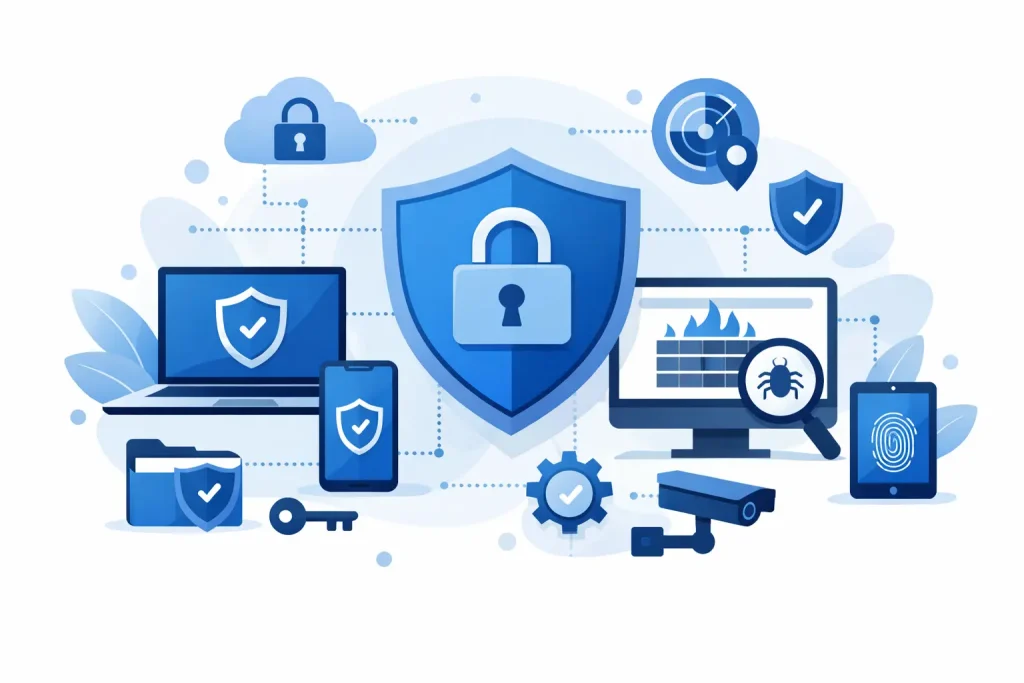
Endpoint security protects the devices people use to access your systems and data. That includes office computers, employee laptops, mobile devices, servers, and sometimes specialized devices such as digital signage controllers or equipment connected to your network. The goal is not simply to install antivirus and move on. It is to create a managed, enforceable security layer across every device that touches your business.
That usually includes malware protection, patch management, device encryption, access controls, monitoring, application controls, and the ability to isolate or wipe a compromised device. It also includes policies – because tools without rules tend to fail quietly.
For many organizations, the challenge is not knowing endpoint security exists. The challenge is implementing it in a way that fits budget, staffing, and day-to-day operations. A small office does not need the same architecture as a hospital system, but it still needs coverage that is consistent, visible, and enforceable.
Endpoint security implementation guide: start with visibility
The first step is simple, and often skipped. You need an accurate inventory of every endpoint connected to your environment. That means company-owned devices, employee-owned devices allowed for work, remote systems, and any machines used by vendors or contractors. If you do not know what is connected, you cannot protect it well.
This inventory should include device type, user, operating system, patch status, installed security tools, and whether the device stores or accesses sensitive information. Many organizations discover gaps right here. Old laptops may still be in circulation. A retired employee may still have access on a home machine. A front-office PC may be running an unsupported operating system because replacing it kept getting delayed.
Visibility also means understanding how endpoints connect to your business. Are users primarily in one office, spread across multiple locations, or working remotely? Do they access cloud applications, local servers, or both? Those details shape the implementation plan.
Build policies before you buy more tools
A strong endpoint program starts with decisions, not software. Your organization should define who can use which devices, what data can be stored locally, when encryption is required, how updates are enforced, and what happens if a device is lost or compromised.
This is where practical trade-offs matter. A strict policy that frustrates staff may be ignored or worked around. A loose policy may reduce friction but increase risk. The right balance depends on your environment. Healthcare and finance organizations may need tighter controls because of regulatory pressure. A small retail business may prioritize simple, enforceable basics such as device encryption, multifactor authentication, and centralized monitoring.
Clear policies also help leadership make better budget decisions. If your policy says all company laptops must support modern encryption and remote management, outdated hardware becomes easier to replace because the requirement is tied to business protection, not preference.
Choose controls that match your real risk
Not every endpoint security stack needs every advanced feature. The right implementation depends on what you are protecting, how your team works, and what level of oversight you can maintain.
Most organizations need a core set of protections. That includes centrally managed endpoint detection and response, automatic patching, antivirus or next-generation malware prevention, full-disk encryption, DNS or web filtering, and user access controls based on role. For mobile devices, mobile device management may also be necessary, especially if staff use phones for email, files, or line-of-business apps.
Beyond that, the decision becomes more situational. Application allowlisting can be highly effective, but it can also create support overhead for organizations with frequent software changes. USB device restrictions may reduce data loss risk, but some teams still rely on removable media for legitimate workflows. Remote wipe is valuable for lost devices, but it needs to be communicated clearly so staff understand what can and cannot be erased.
The best endpoint security investments are the ones your organization can maintain consistently. Buying a feature-rich platform and underusing it is not a win.
Endpoint security implementation guide for small teams
Small and mid-sized organizations often assume advanced security is only realistic for large enterprises. That is not the case. What smaller teams need is a manageable rollout with centralized control and clear priorities.
Start by securing the highest-risk endpoints first. Executive laptops, finance machines, remote employee devices, shared office workstations, and any systems that access sensitive records should be at the top of the list. From there, standardize device configurations so every approved machine follows the same baseline. That baseline should include approved software, enabled encryption, active monitoring, restricted admin privileges, and enforced updates.
Standardization reduces support time and strengthens accountability. When every laptop is configured differently, security gaps multiply. When devices follow the same standard, issues are easier to identify and resolve.
This is also where managed services can make a measurable difference. If your internal team is small or split across many responsibilities, outsourced monitoring and policy enforcement can improve consistency without requiring another full-time hire. For community-based organizations and local businesses, that kind of support often brings better protection and more predictable costs.
Implementation is as much about people as devices
Many endpoint incidents start with human behavior. A staff member reuses passwords. Someone approves a fake login prompt. An employee ignores update reminders for weeks. A well-meaning volunteer uses a personal device with weak protection. The endpoint may be the target, but the path often begins with a person.
That is why training belongs in any serious endpoint rollout. Employees should know how to recognize phishing attempts, report suspicious activity, handle lost devices, and follow acceptable use policies. Training does not need to be dramatic or overly technical. It needs to be regular, clear, and relevant to the tools people actually use.
Leadership behavior matters too. Security exceptions for executives are common and risky. If senior staff can bypass controls, the rest of the program weakens quickly. Consistent standards send a stronger message than occasional reminders.
Monitoring, response, and recovery cannot be afterthoughts
Endpoint security is not finished once software is deployed. Devices need ongoing monitoring for malware, unusual behavior, failed updates, unauthorized software, and login anomalies. If something goes wrong, your team needs a documented response process.
That process should answer practical questions. Who gets alerted first? Who can isolate a device? How are users informed? When do you restore from backup, and when do you preserve evidence for investigation? If a ransomware event hits one machine, can you stop it from spreading before shared systems are affected?
Recovery planning matters because no control is perfect. Good endpoint security lowers risk, but it does not erase it. Backups, tested recovery procedures, and 24×7 oversight can be the difference between a contained incident and a major operational setback.
Common implementation mistakes to avoid
One common mistake is treating endpoint security as a one-time project. Devices change, staff change, software changes, and attackers change. Your implementation needs regular review.
Another mistake is allowing unmanaged devices into the environment because it feels convenient. Convenience has a cost. If a device accesses company email, files, or systems, it should meet your security standards.
A third issue is overcomplicating the rollout. Security plans fail when they are too complex to support. Start with the essentials, enforce them consistently, and expand where risk justifies it.
Finally, do not separate endpoint security from the rest of your technology environment. Device security works best when it aligns with network management, backup strategy, email protection, cloud access, and user training. That integrated approach supports real, measurable outcomes because it protects both operations and the reputation your organization has built in the community.
A good endpoint security program does more than block threats. It helps your team work with confidence, protects the trust your customers place in you, and gives your organization a stronger foundation for growth. Start with visibility, build sensible policies, and choose controls you can maintain – because the most effective security is the kind your business can actually live with every day.