
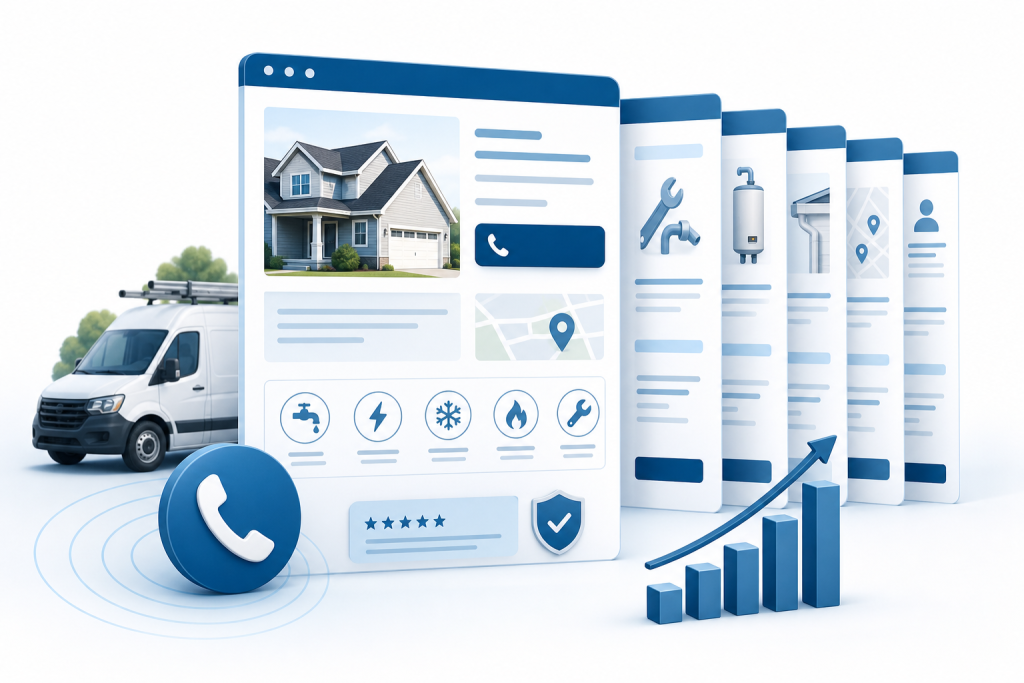
Home service web design that wins calls comes down to six pages and one site-wide rule: a clear homepage, individual service pages, service-area pages, an emergency or same-day page, a reviews and proof page, and a booking or contact page, all on a fast mobile layout with tap-to-call. Build them in that order.
Plenty of contractors already have a website. The problem is that visitors land on it, can't tell within a few seconds whether you do the job they need in their town, and go back to the search results. This guide covers the narrower question for home service web design: which pages fix that, and how to build each one.
Which pages does home service web design need to win more calls?
Home service web design comes down to six pages and one site-wide rule, built in a fixed order because each one depends on the one before it. You start with the page everyone sees first, then add pages that match specific searches, then add the proof and the path to contact.
Here is the set, in build order:
- A homepage that states what you do, where, and how to call.
- A separate page for every core service.
- A page for each town or area you serve.
- An emergency or same-day page.
- A reviews and proof page, with trust details on every page.
- A short contact page or, if you can honor it, a booking page.
- A fast mobile layout with tap-to-call running through all of them.
The seventh item is less a page than a rule that applies to the other six, and it is where many sites fall short. An advai.cloud analysis of 2,137 contractor homepages found that 84% have a tap-to-call link, while only 13% feature an online booking tool. Tap-to-call is common. What varies is how well the rest of the site supports it.
If you would rather hand the build to someone local, Epuerto and its web design services in North Bend cover this kind of contractor site as a done-for-you project. If you build it yourself, the steps below work the same way.
Key Takeaway: Build the seven pieces in order, and treat tap-to-call and mobile speed as rules for every page, not a separate project.
Step 1: What should a home service web design homepage show in the first three seconds?
Your homepage should state the service, the area, and the phone number in the first screen a visitor sees, before any scrolling. That is the whole job of the page. It does not need your company history or a list of every service you offer.
A visitor decides quickly whether a site is relevant, so the answer to "Do you do what I need, near me?" has to show immediately. A headline like "Furnace Repair and Installation in Coos Bay and North Bend" does that. "Welcome to Our Family Business" does not.
Put the phone number at the top as a tap-to-call link, so a visitor on a phone can call with one touch. Make it a real link, not an image of a number. Then give one clear next step beneath the headline, such as "Call now" or "Request a quote."
Speed matters as much as wording. Fervor Studio's review of 343 contractor sites found that 82.8% have poor mobile performance, with a Largest Contentful Paint (LCP) above 4 seconds. LCP measures how long the largest visible element takes to load, such as your main photo or headline. This comes from one vendor's sample, not a national benchmark, but you can check the pattern yourself: open your site on your phone over cellular data and time how long the first screen takes to appear.
Large unoptimized photos are the usual cause. Compress your hero image and keep the first screen light. Our guide on why website speed matters for your business goes deeper on the fixes.
The trade-off is that a fast, plain first screen feels less impressive than a full-width video. For a homeowner with a leaking pipe, plain wins.
Key Takeaway: If a stranger can't see your service, your area, and a tappable phone number in three seconds, rewrite the first screen before touching anything else.
Step 2: Build a separate service page for every core job
Yes, you need a separate page for every service that brings in real work. One "Services" page with a bullet list can't compete with a page built around a single job, because searchers type specific jobs: "water heater replacement," "AC repair," "gutter cleaning."
Separate pages also catch seasonal searches. Furnace tune-ups spike in fall, AC repair in summer, and pipe-freeze calls in winter. A dedicated page for each lets you change the wording and offer for the season without rewriting the whole site.
Each service page should cover the same basics:
- What the job is and when a homeowner needs it.
- What you do, in plain steps, and roughly how long it takes.
- The area you serve for this job.
- One clear way to call or request a quote.
Add one detail most contractors skip: what happens if the fix doesn't hold. A Clikiti scan of 165 independent trade websites found that only 17% answer the customer concern "What if it fails again?". That figure is vendor-reported from a small sample, but the gap is real. A short line stating your warranty or callback policy ("If the repair fails within 90 days, we return at no charge") gives a nervous homeowner a reason to pick you. Only write that line if it is true for your business.
Start with the three or four services that pay the bills, and add the rest later. A thin page with copied text does more harm than no page.
Key Takeaway: One page per money-making service, each answering "What if it fails again?" in a sentence or two.
Step 3: Create service-area pages for every town you serve
A service-area page tells searchers and search engines that you work in a specific town, and it gives you a page that can show up when someone searches "plumber in North Bend." Without one, your homepage has to cover every town at once, and it rarely does.
Build one page per town or metro you actively serve. Skip the places you would turn down a job in. For each page, include details a real local would know:
- Neighborhoods, streets, or landmarks you work near.
- Local housing quirks, such as older homes, salt-air corrosion, or wet-season drainage problems.
- Drive times or response windows for that town.
- A recent job in the area, described in general terms and only if it happened.
This is where a lot of contractors get tripped up. Copying one page and swapping the town name produces near-duplicate content that gives a reader nothing new. It also gives search tools nothing worth quoting.
Write each page in plain, direct sentences, with clear headings and a short answer near the top ("We provide drain cleaning in Coos Bay and typically arrive the same day"). Pages written this way are easier for search engines and AI assistants to read and summarize. No one can promise an assistant will cite your page, but clear, specific writing gives it the best chance.
Every service-area page should link back to the matching service pages, and the other way around. For the bigger picture on getting found locally, see our pillar guide on local web design that brings in customers and our walkthrough on how to improve local SEO.
Key Takeaway: One page per town you serve, each with local detail a competitor can't copy.
Step 4: Add an emergency or same-day service page
An emergency page exists for one reader: someone on a phone, stressed, with water on the floor or no heat. Give that person a call button first, then a few lines that confirm you can help right now.
Lead with the phone number as a tap-to-call button, visible without scrolling. Below it, say what you handle after hours or same day, which towns you cover, and how fast you typically arrive. Keep the page short, because this visitor is not going to read a long one.
Promise only what your business can keep. If you can't answer the phone at night, don't write "24/7 emergency service." A missed call after a big promise costs you the lead and the trust. "Same-day service for calls before 2 p.m." is smaller and honest.
Response speed backs this up. Ad Genius analyzed 507 contractor sites and found that the average business takes more than 29 hours to respond to inbound leads. That is vendor-reported, but the lesson holds: if you answer an emergency lead in minutes, you stand out. A fast reply is part of your service, so say so on the page.
Plan the back end too. Decide who answers the emergency line, where after-hours form submissions go, and how quickly someone replies. A page that promises speed while messages sit in an inbox overnight hurts you.
Key Takeaway: Put a call button first and promise only the response time you can actually deliver.
Step 5: What trust signals should a contractor website show?
A contractor website should show your license number, proof of insurance, live reviews, and guarantee wording, on a dedicated proof page and in short blocks on every other page. Homeowners let strangers into their homes, so they look for reasons to believe you before they call.
Many sites skip the basics. A Codivox audit of 145 contractor homepages found that 50.3% were missing visible licensing or insurance information. That is a vendor-reported sample, not a national rule, but it points to an easy way to stand out: put the details where people can see them.
Use this checklist for your trust blocks:
- License number: Show the actual number and your state, not just the word "licensed."
- Insurance: State that you carry liability insurance and workers' compensation, if you do, and offer proof on request.
- Live reviews: Pull in current reviews from your Google Business Profile, with names and dates. Avoid reviews you cannot verify.
- Guarantee wording: Repeat the callback or warranty language from your service pages, which answers "What if it fails again?", a concern only 17% of trade sites address.
- Real photos: Show your crew, your trucks, and finished jobs. Stock images signal the opposite of local.
Create a dedicated reviews and proof page that collects all of this in one place, and link to it from your header or footer. Then place a short trust strip (license, insurance, star rating) near each call button.
The trade-off is upkeep. A review feed that stops updating, or a license that has expired, hurts more than it helps. Check these blocks every quarter.
Key Takeaway: Show your license, insurance, real reviews, and guarantee in plain sight on every page, and keep them current.
Step 6: Should I use booking software or a simple contact form?
For most contractors, a short contact form is the right default. Booking software only makes sense if you can honor the slots it offers. A form that asks for a name, phone number, address, and a short description of the job gets you a lead without scaring anyone off. Suff Digital reported that 47.2% of home services contact and quote forms require 7 or more fields. That is vendor-reported, but a homeowner with a broken water heater won't fill out seven fields when calling is faster.
The bigger risk is the promise gap. Ostra found that 34.4% of home services websites invite visitors to book an appointment with no integrated scheduling system to accept it. If your button says "Book Now" and the request lands in an inbox no one checks until morning, you have promised something you can't deliver. Only 13% of the contractor homepages advai.cloud reviewed feature an online booking tool, even though 84% have a tap-to-call link, so you are not behind if you skip one.
| Option | Best for | Trade-off |
|---|---|---|
| Short contact form | Most small crews, quote-based jobs | Needs a fast human reply |
| Booking software such as ServiceTitan or Housecall Pro | Crews with dispatch and live calendars | Pricing is not publicly listed; setup takes work |
Both tools offer online booking and scheduling integrations for home service sites, and each appears on only a small share of contractor homepages. No source I found compares conversion rates for one-page sites against multi-page ones, so choose by what your team can answer quickly.
Key Takeaway: Use a short form unless your calendar and crew can honor the bookings the software promises.
FAQs
How much does a professional web designer cost for a home service business?
Cost depends on how many pages you need, whether you want custom design or a template, and how much copywriting and photography the designer handles. Ask for a written quote that lists pages, hosting, and ongoing updates. Compare scope, not just the total.
Is web design still worth it in 2026?
Yes, if the site does a specific job. Homeowners still check a website before calling, and the audits cited here show most contractor sites fall short on speed, trust details, and clear next steps. A site that fixes those gaps gives you an edge over competitors who haven't.
Can I build my own website for free?
You can, using free site builders, and some owners do it well. The trade-offs are time, limited design control, and the risk of slow mobile pages or thin content. If you build it yourself, follow the seven pages in this guide and test on your phone.
What is the 3 second rule in website design?
It is a rule of thumb that a visitor decides within a few seconds whether a site is relevant. For a contractor, the first screen should state your service, your area, and a tappable phone number so that decision goes your way.
Should I use booking software or a simple contact form?
Start with a short contact form unless you can reliably honor online bookings. Software such as ServiceTitan or Housecall Pro suits crews with live calendars and dispatch. Never show a "Book Now" button if nothing can accept the booking.
Do I need a separate page for every service I offer?
You need one for every service that brings in real work, such as drain cleaning or AC repair. Each page can match a specific search and a seasonal need. Start with your top three or four earners, then add more as time allows.
Conclusion
A home service website wins calls when each page does one job: the homepage names your service, area, and number; service and town pages match specific searches; the emergency and proof pages remove doubt; and the contact path never promises more than your crew can deliver.
Start by checking your site on your phone today. Confirm the first screen loads fast and shows a tappable number, then fix whichever of the seven pages is missing or thinnest first.