
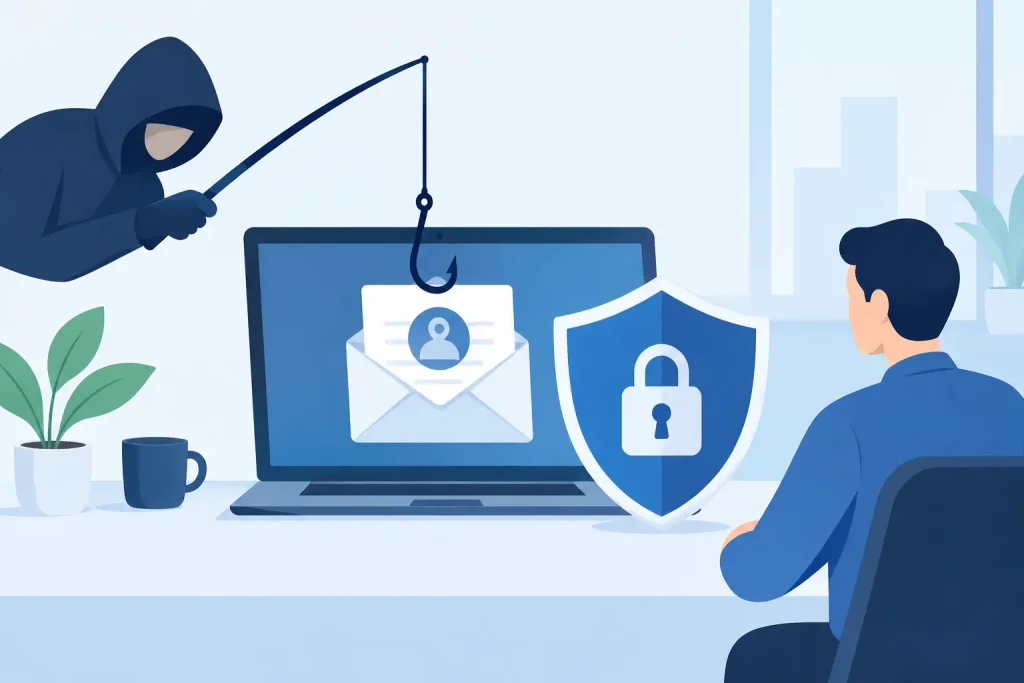
A fraudulent email does not need to defeat your firewall to create a costly problem. It only needs to reach a busy employee at the wrong moment and look believable enough to earn one click, one password, or one payment approval. Learning how to reduce phishing risk means treating email security as an everyday business process, not a once-a-year IT project.
For small businesses, nonprofits, healthcare offices, and community organizations, the stakes can be especially high. A compromised mailbox can expose donor records, customer information, invoices, payroll details, and internal conversations. It can also damage the trust that local organizations work hard to build. The good news is that phishing risk can be reduced substantially with practical controls that support people instead of expecting them to be perfect.
How to Reduce Phishing Risk Before It Reaches Staff
The best phishing email is the one your team never sees. Start by reviewing the protections built into your business email platform. Modern email security should scan incoming messages for known malicious links, dangerous attachments, spoofed senders, and suspicious sending patterns. It should also quarantine questionable messages rather than simply delivering everything to an inbox.
Email authentication is another essential layer. SPF, DKIM, and DMARC records help receiving mail systems verify that messages sent from your domain are legitimate. This makes it harder for criminals to impersonate your organization when they contact customers, vendors, or employees. The technical setup can be unfamiliar, but the business benefit is straightforward: fewer fraudulent messages that appear to come from your own domain.
Filtering alone is not enough. Criminals continually change domains, wording, and tactics to avoid detection. Think of email filtering as a front desk, not a vault. It can stop a large volume of unwanted traffic, while the controls behind it protect the business when a convincing message gets through.
Protect accounts with multifactor authentication
A stolen password should not be enough to open an email account, cloud drive, payroll platform, or financial system. Multifactor authentication, often called MFA, requires a second proof of identity, such as an authenticator app prompt or security key. It is one of the most effective protections against account takeover.
Not all MFA methods provide equal protection. Text-message codes are better than using a password alone, but authenticator apps and hardware security keys generally offer stronger resistance to criminals who try to intercept codes or pressure users into sharing them. The right option depends on your staff, devices, budget, and the systems you use, but every account with access to sensitive information should have MFA enabled.
Pay special attention to administrator accounts. These accounts can create users, reset passwords, alter security settings, and access broad portions of your systems. Limit administrator privileges to the people who truly need them, use separate admin accounts for administrative work, and review access regularly.
Train People to Pause, Verify, and Report
Phishing awareness training is often reduced to a slide deck and a warning not to click suspicious links. That approach may meet a basic requirement, but it does not prepare staff for the messages they actually receive.
Effective training uses examples that resemble your organization’s real work. An office manager may receive a fake invoice. A museum employee may receive a fraudulent exhibit request with an attachment. A healthcare team member may see a message claiming to be from a patient portal. A nonprofit finance director may get an urgent request that appears to come from an executive or board member.
Teach employees to look for patterns rather than memorize a list of bad words. A phishing message may create urgency, ask for secrecy, request a password or payment, use an unexpected attachment, or direct the recipient to sign in through an unfamiliar page. It may also come from a familiar-looking address with one subtle character changed.
More importantly, give staff a simple response. If a message feels unusual, they should pause and verify it through a separate channel. That might mean calling a known phone number, starting a new email to a saved contact, or speaking to the sender in person. They should not reply to the questionable message or use the phone number included in it.
Create an easy, blame-free way to report suspected phishing. A report button in the email system is ideal, but a clearly named internal contact can work as well. Employees need to know that reporting a suspicious message is helpful even when they are uncertain. Quick reports can allow IT to remove a malicious email from other inboxes before someone else acts on it.
Build Payment and Vendor Checks Into Daily Operations
Many phishing attacks are not after a password. They are after money. Business email compromise attacks often impersonate executives, vendors, attorneys, or contractors and ask for a wire transfer, gift cards, a bank-account update, or a revised invoice.
These messages succeed when normal business processes are bypassed. A verbal or out-of-band confirmation policy is one of the strongest protections available. When a vendor requests new banking information or an executive requests an unusual payment, staff should verify the request using a trusted phone number or existing contact record. Do not rely on contact information within the email.
Use approval thresholds for payments, especially for changes to vendor records, new payees, and urgent transfers. The exact rules should reflect your organization’s size and workflow. A small office may need one owner and one bookkeeper to approve a change, while a larger institution may need documented separation of duties. The goal is not to slow every transaction. It is to add a deliberate checkpoint when the financial risk is high.
Your public-facing information also deserves attention. Criminals study websites, social media posts, employee directories, event announcements, and press releases to make messages sound credible. Sharing community news is valuable, but consider whether staff titles, travel notices, email formats, or vendor relationships reveal more than necessary. A coordinated web and communications strategy can support visibility without making impersonation easier.
Keep Devices, Backups, and Access Ready for a Mistake
Even well-trained employees can make a mistake under pressure. The business needs safeguards that limit the damage when that happens.
Keep computers, browsers, operating systems, and business applications updated. Many phishing attacks use a malicious link or attachment to exploit an unpatched device. Managed patching reduces the chance that one click becomes a larger network incident.
Reliable backups matter too. Phishing can lead to ransomware, deleted files, or unauthorized changes to cloud data. Back up critical systems on a defined schedule, protect backup access with separate credentials, and test restoration periodically. A backup that has never been tested is a hope, not a recovery plan.
A practical access review should cover shared mailboxes, cloud storage, financial platforms, and former employees’ accounts. Remove access promptly when roles change. Avoid shared passwords where possible, because they make it harder to know who accessed an account and harder to remove access safely.
Create a Clear Plan for a Suspected Phishing Incident
Speed matters after a suspicious link is clicked or credentials are entered. Employees should know exactly whom to contact and should never be discouraged from reporting an error quickly. Early reporting often prevents a minor incident from becoming a major one.
Your response plan should define who handles the first call, who can reset passwords, who reviews login activity, and who communicates with leadership, customers, or vendors if needed. It should also identify critical systems and the outside technology partners who may need to assist. For organizations handling health, financial, or other regulated data, the plan should account for legal and notification obligations.
When a phishing event is reported, take action based on what occurred. If credentials were entered, reset the password, end active sessions, review MFA settings, and check for suspicious mailbox rules or forwarding. If a payment request was acted on, contact the financial institution immediately. If an attachment was opened, isolate the device and have it assessed before it reconnects to business systems.
Afterward, use the incident as a process check rather than a blame exercise. Was the message delivered because a filter needed adjustment? Did the payment process lack a verification step? Did employees know how to report it? Small improvements made after a near miss can prevent a serious loss later.
Make Phishing Protection Part of Business Continuity
Phishing defense works best when email security, staff training, access management, backups, and operational approvals are managed together. Buying one tool or running one training session can help, but it will not cover every point where a fraudulent request can enter your organization.
For many local organizations, outside IT support provides the consistency that an overstretched internal team cannot always maintain. Epuerto helps businesses bring technical protection, ongoing monitoring, and practical communication processes into one coordinated plan, so security supports daily operations instead of interrupting them.
The next suspicious email will not announce itself as a test. Give your people the tools, authority, and habits to pause before acting, and make sure your technology and response plan are ready to support them when they do.