
- Why the Contract Details Matter More Than the Sales Pitch
- The Core Elements Every Managed IT Contract Should Define
- Questions to Ask Before You Sign
- A Note on Bundled IT and Marketing Support
- FAQs
If you're a Portland-area business owner shopping for IT support, you've probably noticed that every provider sounds more or less the same online. "24/7 monitoring." "Proactive support." "Your IT partner." The language blurs together, which makes it genuinely difficult to know what you're actually buying until something breaks.
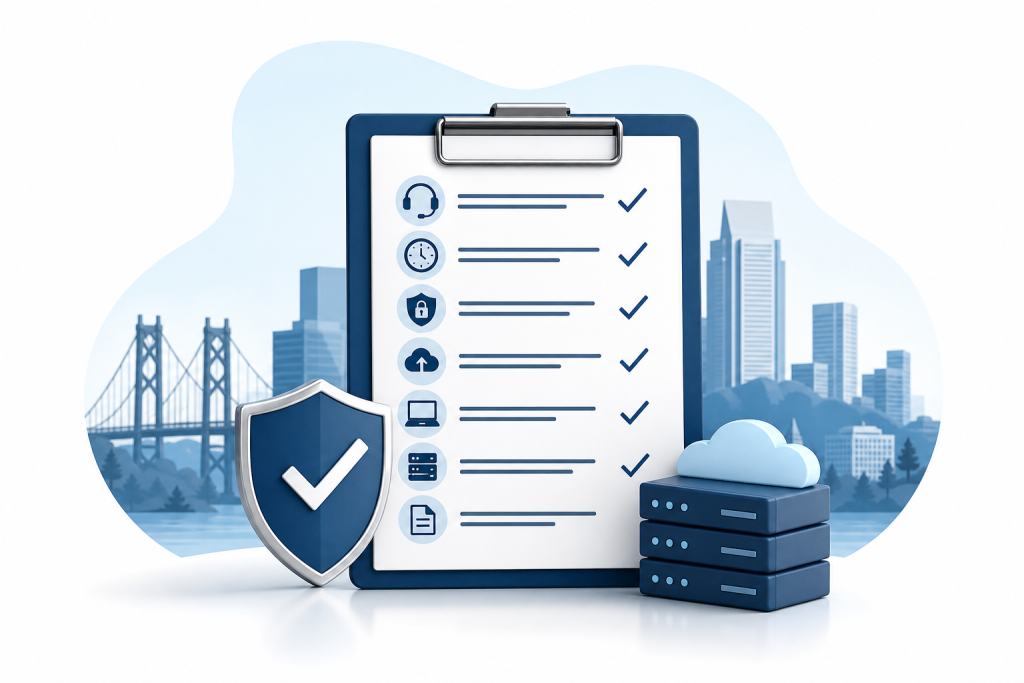
The contract is where the real differences show up. A well-written managed service agreement protects you. A vague one protects the provider. Here's what a solid managed IT support contract should include — so you know what to look for before you sign anything.
Why the Contract Details Matter More Than the Sales Pitch
Managed IT support is an ongoing relationship, not a one-time purchase. You're handing over responsibility for your network, your data, and in many cases your ability to operate day to day. If the contract doesn't clearly define what's covered, what response times are guaranteed, and what happens when something fails, you're running on trust alone.
That's a risky position for any business with 5, 10, or 20 employees who depend on their systems staying up.
The Core Elements Every Managed IT Contract Should Define
Scope of Services
This is the most important section in the document. It should list every service the provider is responsible for, in plain language. For small and mid-sized businesses, common inclusions are:
- Network monitoring and management
- Endpoint detection and response (EDR)
- Patch management for operating systems and software
- Firewall management
- Backup and disaster recovery
- Help desk and remote support
- On-site support (and how often it's included)
- VoIP telephone systems, if applicable
If it's not listed, assume it's not covered. Vague phrases like "general IT support" or "network oversight" aren't sufficient. Ask the provider to explain exactly what each line item means in practice.
Service Level Agreement (SLA)
The SLA is your guarantee. It should specify:
- Response time: How quickly will someone acknowledge your ticket? One hour? Four hours? Next business day?
- Resolution time: How long before a critical issue is resolved?
- Uptime commitments: If the provider manages your infrastructure, what availability are they committing to?
- Priority tiers: Most contracts distinguish between a server being completely down and a single user having a slow connection. Make sure those definitions reflect your actual business needs.
A contract without a real SLA isn't a managed service agreement. It's a best-effort arrangement.
Cybersecurity Responsibilities
Cybersecurity can't be treated as an optional add-on. Your contract should be explicit about who is responsible for what. At minimum, look for:
- Endpoint detection and response on all covered devices
- Patch management with a defined schedule (weekly, monthly)
- Firewall configuration and ongoing management
- Encrypted email, especially if your business handles sensitive client data
- Employee security awareness training
If you're in healthcare, legal, or finance, ask directly whether the provider has experience with your industry's compliance requirements. HIPAA-aware IT support, for example, requires specific documentation, access controls, and audit trails that a general IT contract may not address.
Backup and Disaster Recovery
This section is frequently underspecified. "We back up your data" isn't enough. The contract should state:
- How frequently backups run
- Where backup data is stored — on-site, off-site, cloud, or a combination
- Recovery time objective (RTO): How long will it take to restore your systems after a failure?
- Recovery point objective (RPO): How much data could you lose in a worst-case scenario?
- How often recovery is actually tested
A backup that's never been tested isn't a reliable backup. Ask whether the provider performs regular restore tests and whether that's documented.
Hardware and Software Coverage
Clarify whether the contract covers hardware repair and replacement, or only labor and configuration. Some managed service providers include hardware under a device-as-a-service model; others bill separately for parts. Neither approach is wrong, but you need to know which one applies to you.
Also confirm whether software licensing is included or billed separately — and who holds the licenses. If you ever leave the provider, you want to own your licenses and your data outright.
Monitoring Coverage Hours
"24/7 monitoring" sounds comprehensive, but dig into what it actually means. Automated tools can run around the clock, but human response may only be available during business hours. Before signing, ask:
- Is monitoring automated, human, or both?
- What happens if a critical alert fires at 2 a.m. on a Saturday?
- Is after-hours emergency support included, or does it cost extra?
For businesses where downtime at any hour means lost revenue, that last question matters more than most.
Termination and Exit Terms
Read this section carefully. Some IT providers lock clients into 12-month or longer contracts with real penalties for early exit. Before you sign, understand:
- What is the minimum contract term?
- What notice is required to cancel?
- What happens to your data, configurations, and documentation if you leave?
- Will the provider hand over admin credentials and network documentation at the end of the relationship?
A reputable provider should make that transition straightforward. If the contract makes it difficult or expensive to leave, factor that into your decision before you commit.
Onboarding and Documentation
Good managed IT support starts with a thorough audit of your existing environment. The contract should describe what onboarding looks like — network documentation, asset inventory, and any remediation work needed before ongoing support begins.
If the provider skips this step, they're managing your systems without fully understanding them. That creates blind spots that tend to surface at the worst possible time.
Questions to Ask Before You Sign
Even with a well-structured contract in front of you, a few direct questions will tell you a lot about how a provider actually operates:
- Who is my primary point of contact, and what happens if they leave?
- How do I submit a support request, and what's the typical wait time?
- Have you worked with businesses in my industry before?
- Can you show me a sample SLA?
- What does your incident response process look like for a ransomware attack?
How a provider answers these questions is often as telling as the contract itself.
A Note on Bundled IT and Marketing Support
Most IT providers focus exclusively on infrastructure. If your business also needs help with its website, local marketing, or online presence, you'll typically end up managing separate vendor relationships — separate contracts, separate billing, separate points of contact when something breaks.
Some Oregon businesses have found it useful to work with a provider that handles both sides. Epuerto is a Coos Bay-based agency that combines managed IT, cybersecurity, web design, and multi-channel local marketing under one roof, which can simplify things considerably for small businesses without dedicated IT or marketing staff. Whether that kind of bundled arrangement fits your situation depends on your business, but it's worth knowing the option exists.
FAQs
What should a managed IT support contract always include?
At minimum, it should define the scope of services, a service level agreement with specific response and resolution times, cybersecurity responsibilities, backup and disaster recovery terms, and clear exit conditions including data ownership.
What is a service level agreement (SLA) in IT support?
An SLA is the section of a managed service contract that defines guaranteed response times, resolution times, and uptime commitments. It sets measurable standards the provider is accountable to, rather than leaving performance expectations open-ended.
How do I know if an IT contract has good cybersecurity coverage?
Look for explicit mentions of endpoint detection and response, patch management with a defined schedule, firewall management, and encrypted email. If the contract only says "security monitoring" without specifics, ask the provider to define exactly what that includes.
What is a recovery time objective (RTO) and why does it matter?
RTO is the maximum time it should take to restore your systems after a failure. A backup that takes 72 hours to restore is very different from one that takes 4 hours — especially when your business can't operate while systems are down.
What happens to my data if I leave an IT provider?
It depends on your contract. Before signing, confirm that you'll receive all network documentation, admin credentials, and data backups if you end the relationship. Some providers make this straightforward; others don't.
Is 24/7 monitoring the same as 24/7 support?
No. Automated monitoring tools can detect issues at any hour, but human response may only be available during business hours. Confirm whether after-hours emergency support is included in your contract or requires an additional fee.
Do I need separate vendors for IT support and marketing, or can one provider handle both?
Most IT providers focus only on infrastructure and don't offer marketing services. If managing two separate vendor relationships is a burden, look for providers that offer both. It's relatively uncommon, but it does exist — particularly among regional agencies serving small and mid-sized businesses.
A managed IT support contract is a practical document, not a formality. The time you spend reading it carefully before signing is far less than the time you'll spend resolving disputes after something goes wrong. Know what you're buying, confirm the SLA terms are real, and make sure your data and documentation belong to you.