
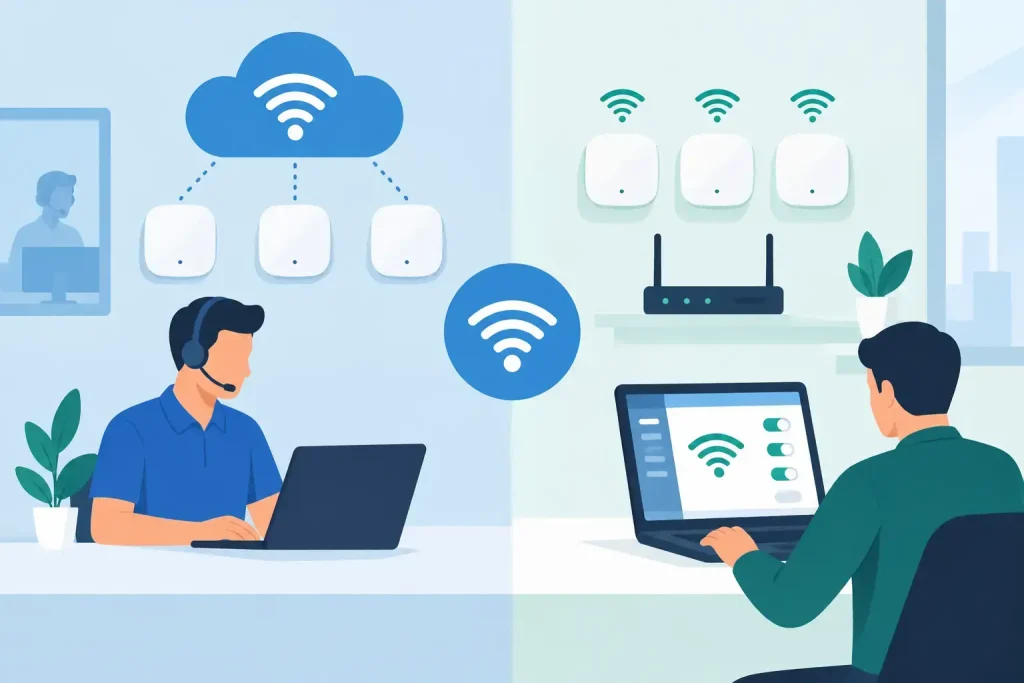
A guest cannot join your WiFi before a meeting. A point-of-sale terminal loses its connection during a busy afternoon. Staff members begin using personal hotspots, and no one is sure whether the issue is the internet provider, the router, a failed access point, or a security setting. That is when the managed wifi versus self managed decision stops being a technical preference and becomes a business operations question.
For a small business, nonprofit, healthcare office, museum, or community organization, WiFi supports far more than email. It connects payment systems, cloud applications, phones, security cameras, employee devices, guest networks, digital displays, and the tools that keep daily work moving. The right approach depends on your internal capacity, risk level, budget priorities, and plans for growth.
Managed WiFi Versus Self Managed: The Core Difference
A self-managed WiFi network is owned and administered by your organization. You choose the equipment, configure the network, apply updates, troubleshoot problems, and decide how security is maintained. This model can work well when an organization has knowledgeable in-house IT staff and a relatively simple environment.
Managed WiFi shifts much of that responsibility to a technology partner. The provider typically designs the network, installs and configures equipment, monitors performance, handles firmware updates, manages security settings, and provides support when an issue occurs. The exact scope varies, so decision-makers should ask what is included rather than assume every provider offers the same level of service.
The real distinction is accountability. With self-managed WiFi, your team owns the technical workload. With managed WiFi, you gain an outside team responsible for maintaining a dependable, secure network that supports your organization’s goals.
When Self-Managed WiFi Makes Sense
Self-managed WiFi is not automatically the wrong choice. For some organizations, it is practical and cost-effective.
A small office with a single location, a handful of devices, and an experienced IT employee may be able to manage its own network without much difficulty. An organization that already has standardized network equipment, documented settings, and a clear process for updates and backups may also prefer to keep control in-house.
The appeal is easy to understand: lower recurring service costs, direct access to configurations, and freedom to select equipment without a managed-service agreement. If your needs are stable, your staff has the required expertise, and downtime has limited consequences, self-management can be reasonable.
The challenge appears when responsibilities are informal. Many self-managed networks are effectively managed by the most technically comfortable person in the office. That person may be an operations manager, executive director, volunteer, or business owner whose actual job is not network administration. When they are unavailable, leave the organization, or simply do not have time to investigate an issue, the network becomes a hidden operational risk.
Self-managed WiFi also requires discipline. Equipment needs periodic updates. Passwords and access permissions need review. Guest access should be separated from internal devices. Old employee credentials must be removed. A router that appears to be working can still have outdated firmware or security gaps that put business data at risk.
What Managed WiFi Adds Beyond Internet Access
Managed WiFi is often misunderstood as paying someone to reboot a router. A well-designed managed service is much broader. It gives an organization active oversight of a system that staff and customers rely on every day.
Network design based on how you work
A reliable network begins with planning. A healthcare office may need separate networks for staff, patients, and connected devices. A museum may need coverage across galleries, offices, ticketing areas, and public spaces. A restaurant may need stable connections for point-of-sale systems while providing guest access that does not expose internal operations.
A managed provider can assess the physical space, device volume, application requirements, and coverage needs before recommending equipment and configuration. This reduces common problems such as dead zones, overloaded access points, weak signal quality, and one-size-fits-all settings.
Security that is maintained, not assumed
Business WiFi should not be treated like a home network. At minimum, internal devices and guest devices should be separated. Access should be controlled, passwords should be managed properly, and equipment should receive security updates.
Managed WiFi can also support stronger protections such as network segmentation, secure remote administration, device visibility, threat monitoring, and documented access controls. These measures matter especially for organizations handling payment information, client records, healthcare-related data, or sensitive internal communications.
Security is not a product you install once. It is an ongoing responsibility. That is one of the strongest reasons organizations choose a managed model.
Faster issue response and clearer ownership
When a network fails, time matters. Lost connectivity can mean delayed appointments, missed sales, inaccessible files, frustrated guests, and staff who cannot complete routine tasks.
With a managed service, there is a defined place to call and a team that already understands the network environment. Remote monitoring may identify unusual performance or an offline device before it becomes a larger interruption. While no provider can prevent every outage, faster diagnosis and clear ownership can substantially reduce the business impact.
The Cost Question: Monthly Fees Versus Hidden Expenses
Self-managed WiFi may look less expensive because there is no monthly management fee. That comparison is incomplete if it ignores staff time, emergency repairs, replacement equipment, cybersecurity exposure, and downtime.
Consider what happens when a network issue takes four hours to resolve. The cost is not only the technician’s time. It may include unproductive employees, delayed customer service, missed transactions, reputational damage, and leadership attention pulled away from more valuable work. For organizations with limited staff, those costs add up quickly.
Managed WiFi converts much of that uncertainty into a predictable operating expense. This can make budgeting easier and reduce surprise repair costs. However, managed service is not always the lowest-cost option. A very small, low-risk office with capable internal support may spend more than necessary on a comprehensive service plan.
The better question is not, “Which option costs less this month?” Ask, “What would a network failure, security lapse, or unmanaged upgrade cost our organization over the next year?”
Questions to Ask Before Choosing
Before deciding, evaluate your current situation honestly. How many locations, users, and connected devices do you support? Do employees, customers, vendors, or visitors need different levels of access? Is anyone clearly responsible for updates, security, and troubleshooting? Can your organization tolerate several hours of disruption?
Also consider your plans. A network that works for ten employees may not support a growing team, new cloud applications, digital signage, cameras, voice services, or expanded guest access. Growth often exposes the limits of an improvised setup.
If you are comparing managed providers, ask whether equipment, installation, monitoring, security updates, onsite support, replacement hardware, and after-hours response are included. Request plain-language explanations of responsibilities. A strong provider should make the service understandable, not hide essential details behind technical jargon.
A Practical Middle Ground
The choice does not always have to be absolute. Some organizations retain ownership of their equipment while outsourcing monitoring and support. Others manage a simple office network internally but bring in a partner for security design, a new location, or a major upgrade.
This hybrid approach can be useful when internal staff understands day-to-day operations but does not have the time or specialized knowledge to manage network security and troubleshooting alone. It also creates a clearer path for organizations that want to move toward managed IT services gradually.
For regional organizations that need dependable infrastructure alongside website, marketing, and communications support, Epuerto can help connect technology decisions to broader operational and growth goals. The network behind your business should support the experience people have with your organization, whether they encounter you at the front desk, online, or through a community event.
Your WiFi should not demand attention only when it fails. Choose the level of management that gives your team confidence to focus on customers, staff, and the work your organization is here to do.