
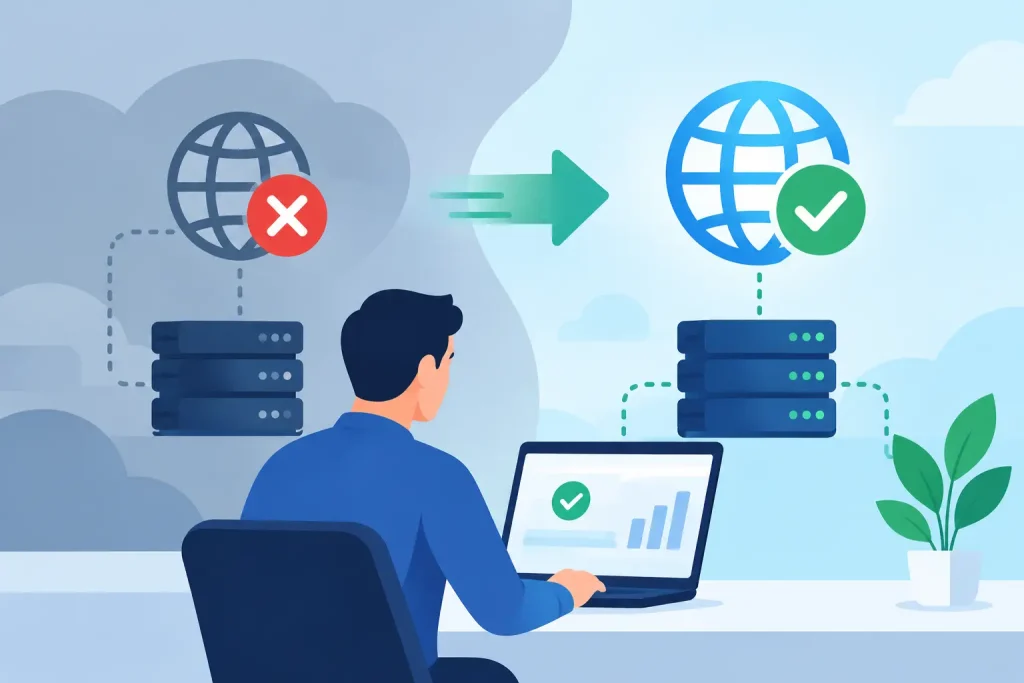
A network failure rarely announces itself at a convenient time. A front desk loses access to scheduling software, card terminals stop processing payments, staff cannot open shared files, or a remote employee suddenly cannot reach critical systems. For a healthcare office, nonprofit, museum, retailer, or local business, network outage recovery is not simply an IT task. It is the process that protects revenue, customer trust, staff productivity, and your ability to serve the community.
The goal is not to promise that every outage can be avoided. Internet providers have failures, hardware reaches end of life, power events happen, and cybersecurity incidents can interrupt normal operations. The goal is to recover in a controlled way, communicate clearly, and reduce the chance that one technical problem turns into a business-wide disruption.
What Network Outage Recovery Really Means
Network outage recovery is the organized process of identifying a disruption, containing its effects, restoring essential services, validating that systems are working correctly, and documenting what should change afterward. It applies to more than a complete loss of internet access. It can include a failed firewall, malfunctioning switch, wireless outage, DNS problem, cloud-service interruption, accidental configuration change, or suspected ransomware event.
A good recovery process starts with priorities, not equipment. Your team needs to know which services must return first. For a medical practice, that may be patient scheduling, phones, secure communications, and access to records. For a retail business, it may be payment processing, inventory, and point-of-sale connectivity. For a community organization, it may be registration systems, donor records, public communications, and staff access to shared documents.
This is why recovery planning should involve leadership and department owners, not only technical staff. IT can restore a server or replace a device, but business leaders define what interruption creates the greatest risk.
The First Hour: Restore Control Before You Restore Everything
When systems go down, the temptation is to reboot devices until something works. That can erase useful evidence, create conflicting changes, and make the original issue harder to diagnose. A measured response is faster in the long run.
First, confirm the scope. Is the issue affecting one computer, one office area, the entire building, remote staff, or every cloud-based service? Check whether phones, Wi-Fi, wired connections, payment systems, and hosted applications are affected in the same way. This helps separate a local device issue from an internet provider failure or a broader network problem.
Next, protect the environment. If there are signs of a security incident – unusual file changes, repeated login failures, unfamiliar pop-ups, disabled security tools, or ransom notes – isolate affected systems before reconnecting them. Restoring access too quickly can allow malware to spread further. In these situations, recovery must balance speed with containment.
Then establish a single point of coordination. Staff should know who is communicating with the IT provider, who is updating employees, and who is responsible for customer-facing messages. Conflicting updates create frustration even when the technical response is progressing well.
A useful recovery sequence has four parts:
- Verify what is unavailable and who is affected.
- Identify the likely failure point without making unnecessary changes.
- Restore the most important business services first.
- Test access, security, and data integrity before declaring the issue resolved.
The order may change depending on the incident. If a firewall has failed, replacing or bypassing it safely may be the first priority. If a cloud application is unavailable while the local network works, the response may shift to temporary manual processes and customer communication. The right plan depends on the system, the risk, and the organization’s tolerance for downtime.
Build a Recovery Plan Around Business Priorities
The most useful network outage recovery plans are short enough to use under pressure. A 100-page document that no one can find during an outage will not protect your organization. Create a practical plan that identifies essential systems, responsible contacts, recovery steps, and communication procedures.
Start by documenting your network in plain language. Record your internet providers, account details, firewall and switch information, Wi-Fi equipment, cloud platforms, phone system, backup locations, key vendor contacts, and the person authorized to approve emergency expenses. Keep this information secure and accessible even if your normal network is offline.
Your plan should also identify acceptable downtime. Some functions can wait until the next business day. Others cannot. A restaurant may be able to take orders manually for a limited period but cannot operate indefinitely without payment processing. A healthcare organization may need specific procedures for protected information, secure communications, and patient safety. A museum may prioritize ticketing during an event, while a chamber of commerce may prioritize communications during a community emergency.
This distinction helps you make smart investments. A secondary internet connection, battery backup, spare network hardware, or cellular failover is valuable when the cost of downtime exceeds the cost of added protection. For a small office with limited online dependence, the same investment may not be necessary. Recovery planning should match real operational needs rather than follow a one-size-fits-all checklist.
Communication Is Part of Recovery
Customers are often more understanding of an outage than of silence. A brief, accurate update can preserve trust: your team is aware of the issue, services are being restored, and customers have a temporary way to reach you or complete urgent transactions.
Internally, staff need specific direction. Tell them whether they should stop using certain systems, switch to a manual workflow, use a backup connection, avoid opening suspicious emails, or direct customer questions to a designated contact. Avoid technical jargon that does not help them act.
For organizations with active websites, social media, digital signage, newsletters, or community communication channels, these tools can become valuable during an outage. The key is to prepare access in advance. If your website update credentials are stored only on a disconnected office computer, they will not help when you need them most.
Prevent the Next Outage While You Recover From This One
After service is restored, do not let the event disappear into a busy week. Review what happened while details are fresh. Was the root cause aging hardware, a provider issue, a configuration error, inadequate power protection, weak Wi-Fi coverage, or a security threat? Did the team have current contact information and clear authority to act? Did backups work as expected?
This review should produce specific improvements. That might mean replacing an unsupported firewall, separating guest Wi-Fi from business systems, adding monitoring alerts, updating network documentation, testing backup restoration, or creating a temporary payment procedure. Small changes can prevent a repeat incident or sharply reduce downtime.
Monitoring is especially valuable because many failures give early warnings. A device may lose connectivity intermittently, storage may approach capacity, a backup may fail quietly, or an internet connection may experience repeated drops before it goes down completely. Proactive monitoring turns these signals into scheduled maintenance instead of emergency work.
Security belongs in this conversation as well. Many network disruptions begin with phishing, compromised passwords, unpatched devices, or unauthorized access. Multi-factor authentication, managed updates, protected backups, endpoint security, and staff awareness training all support faster, safer recovery. A backup is only useful if it is isolated from the incident and can be restored within the time your organization can tolerate.
Turn Recovery Into an Ongoing Business Advantage
Reliable technology supports more than daily operations. It gives your staff confidence, protects customer relationships, and keeps your public-facing marketing and communications working when your organization needs visibility most. When your network, website, email, cloud tools, and local outreach channels are treated as connected business systems, decisions become clearer and disruptions become less damaging.
Epuerto helps organizations bring IT management, cybersecurity, backup planning, monitoring, and digital communications into a coordinated approach. That coordination matters because a technical outage can quickly affect how customers find you, contact you, and view your reliability.
The best time to plan for an outage is when your team can think clearly, test assumptions, and choose improvements on its own terms. Start with the systems your customers and staff cannot do without, then make sure your recovery process can bring those services back with confidence.