
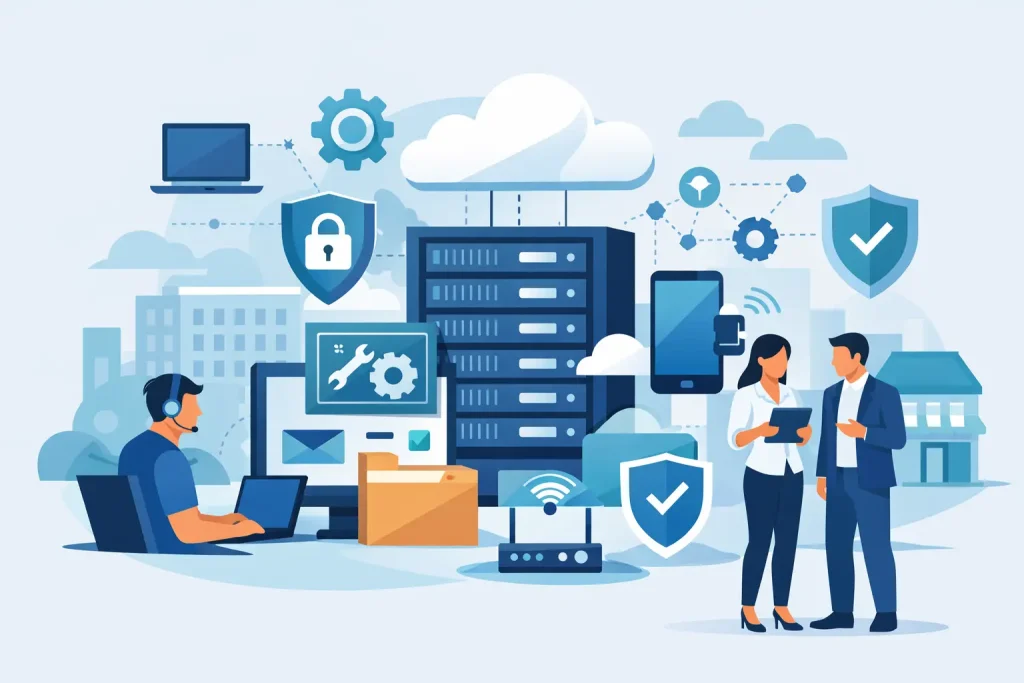
When a server goes down, email stops syncing, or a staff member clicks the wrong link, most organizations ask the same question: what does managed IT include, and is it enough to prevent this kind of disruption? For small and mid-sized businesses, nonprofits, and local institutions, that question is less about theory and more about keeping daily operations moving without hiring a full internal IT department.
Managed IT usually means ongoing technology support delivered for a predictable monthly cost. But the real answer is broader than help desk tickets and computer maintenance. A strong managed IT agreement is built to protect uptime, reduce security risk, improve staff productivity, and give leadership a clearer plan for future technology decisions.
What does managed IT include in practice?
At its core, managed IT includes the ongoing management of the systems your organization depends on every day. That often starts with user support, device monitoring, network management, security tools, software updates, backups, and strategic guidance. The provider takes responsibility for watching over your environment instead of only reacting when something breaks.
That last point matters. Traditional break-fix support waits for failure. Managed IT is designed to catch issues early, standardize your systems, and lower the chances of expensive downtime. If your organization relies on internet-connected devices, shared files, cloud applications, VoIP phones, hosted email, or remote access, managed services often cover the moving parts that keep those tools stable.
Still, not every provider includes the same scope. One company may include unlimited remote support and endpoint protection, while another may price those separately. That is why business owners should look past the label and ask what services are actually included in the monthly plan.
Help desk and day-to-day user support
For most organizations, the most visible part of managed IT is support for staff. This includes troubleshooting email issues, login problems, printer failures, software errors, internet connectivity concerns, and workstation performance problems. In some cases, support is remote only. In others, onsite assistance is part of the plan or available as needed.
This support can be a major advantage for offices without internal IT staff. Instead of asking an already-busy administrator to solve every technical issue, your team has a dedicated support channel. That improves response times and reduces the lost productivity that comes from waiting around for a fix.
The trade-off is that support quality varies widely. Some managed providers focus on speed but not follow-through. Others provide stronger account management and documentation, which tends to matter more over time.
Monitoring, maintenance, and patching
A major reason businesses choose managed IT is proactive maintenance. Providers typically install monitoring tools on servers, workstations, and network equipment so they can detect warning signs before users even notice a problem. That might include failing hard drives, low storage space, offline backups, unusual device behavior, or overloaded systems.
Routine maintenance usually includes operating system updates, security patches, antivirus management, and health checks for critical infrastructure. This is one of the least glamorous parts of IT, but it is one of the most valuable. Small gaps in patching and maintenance are often what lead to preventable outages or security incidents.
If your business has older equipment, this area becomes even more important. Managed IT can extend the usable life of technology through regular care, but it can also help you recognize when replacement is the more cost-effective option.
Network management and connectivity
Managed IT often includes oversight of your office network, including firewalls, switches, wireless access points, and internet connectivity. That means performance checks, firmware updates, configuration support, and troubleshooting when staff cannot connect reliably.
For a single small office, the setup may be fairly simple. For organizations with multiple locations, guest Wi-Fi, remote users, or compliance concerns, network management becomes more involved. Segmented networks, secure remote access, and bandwidth planning may all be part of the conversation.
Reliable connectivity is not just an IT issue. It affects customer service, phone systems, cloud access, and the basic pace of work. A managed approach gives you someone accountable for that foundation.
Cybersecurity services
Security is where many business leaders underestimate what managed IT should include. Basic antivirus is no longer enough. Most managed environments now need layered protections such as endpoint detection, firewall management, email filtering, multi-factor authentication support, secure password practices, user access controls, and staff awareness guidance.
Some providers include these protections in their standard package. Others treat them as add-ons. Either approach can work, but it needs to be clear from the start. If a provider says they handle security, ask whether that includes active monitoring, incident response support, vulnerability management, and policy recommendations.
There is also an important distinction between tools and strategy. You can have security software installed on every device and still be exposed if permissions are poorly managed, backups are not tested, or employees have no training. Good managed IT supports the full picture, not just the software license.
Backup and disaster recovery
Backups are one of the clearest examples of why managed IT should be proactive. Many organizations assume their files are protected until they actually need to restore them. At that point, they discover that backups failed, were incomplete, or were never tested.
Managed IT commonly includes backup monitoring, recovery planning, and restoration support for servers, workstations, and sometimes cloud platforms. More mature providers will also help define recovery priorities. Which systems need to be restored first? How much data loss is acceptable? How quickly do you need to be operational again?
For medical practices, nonprofits, municipalities, and local businesses that cannot afford extended downtime, disaster recovery planning is not optional. It is a business continuity function. The right provider helps you prepare for ransomware, hardware failure, accidental deletion, and natural disruptions without making the process overly technical.
Cloud services and hosted platforms
Many businesses now operate in a mixed environment of local devices and cloud tools. Managed IT may include support for Microsoft 365 or Google Workspace, hosted email, cloud file storage, user account management, license administration, and remote collaboration tools.
This matters because cloud services still require management. User access needs to be controlled. Shared data needs structure. Email needs protection. Former employees need to be offboarded correctly. If no one owns those tasks, security and efficiency both suffer.
For some organizations, cloud support also includes migration planning, setup for hybrid work, and guidance on which services belong in the cloud versus onsite. There is no one-size-fits-all answer here. A small office with simple needs may benefit from full cloud adoption, while another organization may need a hybrid setup for compliance, performance, or legacy software reasons.
Strategic planning and vendor coordination
A good managed IT relationship should include more than technical fixes. It should also include guidance. That can mean budgeting for hardware replacement, planning for office expansion, evaluating software platforms, documenting systems, and coordinating with internet, phone, copier, or software vendors.
This strategic layer is often what separates a basic support contract from a real technology partnership. Decision-makers need more than a help desk. They need someone who understands how infrastructure, security, communication tools, websites, and customer-facing systems all support the larger mission of the organization.
That is especially valuable for businesses trying to consolidate vendors and build a more coordinated digital operation. At Epuerto, that broader view matters because technology decisions do not happen in isolation. Your network, hosted services, website, local visibility, and communications systems all affect how effectively you serve your audience.
What is not always included
One reason managed IT can feel confusing is that some services are frequently assumed but not always included. Hardware purchases, major onsite projects, after-hours emergency work, advanced cybersecurity remediation, compliance consulting, and specialized line-of-business software support may come at additional cost.
That does not mean the plan is weak. It just means scope matters. A smaller organization may not need every premium service bundled into one agreement. On the other hand, if your operations rely on strict uptime, protected data, or public-facing digital systems, a cheaper contract can become expensive fast when key items are excluded.
The best approach is to ask for plain-language definitions. What is covered every month? What triggers extra billing? What response times are promised? What tools are installed? Who owns documentation? How are backups verified? Those questions tell you more than a marketing label ever will.
Choosing managed IT that fits your organization
The right managed IT plan depends on your size, complexity, risk level, and internal capabilities. A five-person office has different needs than a healthcare clinic, museum, or chamber of commerce with public systems, staff turnover, and community-facing operations. The goal is not to buy the biggest package. The goal is to match support to real business needs.
If you are evaluating providers, look for clear scope, strong communication, documented processes, and a practical understanding of how your organization works. Technology should enhance your business, not create more layers to manage.
Managed IT is most valuable when it gives you confidence. Your staff can work, your systems are protected, your risks are lower, and your leadership team has a partner who can see around corners. That peace of mind is often what businesses are really buying, and it is worth choosing carefully.