
A server goes down on Monday morning. Your phones are spotty, staff cannot access shared files, online forms stop working, and customers start asking whether your business is still open. That is usually when people ask, what is business continuity planning – and realize they needed it before the disruption, not during it.
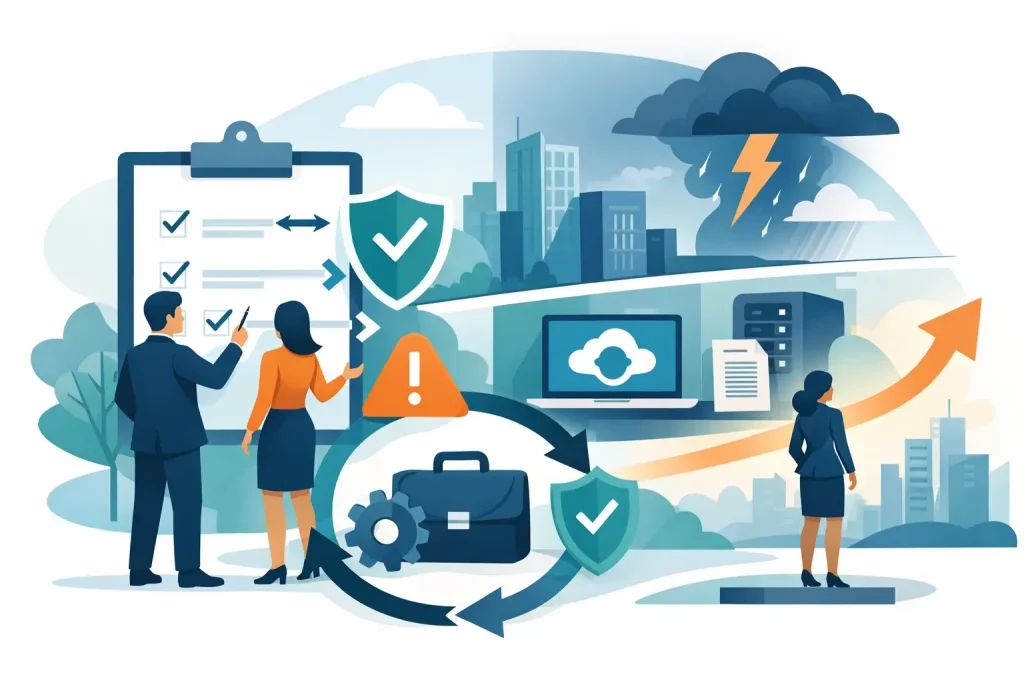
Business continuity planning is the process of preparing your organization to keep operating during and after a disruption. That disruption might be a cyberattack, power outage, internet failure, hardware issue, fire, flood, staff shortage, vendor outage, or even a website failure that cuts off customer communication. The goal is not perfection. The goal is to maintain critical functions, reduce downtime, protect revenue, and preserve trust.
For small and mid-sized businesses, nonprofits, healthcare offices, and community organizations, continuity planning is often less about large-scale catastrophe and more about everyday resilience. If your email fails for a day, can your team still communicate? If ransomware locks your files, can you restore them quickly? If your website goes offline during an event or fundraising push, do you have a backup path to keep people informed? These are practical questions with real operational consequences.
What Is Business Continuity Planning and Why Does It Matter?
At its core, business continuity planning creates a clear path for staying functional when normal systems are interrupted. It identifies your most important services, the risks that could affect them, and the steps your team should take when problems happen.
That sounds simple, but it forces useful decisions. Which systems matter most? How long can each one be down before the damage becomes serious? Who makes decisions if key staff are unavailable? Where are backups stored, and how quickly can they be restored? If your office is inaccessible, can employees work remotely without creating new security risks?
Continuity planning matters because downtime is expensive in more ways than one. There is the obvious cost of lost sales or missed appointments, but there is also lost confidence. Customers remember when communication breaks down. Donors notice when an organization appears disorganized. Staff morale drops when people are left improvising under pressure.
For community-based organizations, there is another layer. Your business may support local events, healthcare access, tourism, member services, or day-to-day public communication. A disruption does not just affect your internal team. It can affect the people who rely on you.
Business Continuity Planning Is Not the Same as Disaster Recovery
These terms are often used together, but they are not identical.
Disaster recovery usually focuses on restoring IT systems after a major failure. That includes recovering servers, data, devices, applications, and network access. It is a technical response.
Business continuity planning is broader. It includes IT recovery, but it also covers people, processes, communication, vendors, facilities, and customer-facing operations. If your internet provider has a regional outage, business continuity planning addresses how your team will continue serving customers even while technical recovery is in progress.
A strong disaster recovery plan is one part of continuity planning. It is not the whole picture.
What a Business Continuity Plan Usually Includes
A useful continuity plan is not a giant binder that nobody reads. It is a practical working document built around the way your organization actually operates.
Most plans begin with a business impact analysis. This is where you identify essential functions and decide what would happen if they were interrupted. Payroll, scheduling, patient communication, donor management, point-of-sale systems, email, website forms, file access, and phone systems may all have different levels of urgency.
From there, you assess risks. Some risks are obvious, such as storms, hardware failure, or cybercrime. Others are more specific to your setup, like dependence on a single internet line, an outdated website platform, one staff member holding all system knowledge, or a backup system that has never been tested.
The plan then defines response procedures. That includes who does what, how incidents are reported, how leaders communicate with staff and customers, and how systems or services are prioritized for restoration.
It should also include recovery resources. Those might be cloud backups, replacement devices, remote access tools, alternate communication methods, cybersecurity controls, or a secondary location for critical work.
Finally, a good plan includes testing and updates. A continuity plan written three years ago for an office-based team may not fit a hybrid workforce, newer software, or your current customer communication channels.
The Risks Most Organizations Underestimate
Many organizations think continuity planning is mainly about natural disasters. Those matter, especially in regions exposed to storms, wildfire, or flooding, but day-to-day business interruptions are often more common.
Cybersecurity incidents are high on the list. Phishing, ransomware, compromised accounts, and malware can cut off access quickly. In these cases, the issue is not just whether your files are backed up. It is whether your staff knows how to respond, whether systems are segmented, whether recovery can happen without spreading the damage, and whether customer data is protected.
Vendor dependence is another weak point. If your website host, cloud software, phone provider, or payment processor has an outage, your operations may stall even if your own office is functioning normally. Continuity planning should account for third-party failures, not just internal ones.
Communication gaps also create avoidable chaos. During an outage, staff need clear instructions. Customers need timely updates. If your only communication channel is the system that failed, your message will not get through.
How to Build a Practical Plan
The best continuity plans are realistic, not theoretical. Start with the functions that keep your organization running and serving people. For one business, that may be scheduling and invoicing. For another, it may be patient communications, donor records, or online order processing.
Next, define acceptable downtime. Some systems can wait a day. Others cannot wait an hour. This helps you prioritize spending and preparation. Not every tool needs the same level of redundancy, and trying to protect everything equally can waste time and budget.
Then map dependencies. Your phones may depend on internet service. Your team may depend on cloud logins tied to one email platform. Your website may depend on a vendor nobody has spoken to in months. Continuity planning often uncovers hidden points of failure that have been sitting quietly in the background.
After that, assign responsibilities. Someone should own incident response. Someone should manage vendor communication. Someone should approve customer messaging. In smaller organizations, one person may cover several roles, but those roles still need to be defined ahead of time.
Finally, test the plan. Run a tabletop exercise. Simulate a ransomware lockout, a website outage, or a power failure. See where confusion appears. Those gaps are valuable because they show you what needs attention before a real event.
What Is Business Continuity Planning for a Small Business?
For a small business or local organization, business continuity planning does not need to be complicated to be effective. It needs to be usable.
That may mean verified backups, secure remote access, documented passwords and admin controls, a backup internet option, a phone rerouting process, and a simple incident communication checklist. If your team can find the plan, understand it, and act on it under stress, you are in much better shape than an organization with a polished but impractical document.
It also means thinking beyond the back office. If your website drives appointments, inquiries, donations, or public information, it is part of continuity. If your social channels are your fastest way to update the community, they are part of continuity. If your reputation depends on staying responsive, continuity planning supports that too.
This is where an integrated approach matters. Technical recovery, cybersecurity, cloud systems, web infrastructure, and public communication should not operate as separate conversations. They affect one another. A partner like Epuerto can help organizations connect those pieces so continuity planning supports both operations and visibility, not just internal IT.
Common Mistakes to Avoid
One common mistake is assuming backups alone solve the problem. Backups are essential, but if restoration takes too long, if credentials are compromised, or if nobody knows the process, the backup strategy may fail when it matters.
Another mistake is treating continuity planning as a one-time project. Staff changes, software changes, office moves, new compliance requirements, and marketing platform updates all affect continuity risk.
A third mistake is overlooking customer-facing systems. Businesses sometimes focus on internal files but forget that websites, contact forms, email delivery, and digital signage may be critical to maintaining trust during an incident.
The right plan reflects your actual operations, budget, risks, and growth goals. It should be clear enough for a busy team to use and strong enough to support real, measurable outcomes when conditions are less than ideal.
Business continuity planning is really about protecting your ability to keep showing up. When your systems, staff, and communication channels are prepared to handle disruption, your organization is better positioned to serve customers, support your community, and keep moving forward when others are forced to stop.