
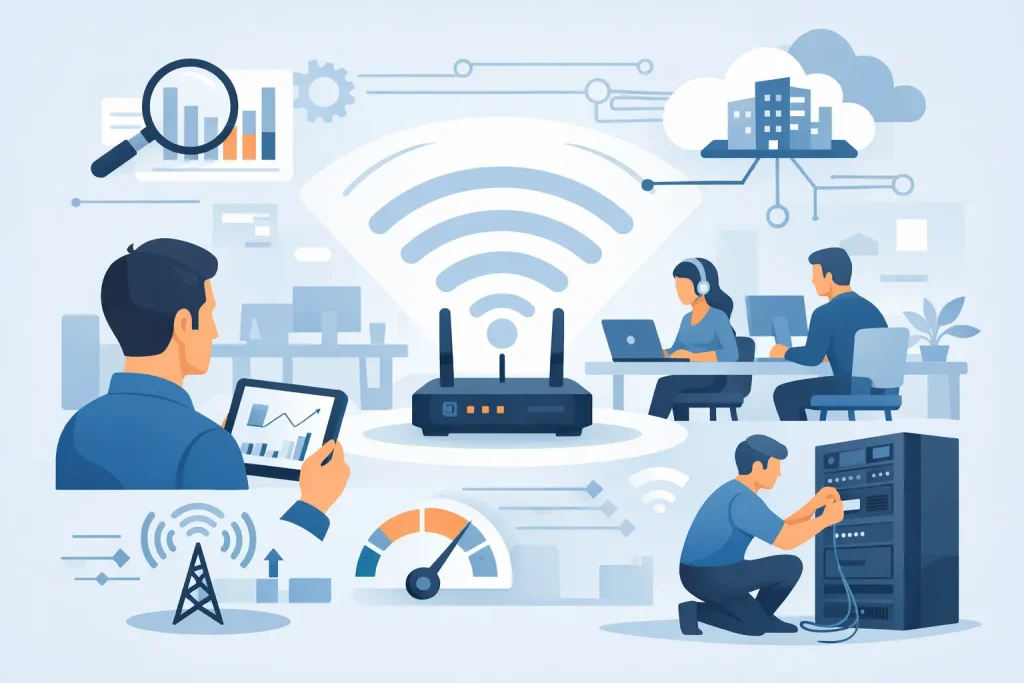
A video call freezing while a customer waits, a cloud file that will not sync, a card terminal that drops offline – these are business interruptions, not minor annoyances. Learning how to improve office wifi starts with treating the network as shared operational infrastructure. The right solution is rarely just buying a stronger router. It is understanding where the connection fails, how people use it, and what the business needs to support next.
Start With a Clear WiFi Diagnosis
Before replacing equipment, identify the pattern behind the problem. Is the issue isolated to a conference room, the back office, a lobby, or an entire building? Does it happen only during busy hours? Do employees lose their connection while guests are streaming video? The answers point to different causes.
Internet speed and WiFi performance are related, but they are not the same thing. Your internet service may deliver the speed you pay for at the modem, while the wireless signal becomes weak, congested, or unreliable before it reaches an employee’s laptop. A quick wired speed test directly from the network can help separate an internet provider issue from an internal WiFi issue.
Look for the Common Bottlenecks
Older all-in-one routers are often asked to do more than they were built to handle. A device that once supported a handful of computers may now be serving laptops, phones, printers, security cameras, smart TVs, tablets, point-of-sale equipment, and guest devices. The problem may be capacity rather than raw internet speed.
Physical barriers matter as well. Concrete walls, metal shelving, file cabinets, elevator shafts, refrigeration equipment, and even dense storage areas can weaken or redirect a wireless signal. Coastal businesses and older community buildings often have construction details that make a simple, single-router setup especially unreliable.
Improve Office WiFi Coverage Where Work Happens
Access point placement has a major effect on day-to-day performance. Placing a wireless router in a network closet, on the floor, behind a monitor, or at one end of a long building creates predictable dead zones. WiFi works best when access points are centrally placed, elevated where practical, and positioned around the areas where people actually work.
A coverage assessment should account for offices, meeting rooms, front desks, warehouses, public areas, and outdoor workspaces if they are part of regular operations. Do not design coverage solely around a floor plan. Design it around use. A nonprofit hosting public events, for example, needs dependable connectivity where volunteers check in guests, not just where administrative staff sit.
Adding access points can solve coverage issues, but placement and connection method matter. A professionally installed wired access point generally provides more consistent performance than a wireless extender. Extenders can be useful in a limited situation, but they often repeat a weak signal and reduce available wireless capacity. For businesses relying on cloud applications, voice calls, payment systems, or guest access, wired backhaul is usually the better long-term choice.
Choose Equipment Built for Business Demand
Consumer-grade equipment can be appropriate for a very small office with limited needs. Once a business has multiple work areas, frequent visitors, sensitive information, or a growing number of connected devices, business-class networking equipment is a sound investment. It offers centralized management, stronger security controls, better visibility, and easier expansion.
Newer WiFi standards can help, particularly in crowded environments. However, replacing equipment only for a newer label is not always the answer. A well-planned WiFi 6 deployment may outperform a poorly placed newer system. The objective is sufficient coverage and capacity for your actual workload, with room to grow.
Reduce Congestion and Competing Signals
Wireless networks share radio frequencies. When nearby networks, Bluetooth equipment, older devices, or too many access points compete for the same channels, employees experience slowdowns that can feel random. Proper channel planning reduces this interference.
Most modern business networks use both 2.4 GHz and 5 GHz bands. The 2.4 GHz band reaches farther but is more congested and offers fewer clean channels. The 5 GHz band is typically faster and better suited to laptops, video meetings, and other high-demand business activity, though its range is shorter. In some settings, 6 GHz-capable equipment can add useful capacity for newer devices.
The best configuration depends on the building and device mix. A busy medical office with many staff tablets has different needs from a museum with public guest traffic or a small professional office using mostly desktop computers. Network management should favor the right band and channel automatically where possible, while allowing technical oversight when conditions change.
Separate Business Traffic From Guest Traffic
A single shared password for employees, visitors, and connected equipment creates both performance and security issues. Guest devices can consume bandwidth, and an unmanaged visitor device should not sit on the same network as office computers, backup systems, printers, or point-of-sale technology.
Create separate wireless networks for staff, guests, and business devices where appropriate. Guest WiFi should be isolated from internal systems and can be assigned reasonable bandwidth limits. This gives customers and visitors a useful amenity without allowing streaming, large downloads, or unknown devices to affect critical business activity.
Network segmentation also supports cybersecurity. An internet-connected camera, a smart thermostat, or a conference room display may not need access to financial records or staff workstations. Separating these systems limits the potential impact if a device is compromised.
Protect the Network Without Making It Difficult to Use
Use current wireless security settings, strong unique passwords, and a process for removing access when employees or vendors no longer need it. Avoid sharing the primary office WiFi password broadly or leaving former staff devices connected indefinitely.
For organizations handling client records, payment information, healthcare data, or other sensitive material, WiFi security deserves regular review. Firmware updates, monitored network equipment, secure remote access, and documented access controls help turn wireless networking into a managed business asset rather than an overlooked risk.
Give Critical Work the Priority It Needs
Not every connected activity has equal importance. A cloud backup running during the middle of the workday, a guest streaming high-definition video, and a staff member on a customer video call can all compete for the same connection. Quality of service settings can prioritize time-sensitive traffic such as voice, video conferencing, payment processing, and essential cloud applications.
Whenever possible, connect stationary, high-demand equipment by Ethernet instead of WiFi. Desktop workstations, network printers, servers, media equipment, and fixed point-of-sale stations often perform better on a wired connection. This also frees wireless capacity for mobile devices that genuinely need it.
It is worth reviewing the internet plan as part of this process. If the office has reliable internal WiFi but regularly reaches the limits of its available bandwidth, a faster or more suitable business internet service may be necessary. Upload speed is particularly important for cloud backup, video meetings, large file transfers, and organizations creating marketing or multimedia content.
Monitor Performance Before Problems Become Disruptions
The most useful office networks provide visibility into connected devices, bandwidth use, access point health, and unusual activity. That information makes it easier to identify a failing device, an overloaded area, or an unauthorized connection before the issue affects an entire team.
Regular monitoring also helps organizations plan responsibly. If an office is adding staff, opening a public area, deploying new cloud tools, or expanding its digital displays and marketing operations, the network should be evaluated before the change creates frustration. Reliable WiFi supports the systems behind your business as well as the customer experience in front of it.
For many small and mid-sized organizations, a managed IT partner can handle assessment, equipment selection, secure configuration, and ongoing monitoring without requiring an in-house network specialist. Epuerto helps organizations align their technology infrastructure with the tools, communications, and growth goals that keep local businesses moving forward.
A stronger office WiFi network should feel almost invisible: calls stay clear, files move when needed, visitors connect safely, and staff can focus on serving customers. That reliability is built through thoughtful design and ongoing care, not guesswork.