
A server failure rarely arrives at a convenient time. It can happen during payroll, before a board meeting, in the middle of a busy weekend, or when staff need access to client records most. The best backup practices for servers are not simply about copying files somewhere else. They are about making sure your organization can recover the right data, on the right timeline, with clear responsibility when a disruption occurs.
For small and mid-sized businesses, nonprofits, healthcare offices, and community institutions, backups protect more than documents. They protect donor history, accounting data, customer trust, scheduling systems, email, websites, and the operational knowledge that keeps the organization moving.
Start With Recovery Goals, Not Backup Software
A backup plan should begin with two business questions: How much data can you afford to lose, and how long can you afford to be without your systems? The answers determine the technology, schedule, storage design, and budget your organization needs.
Your recovery point objective, often called RPO, identifies the maximum acceptable amount of data loss. If a server backs up every night, a failure at 4 p.m. could mean losing a full day of work. A medical office, retail operation, or organization processing frequent payments may need hourly or more frequent backups. A small archive server with mostly static files may not.
Your recovery time objective, or RTO, defines how quickly systems must be restored. Recovering a few folders can take minutes. Rebuilding a complete server from a remote backup can take hours or longer, depending on internet bandwidth and the amount of data involved. These are not technical details to leave to chance. They are operating decisions that should match the real cost of downtime.
Use the 3-2-1-1 Approach to Server Backups
The classic 3-2-1 rule remains one of the best backup practices for servers because it avoids a single point of failure. Keep at least three copies of your data, on two different types of storage, with one copy stored offsite. The added “1” means maintaining one immutable or offline copy that cannot be changed or deleted by an attacker.
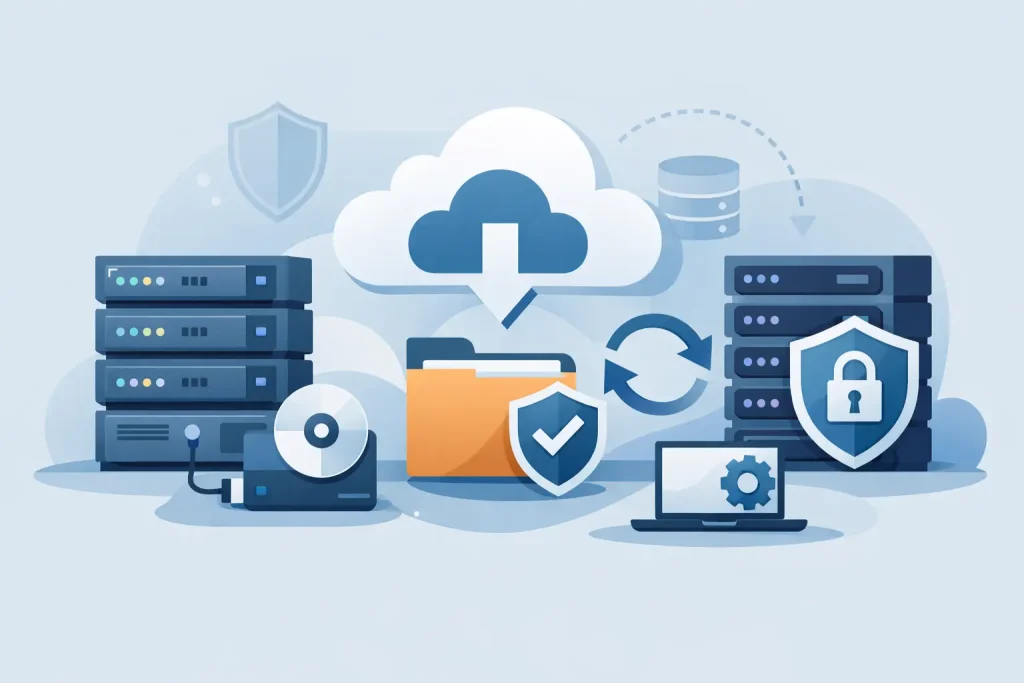
A practical setup might include the live server as the primary copy, a local backup appliance for fast restoration, encrypted cloud storage for offsite protection, and an immutable cloud repository or disconnected storage for ransomware resilience. Not every organization needs the same combination, but relying only on a local external drive or only on one cloud account creates unnecessary risk.
Local backups generally restore faster, which matters when a line-of-business server fails and staff need to resume work quickly. Offsite backups protect against building damage, theft, fire, flood, and electrical events. Immutable copies help when ransomware reaches systems with normal administrator access and attempts to encrypt or erase backup files.
Keep Backup Credentials Separate
A backup system is only as secure as the accounts that control it. Use separate administrative credentials for backup management, require multifactor authentication where available, and limit access to staff or providers who truly need it. Do not use a shared password tied to a departing employee’s email account.
Ransomware groups often search for backup consoles and stored credentials before launching encryption. Separating credentials, restricting permissions, and monitoring unusual deletion activity can preserve the recovery option attackers want to remove.
Back Up the Whole Server, Not Just Shared Files
A common mistake is backing up only a shared drive while overlooking the server configuration that makes critical applications run. If the server hosts accounting software, databases, user permissions, virtual machines, or specialized industry applications, recovering files alone may not restore the service.
A complete server backup should account for the operating system, system state, application data, configuration settings, databases, and virtual machine images where applicable. Database-aware backups are particularly important. Copying a database file while it is actively in use can produce an incomplete or unusable recovery point.
For virtual environments, determine whether backups capture entire virtual machines and whether they can restore an individual file, application, or full machine. Granular restoration saves time when someone accidentally deletes a folder. Full-image recovery matters when the underlying server is lost or compromised.
Email, cloud files, and software-as-a-service platforms also deserve attention. Many organizations assume a cloud provider retains every version of every item indefinitely. Retention policies, account deletions, sync errors, and malicious activity can still create gaps. A separate backup of business-critical cloud data may be appropriate, especially for regulated records or long-term organizational history.
Schedule Backups Around Business Risk
Nightly backups are a reasonable baseline for many organizations, but they are not automatically sufficient. The right schedule depends on how quickly data changes and what happens if recent work disappears.
An accounting system updated throughout the day may need frequent incremental backups. A website database supporting online registrations or donations may require scheduled backups before and after major campaigns, updates, or events. A museum or chamber of commerce may need special protection before importing a membership database, launching a new registration system, or migrating a website.
Use a combination of full and incremental backups when possible. Full backups provide a complete recovery point. Incremental backups capture only changes since the previous backup, reducing storage and backup windows. The trade-off is that recovery can require multiple backup sets, so the process must be tested rather than assumed.
Set retention periods intentionally. Short retention reduces storage costs but may not help if a file was corrupted weeks ago and the problem went unnoticed. Longer retention supports compliance, audits, and historical recovery, but it requires more storage and disciplined management. Define retention based on legal obligations, operational needs, and the value of your records.
Encrypt Data in Transit and at Rest
Backups can contain nearly everything an attacker wants: financial documents, employee information, client records, credentials, and proprietary files. Encryption should protect backup data while it moves to storage and while it remains stored.
Encryption is not enough if key management is careless. Document who controls encryption keys, where they are stored, and how authorized recovery personnel can access them during an emergency. If the only person with a recovery key is unavailable, the backup may be technically intact but operationally useless.
For healthcare organizations and businesses handling personal information, encryption should be part of a broader security program that includes access controls, endpoint protection, patching, and staff awareness. Backup security cannot compensate for unmanaged systems, but it can limit the damage when prevention measures fail.
Test Restores Before You Need One
A backup job marked “successful” only confirms that a process ran. It does not prove the data is complete, the backups are readable, the credentials work, or the server can be restored within your required time frame.
Test restoration on a schedule that fits the importance of the system. At minimum, restore selected files regularly and perform a larger recovery test for critical servers at least annually. Organizations with higher operational or compliance requirements should test more often. Include the people who will make decisions during an outage, not just the technician running the restore.
Document the results. Record how long recovery took, what failed, what information was missing, and whether staff could use the restored system. A test often reveals practical obstacles: insufficient cloud bandwidth, missing application licenses, outdated contact lists, or a dependency on another server that was not included in the plan.
Assign Ownership and Maintain a Recovery Runbook
Backups fail quietly when nobody owns them. Assign a person or managed IT partner to review backup reports, investigate failures, verify storage capacity, and report on recovery readiness. Automated alerts are helpful, but only if someone receives and acts on them.
Create a concise recovery runbook that identifies critical systems, backup locations, account access procedures, vendor contacts, recovery priorities, and communication responsibilities. Store a protected copy where it remains available if the primary network is unavailable. A printed emergency contact sheet can still be valuable during a power or connectivity outage.
The runbook should also set priorities. Restoring every system at once is rarely realistic. Most organizations need communication tools, core network services, financial or client systems, and key applications restored in a defined order. Clear priorities reduce confusion when time matters.
Treat Backup as a Business Continuity Service
A backup strategy works best when it is reviewed alongside cybersecurity, network health, cloud services, and operational planning. New software, server replacements, office moves, staff turnover, and expanding data volumes can all change what needs protection.
Epuerto helps organizations align backup and disaster recovery with the systems that keep their teams connected and their services available. The goal is not to buy more storage for its own sake. It is to create a recovery process your organization can rely on when a technical problem becomes a business problem.
The most useful next step is simple: choose one critical server, identify its RPO and RTO, and perform a documented restore test. That single exercise turns backup from an unchecked assumption into a measurable part of keeping your organization ready.