
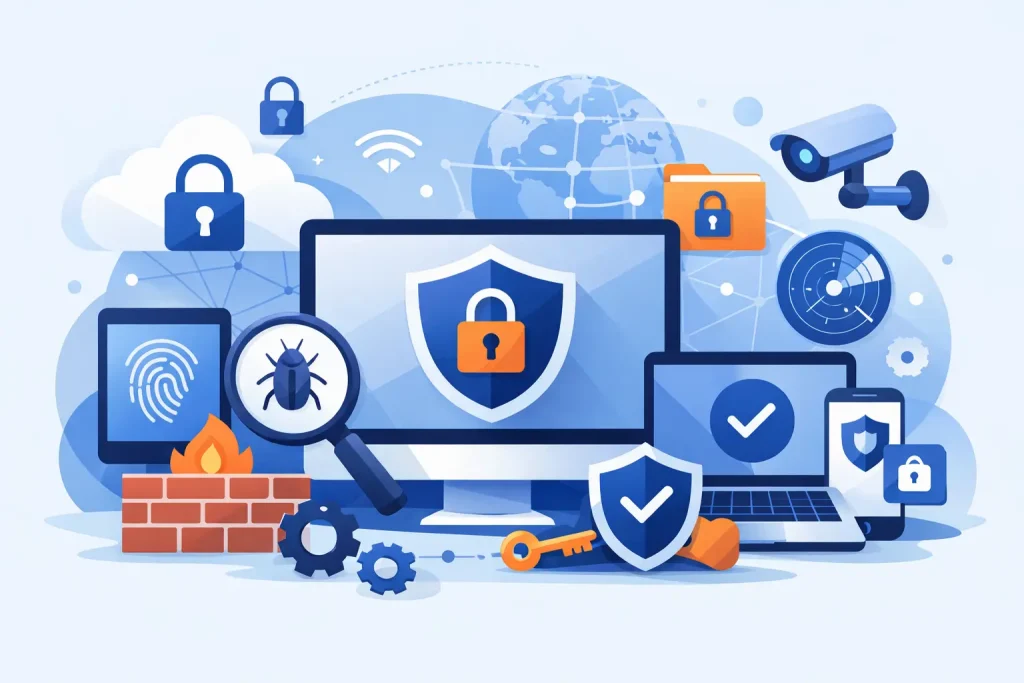
A fraudulent invoice does not need to breach a firewall to cause real damage. One convincing email, one reused password, or one employee who cannot access a critical system can interrupt payroll, patient scheduling, donor communications, customer service, and daily operations. The best cybersecurity tools for SMB organizations are the ones that reduce those practical risks without creating an unmanageable burden for a small team.
For local businesses, nonprofits, healthcare offices, museums, and community institutions, security is not a single software purchase. It is a coordinated set of protections around people, devices, accounts, data, and recovery. The right mix depends on how your organization works, where your data lives, and who supports your technology.
What the best cybersecurity tools for SMBs should do
Small and mid-sized organizations rarely need the most complicated enterprise security stack. They do need clear visibility, reliable protection, and a plan for when something goes wrong. A useful cybersecurity tool should either prevent a common attack, detect suspicious activity early, or help your organization recover quickly.
The strongest starting point is not a long list of brand names. It is a layered approach that covers the most frequent causes of business disruption: stolen credentials, phishing, malware, unpatched systems, data loss, and unmanaged devices. Some platforms combine several of these functions, which can simplify administration and reduce vendor sprawl. Others work best as specialized tools managed by an experienced IT partner.
1. Multi-factor authentication for every critical account
Multi-factor authentication, commonly called MFA, is one of the highest-value protections an SMB can deploy. It requires a second form of verification after a password, such as an authenticator app, security key, or approval prompt. That extra step can stop many account takeover attempts even when a password has been exposed.
Start with email, cloud storage, financial platforms, remote-access tools, and administrator accounts. Email deserves special attention because a compromised mailbox can be used to reset passwords across other services, impersonate leadership, or send fraudulent payment requests.
Authenticator apps and hardware security keys generally provide stronger protection than text-message codes. Text messages are still better than passwords alone, but they can be vulnerable to phone number hijacking. The trade-off is convenience: stronger MFA may require a little more employee training and a dependable process for replacing lost devices.
2. Managed endpoint protection for computers and servers
Every laptop, desktop, and server connected to your network is an endpoint. Traditional antivirus remains useful, but modern endpoint detection and response, or EDR, tools provide more context. They look for suspicious behavior such as ransomware activity, unusual scripts, or attempts to disable security controls.
Products in this category may include Microsoft Defender for Business, Sophos, SentinelOne, or other managed EDR platforms. The right choice is less about a recognizable logo and more about whether alerts are actively reviewed, devices are kept current, and threats can be contained quickly.
For a small organization, an unmanaged security console can create false confidence. If no one is watching the alerts after business hours, a serious event may go unnoticed. A managed service can be particularly valuable for organizations without an in-house IT team, provided it includes clear response procedures and regular reporting.
3. Business-grade email security and phishing protection
Email remains a preferred entry point for criminals because it targets people rather than technology. Business email compromise, fake invoice requests, password-reset traps, and malicious attachments can all look legitimate at first glance.
Email security tools filter known threats, inspect attachments and links, and flag suspicious sender behavior. Microsoft 365 and Google Workspace include useful built-in protections, but many organizations benefit from additional filtering and policy configuration. The need is greater for teams that handle payments, protected information, donor records, or high volumes of public email.
Technology should be paired with short, recurring security awareness training. Employees do not need a lecture full of jargon. They need practical guidance: verify unexpected payment changes by phone, report questionable messages, and never share credentials through email. Simulated phishing tests can help, but they should educate employees rather than embarrass them.
4. Secure, tested backups that cannot be easily erased
A backup is not a recovery plan unless it has been tested. Ransomware can encrypt live files and, in some cases, reach backups that are continuously connected to the same network. Accidental deletion, hardware failure, and cloud account compromise can create the same operational urgency.
A sound backup strategy follows the 3-2-1 principle: keep three copies of important data, on two different types of storage, with one copy stored offsite or otherwise isolated. Immutable backups add another layer by preventing data from being changed or deleted for a defined period.
Your backup scope should include more than shared files. Consider line-of-business applications, accounting data, server configurations, cloud email, and website data. Recovery objectives matter, too. A coastal clinic may need scheduling access restored within hours, while a small office may be able to tolerate a day of downtime. The tool must match the real business requirement.
5. Patch management and vulnerability scanning
Many attacks exploit known weaknesses for which a security update already exists. Delayed patches happen for understandable reasons: an older application may be sensitive to updates, an office may not have a maintenance window, or no one owns the process. Still, unpatched systems are an unnecessary opening.
Patch management tools inventory devices, deploy approved updates, and show where coverage is incomplete. Vulnerability scanners add visibility by identifying outdated software, weak configurations, exposed services, and other issues that deserve attention.
Not every finding is an emergency. A practical program prioritizes internet-facing systems, critical applications, administrator accounts, and vulnerabilities known to be actively exploited. This keeps a small organization focused on meaningful risk instead of drowning in technical reports.
6. Firewall, secure Wi-Fi, and network segmentation
A business-grade firewall helps control traffic entering and leaving your network. It can block malicious connections, support secure remote access, and provide useful reporting when configured and monitored correctly. Consumer-grade routers often lack the security controls, logging, and support needed for organizations handling business data.
Secure Wi-Fi matters just as much. Guest networks should be separate from staff devices, point-of-sale systems, cameras, printers, and sensitive equipment. Network segmentation limits how far an attacker can move if one device becomes compromised.
This is especially relevant for organizations with public visitors, shared facilities, or many connected devices. A museum, community center, or healthcare office may have staff Wi-Fi, guest Wi-Fi, payment systems, cameras, and specialized equipment on the same property. They should not all share the same level of network access.
7. Password management and access control
Weak and reused passwords turn one breached website into a wider business problem. A business password manager gives employees a secure place to create and store unique credentials, share approved access without sending passwords by email, and remove access when roles change.
Access management is equally important. Each employee should have only the permissions required to do their job. Administrator privileges should be limited, documented, and reviewed. When a staff member, contractor, or volunteer leaves, their accounts must be disabled promptly across email, cloud tools, websites, and vendor portals.
For smaller teams, this process can feel informal until an account is missed. A simple offboarding checklist prevents avoidable exposure and makes leadership changes less disruptive.
8. Centralized monitoring and an incident response plan
Security monitoring brings logs and alerts from endpoints, firewalls, cloud accounts, and email systems into a clearer picture. Larger organizations may use a security information and event management platform, or SIEM. For many SMBs, managed monitoring is a more practical route because it provides trained eyes without requiring a full internal security operations center.
Monitoring only matters if someone knows what to do next. Create an incident response plan that identifies who to call, who can authorize decisions, how systems will be isolated, how clients or stakeholders will be notified, and where recovery information is stored. Keep a printed or offline copy in case normal systems are unavailable.
How to choose tools without overspending
Before adding another subscription, assess your current environment. Ask four questions:
- Which systems would cause the greatest harm if they were unavailable for one day?
- Where are employee and customer credentials currently stored?
- Who receives and responds to security alerts after hours?
- Can you restore essential files and applications from backup within your required timeframe?
The answers reveal priorities. An organization with remote staff may need stronger identity controls first. A business dependent on a local server may need tested backups and EDR. A public-facing institution with shared Wi-Fi may benefit from network redesign and device segmentation.
The most effective security program is usually coordinated, not pieced together. Epuerto helps organizations enhance their business with comprehensive digital solutions that connect IT support, network management, backup planning, monitoring, and the public-facing systems that keep communities engaged. That coordination creates real, measurable outcomes because security decisions are aligned with daily operations rather than treated as an afterthought.
Choose tools your team can maintain, measure, and use consistently. A smaller, well-managed set of protections will serve your organization better than a crowded technology stack that no one has time to monitor.