
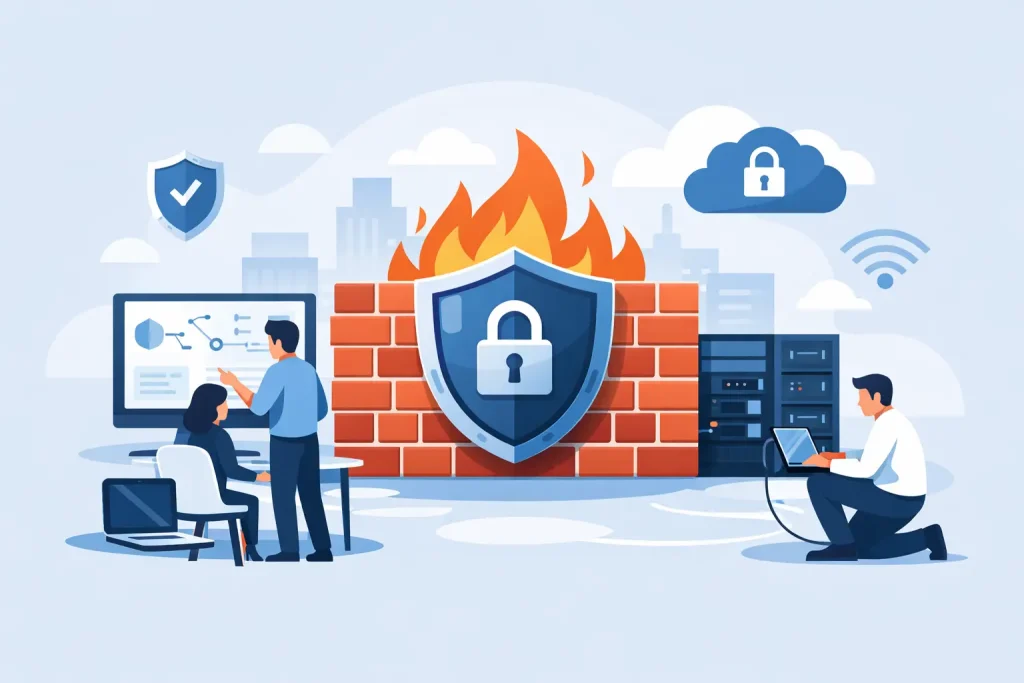
A firewall purchase can feel like a security decision checked off the list. It is not. A poorly configured firewall may allow risky traffic, interrupt a critical cloud application, or give staff a false sense of protection. This business firewall setup guide helps small and mid-sized organizations build a practical security boundary that supports daily work without creating unnecessary friction.
For a local business, nonprofit, clinic, museum, or community organization, the goal is not to create an enterprise-scale security operation. The goal is to control how data moves into and out of the network, reduce opportunities for attackers, and know who is responsible when an alert appears. That takes planning, documentation, and regular attention after installation.
Business Firewall Setup Guide: Start With What You Need to Protect
Before selecting settings, identify the systems and information that matter most. This might include accounting platforms, donor records, patient information, staff email, point-of-sale systems, production files, website administration, security cameras, and cloud applications.
A firewall works best when it reflects how your organization actually operates. Ask which employees need remote access, whether guests use Wi-Fi, what devices connect to the network, and which services must be reachable from outside the office. A front-desk computer, a payroll system, and a public guest network should not all have the same level of access.
This assessment also reveals where a firewall cannot solve the whole problem. If employees reuse passwords or a website administrator account has no multi-factor authentication, the firewall is only one layer in a larger security plan. Device protection, reliable backups, email security, staff awareness, and access controls still matter.
Choose a Firewall That Fits Your Environment
Many small offices rely on the security features built into an internet router. That may be sufficient for a very simple operation, but it often lacks the visibility, reporting, segmentation, and active threat protection needed as an organization grows.
A business-grade next-generation firewall can inspect traffic more closely, block known malicious destinations, manage virtual private network access, separate networks, and create useful activity reports. The right model depends on your internet speed, number of users, number of locations, remote-work needs, and expected growth.
Do not buy based on user count alone. Encryption, content inspection, and security services affect performance. A firewall that handles basic traffic quickly may slow down when advanced protections are enabled. Plan for normal peak activity, such as a busy retail weekend, an online event, or a clinic processing records throughout the day.
Cloud-managed firewalls can be a practical option for organizations without internal IT staff because policies, updates, and alerts can be managed centrally. The trade-off is recurring licensing cost and dependence on the provider’s management platform. An appliance managed locally can offer more direct control, but it requires someone with the expertise and time to maintain it.
Build a Secure Baseline Before Creating Exceptions
The safest firewall rule is usually one that does not exist. Start with a default-deny approach for inbound traffic: block unsolicited connections from the internet unless there is a documented business reason to allow them.
If a service needs outside access, define the narrowest possible rule. For example, a public web server may need web traffic, but it should not expose remote desktop access, file sharing, or database administration to the internet. Management access to network equipment should be limited to approved administrators and, whenever possible, protected by multi-factor authentication and a secure remote-access method.
For outbound traffic, allow the services employees need while monitoring for unusual destinations, unauthorized remote-control tools, or large unexpected data transfers. Blocking every unfamiliar category can disrupt research, marketing tools, and cloud services. A measured policy with clear review procedures is more useful than restrictions that staff learn to work around.
Keep firmware, threat definitions, and security subscriptions current. Delayed updates are a common avoidable gap, particularly when a firewall is installed and then treated as a set-it-and-forget-it device. Schedule updates during a low-impact window and confirm that a recent configuration backup is available first.
Separate Networks to Limit the Damage of One Incident
Network segmentation is one of the most valuable protections a firewall can provide. It divides devices into separate zones so a compromised device does not automatically have a path to everything else.
At a minimum, separate employee systems from guest Wi-Fi. Guest users should be able to reach the internet, not staff computers, printers, shared files, or network management tools. Organizations with payment terminals, security cameras, smart building devices, or public kiosks should consider separate network segments for those systems as well.
A healthcare office may need to isolate clinical systems from general office devices. A museum or community venue may need a separate network for ticketing, public displays, and event technology. The correct design depends on the systems involved, but the principle stays the same: allow only the communication each segment needs to do its job.
Document each network, its purpose, and the traffic permitted between segments. This makes troubleshooting much faster and prevents temporary exceptions from becoming permanent exposure.
Secure Remote Work Without Opening Unnecessary Doors
Remote access deserves special attention because it extends your network beyond the building. Avoid exposing remote desktop services directly to the internet whenever possible. Attackers actively scan for these services, and password-only protection is not enough.
Use a properly configured virtual private network or a managed zero-trust access solution, require multi-factor authentication, and grant access based on job role. A finance employee may need access to accounting tools, while an outside contractor may need temporary access to one specific system. They do not need the same permissions.
Review remote accounts when employees change roles or leave. Access that made sense six months ago may no longer be appropriate. This is particularly important for organizations that use volunteers, seasonal employees, shared facilities, or third-party vendors.
Test the Setup Before Calling It Finished
A firewall configuration should be tested from both the employee side and the outside world. Confirm that staff can use essential applications, cloud phone systems, payment processing, printing, video meetings, and approved remote access. Then verify that guest devices cannot reach internal resources and that public-facing services expose only what they are intended to expose.
Test a backup internet connection if your organization has one. Failover is valuable only when it works under real conditions. Also test alert delivery. If the firewall detects repeated blocked login attempts at 2:00 a.m., who receives the notification, and what action are they expected to take?
Keep a record of the administrator credentials, network diagram, firewall rules, subscriptions, warranty details, support contacts, and the date of the last review. Store this documentation securely, not only in one person’s inbox. It is a business continuity asset when an emergency, staff transition, or internet outage occurs.
Monitor, Review, and Maintain the Firewall
Security changes constantly, and business networks change with it. A new cloud platform, a building expansion, a new security camera system, or an employee working from home can all affect the firewall policy.
Review logs and alerts regularly, but focus on signals that can lead to action. Repeated login failures, blocked connections from known malicious sources, unexpected administrative changes, and devices communicating with suspicious destinations deserve attention. A flood of low-value alerts can hide the events that matter, so tune notifications over time.
A useful ongoing routine includes these distinct responsibilities:
- Review firewall firmware and security-service status monthly.
- Check user and remote-access accounts when staffing changes occur.
- Review firewall rules at least quarterly and remove outdated exceptions.
- Test configuration backups and disaster-recovery procedures on a scheduled basis.
- Document major network changes before and after they are made.
For many organizations, a managed IT partner brings consistency to this work through monitoring, patching, documentation, and response procedures. Epuerto helps organizations connect cybersecurity planning with dependable network management, backup readiness, and the broader technology services that keep daily operations moving.
Make Firewall Security Part of Business Continuity
The best firewall setup supports the work your organization is trying to protect. It should help safeguard customer trust, preserve access to essential systems, and reduce downtime when something goes wrong. Give the firewall an owner, review it as your operations evolve, and treat each security decision as part of the dependable digital foundation your community relies on.