
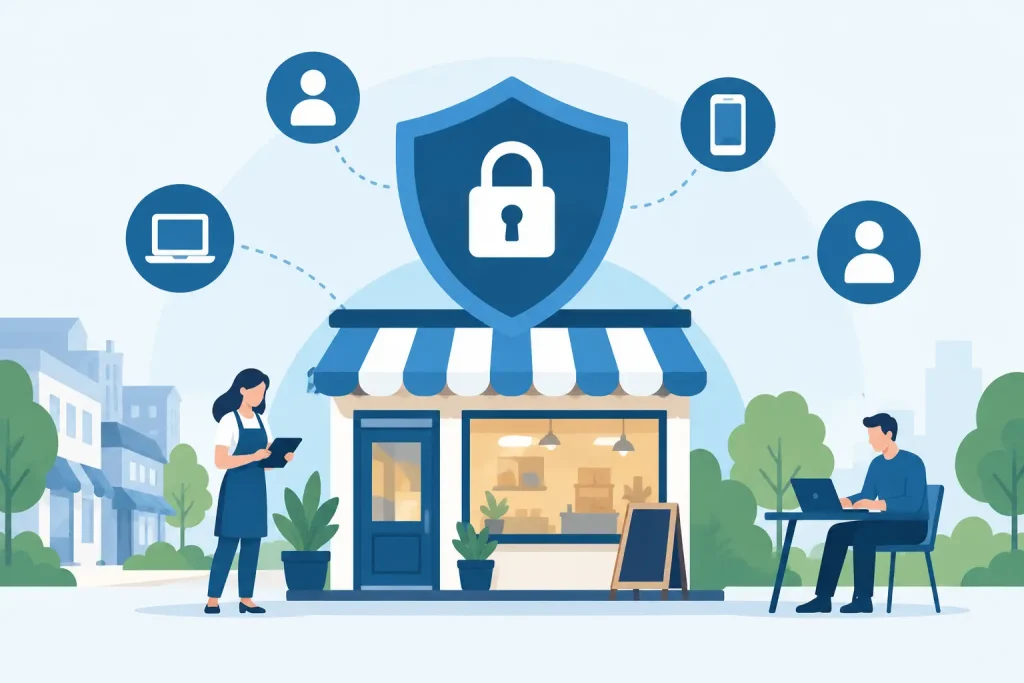
A single compromised password can give an attacker far more access than most local organizations realize. If that password belongs to an office manager, staff member, volunteer, or vendor, it may open email, cloud files, financial systems, customer records, and network-connected devices. Zero trust is a security approach designed to reduce that exposure by requiring every user, device, and connection to prove it belongs before receiving access.
For small and mid-sized businesses, nonprofits, healthcare offices, museums, and community institutions, this is not about building a complicated enterprise security program. It is about making practical decisions that protect the systems your organization relies on every day without creating unnecessary friction for staff.
What zero trust means in practical terms
Traditional network security often relied on a simple assumption: people and devices inside the office network were generally trustworthy, while threats were outside. That model made more sense when employees worked at fixed desks, applications ran on local servers, and the office firewall was the main boundary to defend.
That boundary is no longer enough. Staff work from home and on the road. Email, payroll, accounting, file storage, customer relationship tools, and collaboration platforms are cloud-based. Phones, laptops, tablets, printers, cameras, and guest devices all connect in different ways. A trusted-looking connection can still be an attacker using a stolen password or an unmanaged device.
Zero trust replaces broad assumptions with ongoing verification. Instead of automatically trusting someone because they are in the office or have logged in before, the organization checks the context of each access request. Is the user who they claim to be? Is the device secure and up to date? Is this person allowed to access this particular system? Does the request look unusual?
The goal is not to treat employees as suspects. The goal is to limit the damage when an account, device, or network connection is compromised.
Why local organizations are a target
Cybercriminals do not limit their attention to large corporations. Smaller organizations can be attractive because they often have valuable data, limited internal IT resources, older systems, and fewer layers of security. A regional business may hold payment information, employee records, contracts, customer contact details, or access to community partners. A nonprofit may manage donor information. A healthcare provider has especially sensitive patient data.
Many attacks start with something ordinary: a realistic email asking someone to review an invoice, reset a password, or open a shared document. Once an attacker gets a foothold, the next move is often lateral. They search for files, try to reach administrative accounts, or use the same credentials across multiple services.
Zero trust helps contain that spread. If a front-desk account is compromised, it should not automatically provide access to payroll folders, network administration tools, or every shared drive. Access should reflect the employee’s role, not simply the fact that they have a valid username and password.
The core components of a zero trust approach
A successful zero trust program is built from connected practices rather than one product. The right mix depends on your organization, the systems you use, regulatory requirements, and how your staff works.
Strong identity protection
Identity is now one of the most important security boundaries. Every staff member should have an individual account, rather than a shared login. When people share passwords, organizations lose visibility into who made a change, and offboarding becomes much harder.
Multi-factor authentication should protect email, cloud storage, financial platforms, remote access, and administrative accounts. A password alone can be guessed, reused, purchased after a breach, or captured through phishing. Multi-factor authentication adds another verification step, such as an authenticator app or security key.
This does create a small adjustment for users. The trade-off is worthwhile, but implementation matters. Clear instructions, recovery procedures, and help for less technical staff keep security from becoming an everyday frustration.
Least-privilege access
Least privilege means people receive only the access they need to do their jobs. A marketing coordinator may need website and social media tools but not accounting records. A temporary contractor may need a specific project folder but not the entire organization’s file library.
This principle is especially valuable for organizations that have accumulated permissions over time. Employees change roles, vendors come and go, and former staff accounts can remain active longer than anyone intended. Regular access reviews help correct those gaps.
Administrative accounts deserve added attention. Everyday tasks should be completed with a standard account whenever possible, while elevated administrative access is reserved for specific technical work. This reduces the chances that a phishing email or infected browser session can take over the entire environment.
Device health and management
A valid login is not enough if the device itself is outdated or infected. Zero trust policies can check whether a computer is managed, encrypted, running current security updates, and protected by endpoint security software before allowing it to reach sensitive resources.
For a growing business, this may mean creating a clear distinction between company-managed devices and personal devices. Some organizations allow staff to use personal phones for email but restrict them from downloading sensitive files. Others provide managed laptops for employees who handle financial, health, or client information.
There is no single rule for every organization. The key is matching access to risk. The more sensitive the data or system, the more confidence you should have in the device requesting access.
Network segmentation
Network segmentation separates systems so that one incident does not become an organization-wide outage. For example, guest Wi-Fi should not have access to office computers. Point-of-sale devices, security cameras, printers, and staff workstations should not all live in one unrestricted network segment.
Segmentation can also protect operational technology and specialized systems. A museum’s exhibit controls, a clinic’s connected equipment, or a business’s production devices may need to communicate with only a small set of approved systems. Limiting unnecessary connections reduces opportunities for attackers to move from one device to another.
Monitoring and recovery
Zero trust does not mean breaches become impossible. It means suspicious activity is more likely to be detected and contained before it becomes a larger incident. Monitoring can identify unusual login locations, repeated failed sign-in attempts, new forwarding rules in email, or a device trying to access systems outside its normal role.
Reliable backups and a tested recovery plan are equally important. Backups should be protected from unauthorized changes, monitored for completion, and tested periodically. A backup that has never been restored is an assumption, not a recovery strategy.
How to begin without disrupting operations
The best zero trust rollout is phased. Trying to change every account, device, and network rule at once can overwhelm staff and create avoidable downtime. Begin with the systems that create the greatest risk if compromised: business email, cloud file storage, financial applications, remote access, and administrator accounts.
First, identify what you have. Build an inventory of users, devices, applications, shared accounts, vendors, and data locations. This often reveals overlooked risks, such as former employee accounts, unsupported computers, or files shared publicly for convenience.
Next, turn on multi-factor authentication for priority systems and remove unnecessary access. Then establish device standards for updates, encryption, antivirus or endpoint protection, and screen locks. From there, review network segmentation and create policies for vendors, remote workers, and personal devices.
Communication is part of the technical work. Employees need to understand why a new sign-in prompt, limited file permission, or managed-device requirement is being introduced. Frame the change around protecting their work, client information, and the organization’s ability to serve the community. Training should include realistic phishing awareness, but it should not rely on blame when someone makes a mistake.
Where outside support adds value
Zero trust can involve identity management, cloud configuration, endpoint protection, network design, backup planning, and user education. That is a broad scope for a small internal team or an office manager who already has a full workload.
A managed technology partner can help assess current risks, prioritize improvements, configure policies, monitor systems, and support users through the transition. At Epuerto, the value of this approach is connecting security work with the broader technology environment – from reliable network management and cloud services to the websites and digital tools that support daily operations and public engagement.
The objective is not to purchase every available security tool. It is to build a practical system where identities are protected, access is intentional, devices are managed, and recovery is planned.
Every organization has a different starting point, but the first useful question is the same: if one password were stolen this afternoon, how much could that account reach? The answer provides a clear place to begin.