
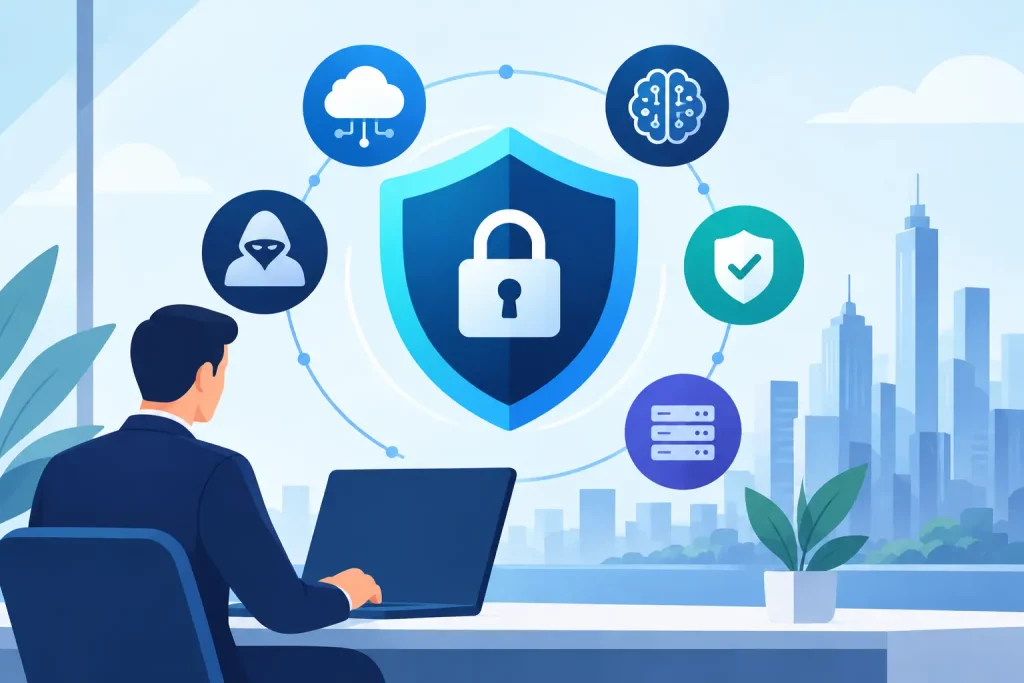
A staff member receives an email that appears to come from a familiar vendor, follows the usual payment process, and sends funds to a criminal account. There may be no suspicious spelling, no strange logo, and no obvious warning. That is the practical reality behind cybersecurity trends 2026: attacks are becoming more convincing, more automated, and more focused on the everyday systems local organizations rely on to serve customers and communities.
For small and mid-sized businesses, nonprofits, healthcare offices, and public-facing institutions, the question is not whether large-scale cybercrime makes headlines. It is whether a single compromised login, missed software update, or unavailable backup could interrupt payroll, appointments, donor records, operations, or public trust. The strongest response is not a collection of expensive tools. It is a clear security program that protects the systems your organization actually uses.
Cybersecurity Trends 2026 Put Identity First
For years, businesses treated the office network as the primary security boundary. That model no longer fits how most organizations work. Employees sign into cloud email, accounting systems, customer relationship platforms, file-sharing services, website dashboards, and remote support tools from multiple locations and devices. The login identity has become the front door.
Attackers know this. Rather than forcing their way through a firewall, they increasingly target passwords, browser sessions, authentication prompts, and support processes. A stolen password can still matter, but phishing kits and credential-stealing malware now help criminals capture session cookies and bypass weak sign-in protections. Social engineering also plays a growing role, especially when a criminal can imitate an executive, vendor, or IT contact.
Multi-factor authentication remains essential, but the method matters. Text-message codes are better than password-only access, yet they can be vulnerable to phone-number takeover and targeted scams. Authenticator apps and hardware security keys generally provide stronger protection for critical accounts. For many organizations, the right approach is to start with email, financial systems, administrator accounts, and remote access, then expand from there.
Identity protection also requires discipline around access. Former employees should lose access promptly. Shared passwords should be eliminated where possible. Users should only have the permissions necessary for their roles. These steps are not glamorous, but they reduce the damage a compromised account can cause.
AI Makes Attacks More Believable, Not Magical
Artificial intelligence is changing cybersecurity, although not always in the dramatic way headlines suggest. Criminals are using AI to improve the grammar, tone, and personalization of phishing messages. They can research local organizations quickly, create convincing content, and test multiple variations of a scam. Voice cloning can add pressure when an employee receives what sounds like an urgent call from a leader asking for a wire transfer or sensitive document.
The practical lesson is simple: employees should not be expected to spot every suspicious message by instinct. Your business needs verification processes that hold up under pressure. A request to change banking details, purchase gift cards, disclose payroll information, or send money should trigger an independent confirmation method. Calling a known number from your records is safer than replying to the message or dialing a number provided in it.
AI can also support defenders. Security monitoring tools can identify unusual sign-in behavior, filter malicious email, and help IT teams investigate alerts more efficiently. Still, automation is not a substitute for accountable people and tested procedures. A tool may flag a risk, but someone must decide what matters, contain the issue, and communicate clearly with staff and customers if necessary.
Train for Real Decisions
Annual compliance training alone is rarely enough. Short, recurring training built around realistic situations is more useful: a fake invoice, a request from a board member, an unexpected document-sharing notice, or a call from a supposed vendor. The goal is not to make employees fearful. It is to give them permission to pause and a reliable process for asking for help.
Ransomware Is Becoming a Recovery Test
Ransomware remains one of the most disruptive threats because it can stop operations quickly. Attackers may encrypt files, steal sensitive information, threaten to publish it, or all three. Even organizations that never pay a ransom can face serious downtime if they cannot restore their systems promptly.
In 2026, backup quality will matter as much as backup frequency. A backup that has never been tested is a hope, not a recovery plan. Businesses should know which systems are backed up, how often copies are created, where they are stored, and how long restoration would take. They should also keep backup copies separated from the production environment so an attacker cannot easily encrypt or delete everything at once.
Recovery planning needs to consider the business, not just the technology. If systems go offline on a busy Monday, who contacts staff? How are customer appointments managed? Where are current vendor contacts stored? What information can still be accessed securely? A simple, documented continuity plan can reduce confusion during the first critical hours.
There is a trade-off here. Faster recovery usually requires more planning, storage, testing, and managed oversight. But the cost of preparation should be compared with the cost of a week without email, scheduling, billing, or customer records. For many local organizations, that comparison makes the investment clear.
Third-Party Risk Has Moved Closer to Home
Businesses depend on more outside technology than they may realize. Payment processors, hosted email providers, web plugins, managed software platforms, remote support vendors, marketing tools, and cloud storage services can all affect security. A vendor problem does not automatically mean your organization is exposed, but it does mean your security depends partly on decisions beyond your walls.
This does not require a small business to conduct enterprise-level audits of every provider. It does require awareness. Keep an inventory of the platforms that hold business or customer information. Know who has administrator access. Remove old website plugins and unused apps. Ask important vendors how they handle multi-factor authentication, backups, breach notification, and access control.
Websites deserve special attention. An outdated content management system, abandoned plugin, or reused administrator password can become an entry point to more than a public website. Since websites often connect to forms, mailing lists, e-commerce tools, analytics, and customer inquiries, they should be maintained as part of the organization’s larger technology environment.
Preparing for Cybersecurity Trends 2026
The best security plan is one your team can operate consistently. Start by identifying the systems that would hurt most to lose: email, financial records, client data, scheduling, website access, line-of-business software, and shared files. Then build protections around those priorities instead of trying to solve every possible threat at once.
Four practical actions can create meaningful progress:
- Require multi-factor authentication for email, administrator accounts, financial platforms, and remote access.
- Patch operating systems, business software, firewalls, and website platforms on a defined schedule.
- Maintain protected backups and test the restoration process before an emergency occurs.
- Establish clear verification rules for payments, account changes, and requests involving sensitive information.
After those basics are in place, consider ongoing monitoring, managed endpoint protection, email security, documented incident response procedures, and regular access reviews. The right mix depends on your size, regulatory obligations, sensitivity of the data you hold, and tolerance for downtime. A healthcare provider, museum, retail business, and community nonprofit may face different risks, but each needs a plan that matches its actual operations.
Security should also support growth rather than slow it down. When new staff members join, a new office opens, a website collects more information, or a marketing campaign adds another platform, security needs to be part of the conversation early. Coordinated technology management helps prevent the common problem of adding tools faster than the organization can protect them.
Epuerto helps organizations bring IT operations, web infrastructure, and digital growth efforts into a more manageable picture, so security does not become another disconnected vendor responsibility. The goal is dependable technology that lets staff focus on serving people and building stronger local relationships.
A good next step is to choose one realistic scenario – a stolen email password, a fraudulent invoice, or a server outage – and walk through what your organization would do in the first hour. The gaps you find will point directly to the improvements that matter most.