
A staff member clicks a convincing shipping notice, a laptop connects to public Wi-Fi, or an old network rule is left in place after a vendor relationship ends. Any one of these everyday events can create a security problem. The firewall management versus antivirus software conversation matters because these tools address different parts of the risk – and relying on one while neglecting the other leaves gaps that small and mid-sized organizations may not see until an incident disrupts operations.
For a local business, nonprofit, healthcare office, or community institution, cybersecurity is not merely an IT checkbox. It protects customer trust, employee productivity, financial records, critical files, and the ability to serve the community without interruption. The practical question is not which tool wins. It is whether your network, devices, and security processes work together as a coordinated defense.
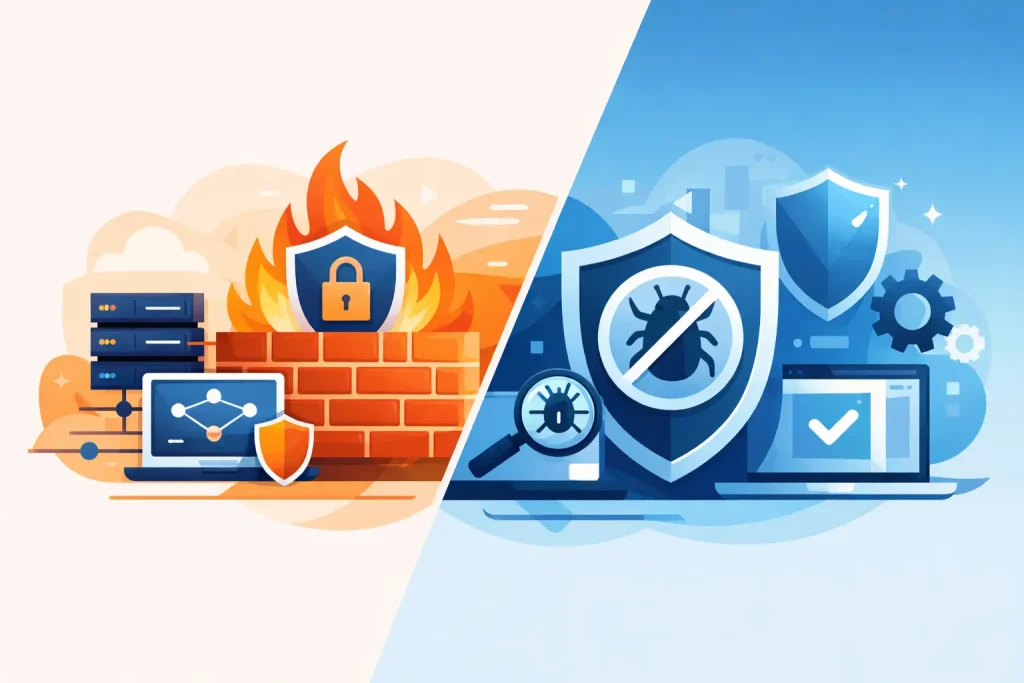
Firewall Management Versus Antivirus Software: The Core Difference
Antivirus software protects individual computers, servers, and sometimes mobile devices. Its job is to identify, block, quarantine, or remove malicious files and suspicious activity on the device itself. Traditional antivirus primarily looked for known malware signatures. Modern endpoint protection can also watch for unusual behavior, such as ransomware trying to encrypt a large number of files or an unauthorized program attempting to change security settings.
Firewall management focuses on traffic moving into, out of, and across your network. A firewall applies rules that determine which connections are allowed and which are blocked. It can help prevent an unknown internet user from reaching a workstation, stop a compromised device from communicating with a malicious server, and separate sensitive systems from less trusted parts of the network.
The word “management” is the critical distinction. Buying a firewall appliance or enabling a basic firewall is not the same as managing it. Effective management includes reviewing rules, applying firmware updates, monitoring alerts, removing unnecessary access, documenting changes, and adjusting protections as the business adds cloud tools, remote staff, guest Wi-Fi, cameras, or new locations.
Antivirus asks, “Is this file or process dangerous on this device?” Firewall management asks, “Should this connection be permitted at all?” Both questions need answers.
What Each Layer Can and Cannot Do
A firewall is especially valuable at controlling exposure. For example, a professional office may need secure remote access for staff but should not expose every internal system directly to the internet. A properly configured firewall can provide controlled access, segment guest Wi-Fi from business devices, and restrict unnecessary connections between systems.
That does not mean a firewall can stop every threat. If an employee opens a malicious attachment that arrives through a permitted email service, the firewall may have no reason to block the traffic. If the harmful file reaches a laptop, endpoint protection is better positioned to detect and contain it.
Antivirus software also has limits. It may stop malware after it has reached a device, but it cannot replace network controls. It will not automatically correct overly broad firewall rules, secure an exposed remote desktop service, or prevent a visitor on guest Wi-Fi from accessing an improperly segmented internal network. It also cannot make up for weak passwords, missing software updates, or a backup system that has never been tested.
There is some overlap. Many modern firewalls inspect web traffic, block known malicious destinations, and identify suspicious network behavior. Some endpoint security platforms can isolate an infected computer from the network. These features are useful, but overlap should not be confused with complete coverage. A security plan is stronger when each layer has a clear role and is regularly maintained.
Why Management Changes the Equation
A firewall with outdated firmware can carry known vulnerabilities. A firewall rule created for a temporary project can become a permanent opening. An alert that no one reviews is simply a record of a problem that may continue unchecked. These are management failures, not necessarily product failures.
The same is true for antivirus software. Licenses can expire, devices can be missed during deployment, alerts can go unanswered, and users may disable protection because it interrupts a task. Businesses with remote employees, shared workstations, multiple offices, or a mix of Windows and Mac devices need a clear inventory and consistent policy. You cannot protect devices you do not know exist.
For many organizations, the best approach is managed security rather than assigning these responsibilities informally to the busiest person in the office. A managed IT partner can keep firmware current, review activity, tune rules, monitor endpoints, and escalate real concerns before they become a larger operational event. That ongoing attention is often more valuable than an impressive product list.
Where Small Organizations Commonly Get Exposed
Smaller teams are often targeted because attackers expect limited internal security resources. The most common vulnerabilities are not always dramatic technical flaws. They are routine operational oversights that accumulate over time.
A business may have antivirus installed on most computers but no process for verifying that every device is reporting correctly. Another may have a capable firewall installed years ago, yet guest Wi-Fi, security cameras, point-of-sale equipment, and employee laptops all sit on the same network. A nonprofit may share files through a cloud platform but lack multifactor authentication and a tested recovery plan.
Remote work adds another layer of complexity. Home networks are outside the organization’s direct control, and personal devices may be used for business tasks. In those cases, endpoint protection, secure access policies, identity controls, and user education all become more significant. Firewall management remains essential at the office or data center, but it must be part of a wider strategy that follows the user and the data.
Healthcare organizations and businesses that process payment information face additional pressure because a breach can affect confidential records and trigger compliance obligations. The right configuration depends on the systems involved, the sensitivity of the data, and applicable requirements. A one-size-fits-all checklist is rarely enough.
Building a Practical Layered Security Plan
Start with a business-focused assessment, not a purchase decision. Identify where important data lives, who needs access, which devices connect to the network, and what would interrupt operations for a day or a week. This creates a clearer picture of the protections that deserve priority.
From there, establish a baseline that includes a professionally configured firewall, actively managed endpoint protection, multifactor authentication, regular patching, secure backups, and staff awareness training. These are connected safeguards. A backup helps recovery after ransomware. Multifactor authentication reduces the risk of stolen credentials. Training helps staff recognize fraudulent requests before a harmful link is clicked.
Network segmentation deserves particular attention. A guest network should not have the same access as accounting workstations. Internet-connected cameras, smart devices, and other equipment often need a separate network segment so a compromise does not automatically provide a path to sensitive systems. Segmentation is not just for large enterprises. It is a practical way to limit the blast radius of an incident.
It is also wise to define who receives alerts and what happens next. A security notification at 2:00 a.m. requires more than an email sitting in an inbox. Decide whether an internal staff member, an IT provider, or a monitored service is responsible for reviewing it and taking action. Clear ownership turns security tools into an operating process.
Choosing the Right Investment First
If your organization has neither a properly managed firewall nor current antivirus or endpoint protection, address both. The cost of doing so is generally far lower than the disruption caused by downtime, lost files, fraud, or reputational damage.
If endpoint protection is already in place but your firewall has never been reviewed, prioritize a firewall assessment. Ask whether firmware is current, remote access is necessary and properly secured, rules are documented, and devices are segmented appropriately. If your firewall is well managed but devices lack current endpoint protection, close that gap immediately, especially for laptops used outside the office.
The right solution depends on your environment. A small retail shop with a few workstations has different needs than a clinic, museum, chamber of commerce, or multi-location professional service firm. Still, every organization benefits from knowing what is connected, limiting unnecessary access, and having someone accountable for maintenance.
Epuerto helps organizations enhance their business with comprehensive digital solutions that support both daily operations and long-term growth. Security should fit that same practical standard: dependable technology in the background, clear guidance for staff, and protection that supports real, measurable outcomes.
The next useful step is simple: look beyond whether you have a firewall or antivirus icon on a screen. Ask when each was last reviewed, who responds when it raises an alert, and whether it protects the way your organization actually works. Those answers provide a far better starting point for stronger security than any single product ever could.