
A video call freezes just as a client is ready to approve a proposal. The shared drive takes 30 seconds to open. The point-of-sale system drops offline during a busy afternoon. These issues rarely begin at the moment people notice them. They usually build quietly through overloaded equipment, failing connections, outdated software, or suspicious activity that no one has seen yet.
Office network monitoring gives a business the visibility to catch those warning signs early. For small and mid-sized organizations, it is not about filling a screen with technical charts. It is about keeping employees productive, protecting customer information, and making sure the technology behind daily operations supports growth instead of interrupting it.
What Office Network Monitoring Actually Does
Your office network is the system that connects computers, phones, printers, wireless access points, cloud applications, security tools, and often guest devices. When one part struggles, the impact can spread quickly. A failing switch may take down several desks. Weak Wi-Fi can make cloud software seem unreliable. An internet outage can stop payments, communications, and remote access at the same time.
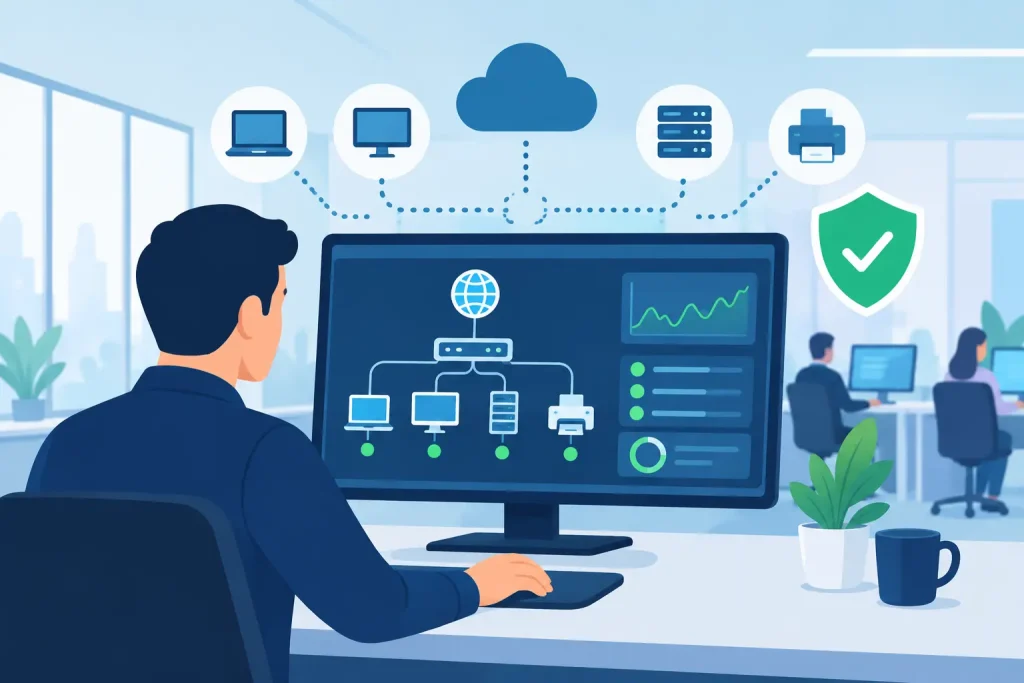
Office network monitoring continuously checks the health and performance of those connected systems. Depending on the organization, it can track internet availability, bandwidth use, Wi-Fi strength, device status, server performance, backup results, firewall alerts, and unusual traffic patterns.
The goal is not simply to learn that something failed. Effective monitoring helps identify the conditions that lead to failure. That changes IT support from a reactive cycle of emergency calls into a planned service that protects business continuity.
Why Downtime Costs More Than Lost Minutes
A brief outage may look minor on paper, but its cost is rarely limited to the minutes spent waiting for a connection to return. Staff lose momentum. Customers wait longer. Appointments may need to be rescheduled. A nonprofit may be unable to access donor records before an event. A healthcare office can face disruptions that affect both care coordination and privacy obligations.
For a local business, repeated technical problems also influence trust. Customers may not know whether a delay came from an internet provider, an aging computer, or a misconfigured network. They only experience a slower interaction with your organization.
Monitoring helps leaders make better decisions because it replaces assumptions with evidence. If the internet connection is consistently saturated every afternoon, the answer may be a capacity upgrade or better traffic management. If one access point serves too many devices, adding equipment may solve a persistent complaint. If an older workstation is causing repeated network issues, replacement becomes a business decision backed by data rather than a guess.
The Signals Your Network Should Be Watching
Not every business needs the same monitoring plan. A museum with public Wi-Fi, digital displays, and ticketing systems has different needs than a professional office with remote staff and cloud-based files. Still, most organizations benefit from attention to four areas:
- Availability: Are the internet connection, firewall, servers, critical applications, and network devices online?
- Performance: Is bandwidth sufficient, are devices overloaded, and are Wi-Fi users experiencing slow or inconsistent service?
- Security: Is there unusual login behavior, unexpected traffic, a failed security update, or an attempted intrusion that requires attention?
- Capacity and maintenance: Are storage levels, device warranties, firmware versions, backup jobs, and equipment lifecycles being managed before they become urgent problems?
These signals work best when they are tied to what the organization actually depends on. A receptionist may not care about a switch port’s technical status, but they absolutely care whether the scheduling platform, phones, and printer are available when patients or customers arrive.
Monitoring Is Not the Same as Remote Management
The terms are often used together, but they have different jobs. Monitoring observes conditions and sends alerts when something moves outside an acceptable range. Remote management allows IT staff to maintain systems, apply updates, adjust configurations, and resolve many issues without traveling to the office.
Businesses get the most value when both are coordinated. An alert about a full server drive is useful. A service process that safely clears the issue, verifies backups, and documents the resolution is what prevents the alert from becoming a work stoppage.
Where Small Organizations Commonly Have Blind Spots
Many offices have some form of monitoring without realizing its gaps. They may receive a notice when the internet goes down, for example, but have no visibility into declining Wi-Fi performance, failed backups, expiring firewall support, or risky devices connecting to the network.
Guest Wi-Fi is a common example. It can be a meaningful customer convenience for a waiting room, retail space, community venue, or event. But it should be separated from internal business systems. If guest traffic competes with staff activity or has access to sensitive devices, the risk extends beyond slower connections.
Another blind spot is cloud dependence. Moving files, email, accounting, and customer management to cloud platforms can reduce the need for on-site servers, but it does not eliminate network responsibility. Employees still need secure, reliable connections. User access still needs to be managed. Backups and recovery planning still matter, especially when critical information is stored across multiple platforms.
Building a Monitoring Plan Around Business Priorities
The right approach begins with a conversation about operations, not a shopping list of technology. Identify the systems that would create the greatest disruption if they failed for an hour, a day, or a week. Those systems deserve the clearest alerts, documented recovery procedures, and regular review.
Start by mapping the essentials: internet service, firewall, switches, Wi-Fi, workstations, printers, phones, cloud applications, data storage, and backups. Then identify who uses each system, what information it handles, and whether it needs to work after hours or from off-site locations.
From there, define practical thresholds. A short increase in bandwidth use may be normal during a software update. Sustained congestion during every customer-facing shift is different. A single failed login may be a mistyped password. Repeated failed logins from unfamiliar locations could deserve immediate review. Good monitoring distinguishes normal variation from issues that require action.
Alerts Need Ownership, Not Just Email Notifications
An alert that lands in an unattended inbox does not protect the business. Every monitored event should have an owner and a response expectation. Critical failures may require immediate escalation, while routine maintenance notices can be handled during business hours.
This is especially valuable for organizations without a full internal IT department. A managed service partner can provide 24×7 monitoring, review alerts in context, and coordinate repairs or vendor support when needed. That gives office managers and executive directors a clear path forward instead of a stream of technical notifications they are not expected to interpret.
Pair Monitoring With Security and Recovery
Network health and cybersecurity are closely connected. Slow performance can result from innocent causes, such as a crowded Wi-Fi network or an aging router. It can also indicate malware, unauthorized devices, or data moving in unexpected ways. Monitoring provides useful clues, but it must be supported by firewalls, endpoint protection, strong access controls, regular updates, and employee awareness.
Recovery planning matters just as much. Even well-maintained networks can experience equipment failure, provider outages, storms, power issues, or human error. Monitor backup completion, test restoration procedures, and document how employees can continue essential work if a primary system is unavailable. A backup that has never been tested is not a recovery plan.
For regional organizations that serve the public, this preparation protects more than internal efficiency. It helps maintain the dependable experience that customers, members, donors, and community partners expect.
Turn Network Data Into Better Business Decisions
The best monitoring programs produce more than alerts. They create a record of trends that supports budgeting and planning. Leaders can see whether internet service still matches demand, whether older equipment is becoming a recurring expense, and whether remote work or a new location requires network changes.
That perspective can also make vendor consolidation more practical. When IT support, cybersecurity, backups, cloud tools, and public-facing digital systems are planned together, there are fewer gaps between providers and fewer unclear handoffs during an outage. Epuerto helps organizations coordinate these moving parts through comprehensive digital solutions designed around real operational needs.
A healthy network should be almost invisible to the people using it. The work behind that reliability is not invisible at all: it comes from paying attention early, responding with purpose, and treating technology as part of the service your organization delivers every day.