
- What a WordPress Maintenance Service Actually Does
- What Managed Hosting Adds
- What Most Maintenance Plans Do Not Cover
- How to Evaluate a WordPress Maintenance Provider
- When a Maintenance Plan Is Not Enough
- Combining Website Maintenance with Broader IT Support
- Maintenance Tiers: What to Expect at Each Level
- FAQs
- Start With the Right Foundation
A WordPress maintenance service does more than keep your site online. For small business owners who built a website, launched it, and moved on to running their actual business, maintenance tends to get ignored until something breaks. By then, recovering from a hacked site, restoring lost data, or untangling a plugin-corrupted layout costs far more than any monthly service fee would have.
This article covers what a managed WordPress maintenance service actually includes, where the limits are, and how to decide whether a standalone hosting plan or a full-service provider makes more sense for your situation.
What a WordPress Maintenance Service Actually Does
The term gets used loosely. Some providers call shared hosting with automatic backups a "maintenance service." Others bundle in security hardening, performance tuning, and uptime monitoring. The gap between those two descriptions is significant.
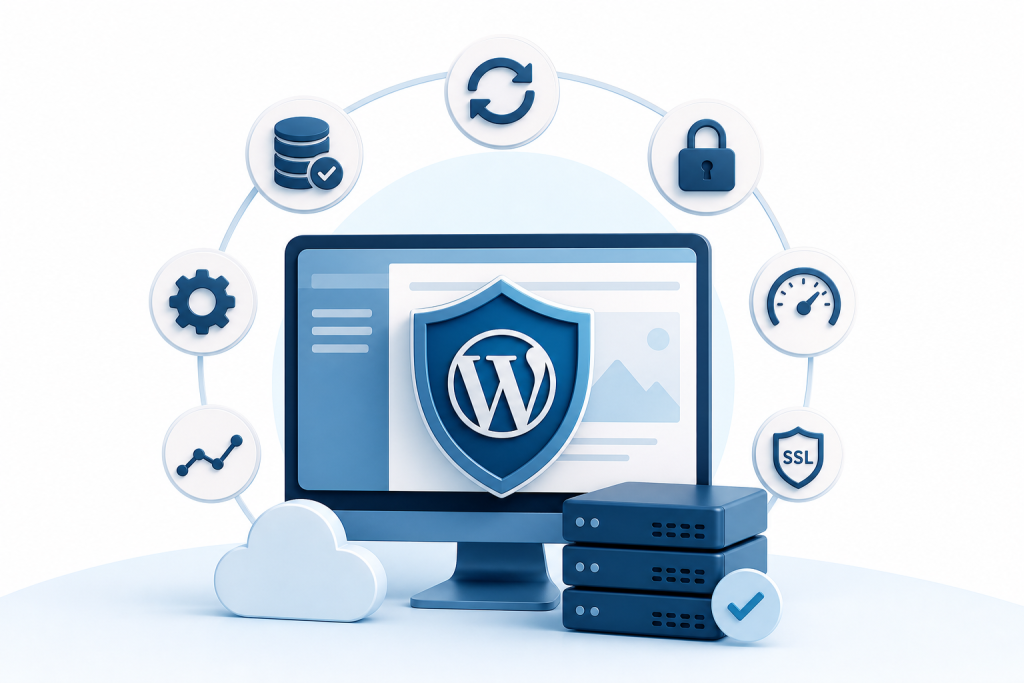
A genuine WordPress maintenance service typically covers the following.
Core, Plugin, and Theme Updates
WordPress releases core updates regularly, and plugin developers push their own on independent schedules. When those updates pile up untouched, you end up with version conflicts, broken functionality, and security gaps that attackers actively scan for.
A maintenance service handles updates on a defined schedule—usually weekly or monthly—and tests for conflicts before pushing anything to your live site. This alone prevents a large share of the outages and defacement incidents that small business owners run into.
Automated and Tested Backups
Backups are only useful if they actually restore. Many hosting plans include automated backups but never verify them. A proper maintenance service stores backups off-site, retains multiple restore points, and periodically confirms that a restore works as expected.
For a business that depends on its website for lead generation, bookings, or e-commerce, the difference between a one-day recovery and a one-week recovery often comes down to whether tested backups were in place.
Security Monitoring and Malware Scanning
WordPress powers a large share of the web, which makes it a frequent target. Malware injections, brute-force login attempts, and file-level tampering are all common. Security monitoring catches these in real time rather than waiting for a customer to report that your site is redirecting somewhere suspicious.
A solid maintenance service includes daily or continuous malware scanning, login protection, application-layer firewall rules, and alerts when something anomalous appears. Some providers include malware removal in the plan; others charge separately for remediation.
Uptime Monitoring
If your site goes down at 2 a.m. and no one notices until a customer calls at 9 a.m., you have lost seven hours of potential traffic and conversions. Uptime monitoring checks your site at short intervals and sends an alert the moment it goes offline, so the problem gets addressed before most visitors ever encounter it.
Performance Optimization
Page speed affects both user experience and search rankings. A maintenance service often includes database optimization, image compression checks, caching configuration, and periodic audits of scripts that slow load times. These are not one-time tasks. As you add content, install plugins, and accumulate database entries, performance degrades gradually unless someone is actively managing it.
SSL Certificate Renewal
An expired SSL certificate throws a browser warning telling visitors your site is not secure. Most maintenance services handle SSL renewal automatically so this never becomes a visible problem for your customers.
What Managed Hosting Adds
Managed WordPress hosting is a specific category where the server environment is optimized for WordPress and the provider handles server-level maintenance. That is different from a maintenance service running on top of generic shared hosting.
Managed hosting typically includes:
- Server-level caching configured specifically for WordPress
- PHP version management so your site runs on a supported, secure version
- Staging environments where you can test updates or redesigns before they go live
- Automatic scaling during traffic spikes, which matters if you run promotions or get press coverage
- Server-side security hardening that goes beyond what a plugin can accomplish
The distinction matters when you are comparing options. A maintenance service without managed hosting handles the WordPress layer but not the server layer. A managed hosting plan without a maintenance service handles the server but may leave plugin updates, backups, and security scanning to you. The strongest setup covers both.
What Most Maintenance Plans Do Not Cover
Knowing the limits of a maintenance service prevents gaps in coverage you did not know existed.
Content updates are usually not included. Adding a new service page, updating pricing, or swapping out photos is typically billable work outside the retainer.
SEO management is separate. Keeping your site technically healthy is not the same as improving your rankings. Maintenance handles the foundation; keyword strategy, content production, and link building are different services.
Design changes fall outside maintenance scope. Redesigning a page, adding a new section, or changing your site's layout requires development hours.
Business-level disaster recovery is broader than a site backup. If your website is part of a larger IT environment, restoring the site does not address the network, the devices, or the data that lives off the website.
For small businesses that need both website maintenance and broader IT support, sourcing these separately means managing multiple vendors, multiple invoices, and multiple points of contact when something goes wrong.
How to Evaluate a WordPress Maintenance Provider
Not all providers deliver the same thing under the same label. When comparing options, ask these specific questions.
How often are backups taken, and where are they stored? Daily off-site backups are the minimum worth paying for. Weekly on-server backups are not adequate for a business-critical site.
Are updates tested before they go live? Providers who push updates directly to production without staging or testing create risk rather than reduce it.
What is included if the site gets hacked? Some services include malware removal; others charge a separate incident fee. Know this before you need it.
What is the response time for a site outage? A maintenance service that monitors uptime but takes 24 hours to respond to an alert is not providing meaningful protection.
Is there a human you can call? For small businesses, the ability to reach a local or responsive provider when something goes wrong is worth more than a feature list.
When a Maintenance Plan Is Not Enough
A maintenance service keeps your existing site healthy. It does not fix a site that was built poorly, improve a site that is not converting visitors, or address the broader technology environment your business depends on.
If your website has accumulated technical debt, was never built with performance and security in mind, or is simply several years old without meaningful updates, a maintenance plan is patching a weak foundation. At some point, a rebuild makes more sense than ongoing maintenance of a site that was never well-structured.
Similarly, if your business has outgrown a simple brochure site and needs booking functionality, e-commerce, or integration with other systems, maintenance alone does not get you there.
Combining Website Maintenance with Broader IT Support
For small businesses with no dedicated IT staff, the website is one piece of a larger technology picture. Network security, device management, cloud backups, and cybersecurity awareness all carry operational risk that a WordPress maintenance plan never touches.
Handling these through separate vendors creates friction. When something goes wrong, you spend time figuring out which vendor is responsible instead of getting the problem solved. A provider that covers both website maintenance and IT infrastructure removes that friction entirely.
Epuerto is a full-service agency and managed IT provider based in Coos Bay, Oregon. The agency handles custom WordPress builds and ongoing site maintenance alongside network security, cloud computing, endpoint protection, and cybersecurity services. For small businesses and nonprofits in the region that need both sides managed under one engagement, that structure eliminates the coordination problem.
Epuerto also handles SEO, social media, and a proprietary local marketing network that includes a mobile app with over 7,000 downloads in Coos County, a physical mailer reaching more than 26,000 households per month, and digital screens placed in community venues across the region. If your website maintenance needs are part of a broader question about keeping your technology running and your marketing consistent, a single-provider model is worth considering.
Maintenance Tiers: What to Expect at Each Level
Most providers structure WordPress maintenance across a few tiers. Here is what a reasonable breakdown looks like.
Basic tier: Automated backups, core and plugin updates, uptime monitoring, SSL management. Suitable for low-traffic informational sites with minimal functionality.
Standard tier: Everything in basic, plus security scanning, performance optimization, a staging environment for updates, and a defined response time for issues. Suitable for most small business sites.
Full-service tier: Everything in standard, plus content updates, SEO monitoring, priority support, and integration with broader IT or marketing services. Suitable for businesses where the website is a primary revenue channel or where downtime has direct operational consequences.
The right tier depends on how much your business relies on its website and how much internal capacity you have to handle issues when they arise.
FAQs
What does a WordPress maintenance service include?
A WordPress maintenance service typically covers core, plugin, and theme updates; automated off-site backups; security scanning and malware monitoring; uptime monitoring; SSL certificate renewal; and performance optimization. The specific scope varies by provider, so confirm what is included before signing.
Is managed WordPress hosting the same as a maintenance service?
No. Managed hosting handles the server environment—caching, PHP version management, server-side security. A maintenance service handles the WordPress layer: updates, backups, and security monitoring. The strongest setup combines both, but they are separate products that may come from the same or different providers.
How much does a WordPress maintenance service cost?
Pricing varies widely based on scope, site complexity, and provider. Basic plans from hosting-focused providers tend to be less expensive; full-service plans that include support hours, security remediation, and performance management cost more. For a business-critical site, the cost of a maintenance plan is typically far lower than the cost of recovering from a security incident or extended outage.
What happens if my WordPress site gets hacked while under a maintenance plan?
It depends on the provider. Some maintenance services include malware removal and site restoration as part of the plan. Others treat it as a separate incident with additional fees. Ask this question explicitly before committing to any plan.
Do I still need a maintenance service if my hosting plan includes automatic backups?
Automatic backups are one component of maintenance, not the whole picture. Plugin updates, security scanning, uptime monitoring, and performance management are separate tasks that most hosting plans do not handle. A maintenance service covers the ongoing work that keeps your site secure and functional beyond just backup storage.
Can a WordPress maintenance service improve my search rankings?
Indirectly, yes. A well-maintained site loads faster, stays secure, avoids downtime, and maintains technical health—all of which support search performance. But maintenance is not the same as SEO. Improving rankings requires keyword strategy, content development, and link building on top of a technically sound foundation.
How do I know if my current WordPress site needs maintenance or a full rebuild?
If your site is slow, has accumulated outdated plugins, was built more than four or five years ago without updates, or has had security incidents, a maintenance plan may be patching a weak foundation. A provider who can audit your site and give you an honest assessment is more useful than one who sells maintenance without evaluating whether the site is worth maintaining.
Start With the Right Foundation
A WordPress maintenance service is not optional for a business that depends on its website. The question is not whether to maintain your site—it is whether you have the right level of coverage for what your site actually does and what your business can afford to lose if it fails.
If you are also dealing with broader IT challenges, network security gaps, or inconsistent marketing, a provider that handles all of it under one engagement is worth a conversation. Reach out to Epuerto to talk through what your site and your technology environment actually need.