
A server failure at 10:15 a.m. can derail an entire day by 10:16. A ransomware attack can shut down scheduling, accounting, donor records, patient communications, or customer files in a matter of minutes. That is why business backup solutions are not just an IT checkbox. They are part of how an organization stays open, serves its community, and protects the trust it has worked hard to earn.
For small and mid-sized organizations, the challenge is rarely deciding whether backups matter. The real challenge is choosing a system that fits the way the business actually operates. A nonprofit with donor records, a clinic handling sensitive files, a museum managing digital archives, and a local retailer processing daily transactions all need backups, but not in the same way. The right plan depends on how much data changes, how quickly systems need to come back online, and what a day of downtime would truly cost.
What business backup solutions are really meant to do
A backup is a recoverable copy of your data and, in some cases, your systems. That sounds simple, but many organizations assume they are protected when they only have partial coverage. A synced cloud folder is not the same as a true backup. A file copy on an external drive is not the same as a disaster recovery plan. If a cyberattack encrypts both the original files and the synced copies, recovery gets complicated fast.
Good business backup solutions are built around recovery, not storage. The question is not just whether data exists somewhere else. The question is whether you can restore what you need, when you need it, without turning a technical issue into a business crisis. That distinction matters because a backup that takes three days to restore may still leave payroll delayed, appointments canceled, or customer service at a standstill.
The biggest backup mistake businesses make
The most common mistake is assuming someone already has it covered. Maybe a staff member plugs in a drive every few days. Maybe files are saved in a cloud platform and everyone assumes that means they are protected forever. Maybe the office has had no major incident yet, so the risk feels theoretical.
That approach usually works until the moment it does not. Devices fail. Employees overwrite files. Accounts get compromised. Vendors experience outages. Buildings lose power. Hardware is stolen. Human error remains one of the most expensive and predictable causes of data loss, which is why backup planning has to account for normal mistakes, not just worst-case disasters.
Another frequent problem is fragmented protection. One system backs up accounting, another covers email, and nothing fully protects shared files, websites, databases, or line-of-business applications. The result is a patchwork that looks fine on paper but breaks down during an emergency. Businesses that rely on multiple digital tools need a backup strategy that reflects their full operation, not just one folder or one workstation.
How to evaluate business backup solutions
The best place to start is with two practical questions. First, how much data can you afford to lose? Second, how long can you afford to be down? Those answers shape the type of solution you need.
If your organization can tolerate losing a few hours of edits but cannot tolerate being offline for a full day, your backups should run frequently and be easy to restore quickly. If you manage sensitive records or serve the public on a tight schedule, the recovery timeline matters as much as the backup itself. For some businesses, restoring files is enough. For others, you need image-based backups or disaster recovery options that can bring back entire systems, not just documents.
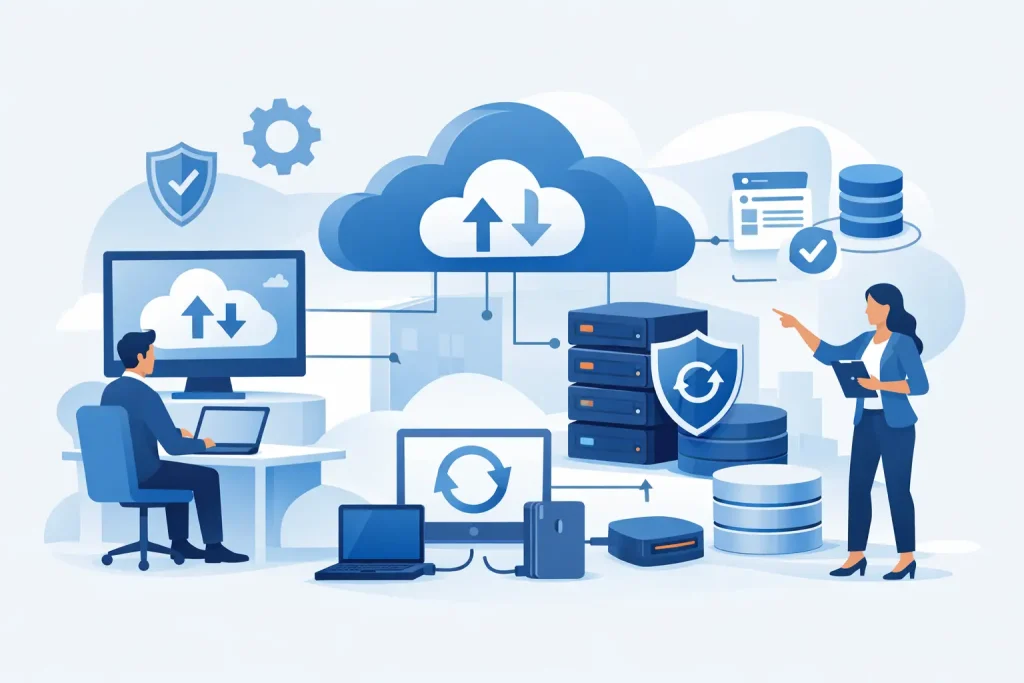
You also need to think about where backups live. A local backup can speed up recovery, which is useful when internet access is limited or large restores are needed fast. A cloud backup protects against fire, theft, flood, or physical damage at the office. In most cases, the strongest approach is a combination of both. That layered model gives organizations a better chance of recovering quickly from common problems while still being protected from major site-level events.
Security should be part of the evaluation from the beginning. Backups themselves can become targets if they are connected, unmonitored, or easy to access with compromised credentials. Encryption, access controls, separation from production systems, and immutability all matter. If a backup can be deleted or altered as easily as the live environment, it may not help when you need it most.
Backup types and when they make sense
There is no single setup that fits every organization. File-level backups are useful for offices that mainly need to protect documents, spreadsheets, images, and shared folders. They are often simpler and more affordable, but they may not fully protect applications, operating systems, or configurations.
Image-based backups create a fuller snapshot of a device or server. They are especially valuable when downtime is expensive, because they can restore an entire environment more quickly than rebuilding from scratch. For organizations that depend on a specific line-of-business system, this can be the difference between a short interruption and a week of disruption.
Cloud-to-cloud backup is another category worth attention. Many businesses use hosted email, productivity suites, and cloud file storage and assume the provider handles everything. In reality, the provider may protect infrastructure while leaving the customer responsible for accidental deletion, retention limits, or user-driven data loss. If cloud tools are central to your operations, they deserve their own backup plan.
For businesses with higher uptime demands, backup and disaster recovery services add another layer. These solutions are designed not just to store data, but to help keep the business running during a serious outage. They usually cost more, but the value is clear when every hour offline affects revenue, compliance, or public service.
Why testing matters more than promises
A backup strategy is only as good as its last successful restore. This is where many organizations discover a gap between what they bought and what actually works. Jobs may be running, reports may look normal, and storage may be filling up exactly as expected. None of that confirms the data can be recovered cleanly.
Testing should be routine, not occasional. That means restoring individual files, checking application consistency, and confirming that key systems can come back in a usable state. It also means documenting who is responsible, where the backups are located, and what happens if the primary contact is unavailable.
For community organizations and small businesses, this matters more than it may seem. A local office may not have an in-house IT department or a dedicated disaster recovery team. In a real incident, clear processes save time, reduce confusion, and keep leadership focused on serving customers, members, donors, or patients instead of chasing technical details.
Cost, complexity, and the case for getting the right fit
Budget matters, especially for growing businesses and nonprofits. But low-cost backup tools can become expensive if they create long restore times, weak visibility, or inconsistent coverage. On the other hand, the most advanced platform is not always the best choice if it adds unnecessary complexity and requires more oversight than your team can realistically provide.
The right fit usually comes from balancing risk, operations, and support. If your business depends on stable systems but has limited internal IT capacity, managed backup services can offer strong value. They reduce the burden of monitoring, troubleshooting, retention management, and restore testing while giving leadership better visibility into what is protected.
This is where working with a partner that understands the full digital environment can make a measurable difference. Backup planning should connect with cybersecurity, network management, cloud systems, hosted email, and the public-facing tools your organization relies on every day. A business does not experience downtime in separate categories. When technology fails, operations, communications, and customer trust are all affected at once.
Building a backup strategy that supports growth
As organizations grow, their backup needs usually change faster than they expect. More staff means more devices. More digital services mean more data in more places. A redesigned website, an expanded marketing platform, a new office, or a shift to cloud-based tools can all introduce risks that older backup setups were never designed to cover.
That is why backup planning should be reviewed regularly, especially after infrastructure changes, staffing shifts, or software upgrades. The goal is not just to preserve data. It is to support continuity, protect reputation, and keep the business moving when something goes wrong.
For many organizations, the smartest move is to treat backups as part of a broader business continuity conversation. That includes security controls, endpoint management, user access, communication planning, and realistic recovery expectations. When those pieces are aligned, backups become more than a defensive measure. They become part of a more stable and confident operation.
Reliable systems help enhance your business, but reliability is not created by hope or habit. It comes from clear planning, tested recovery, and comprehensive digital solutions that match the way your organization actually works. If your backup approach has not been reviewed in a while, that is usually the best place to start.