
- Why Nonprofits Have a Different Set of IT Needs
- What a Real Nonprofit IT Support Program Covers
- What a Real Program Does Not Look Like
- Local Nonprofits in Coos County Have a Specific Option
- Questions to Ask Before Signing With Any IT Provider
- FAQs
Nonprofit IT support has a way of staying off the priority list until something breaks. The board meeting is tomorrow, the donor database is down, and nobody on staff knows who to call. That moment is when organizations realize they needed a plan long before they needed a fix.
This article covers what a real nonprofit IT support program actually looks like — what it should include and why the bare minimum rarely holds up when your organization handles sensitive data, serves vulnerable populations, or depends on reliable uptime to deliver services.
Why Nonprofits Have a Different Set of IT Needs
Most nonprofit staff are not IT people. They are program coordinators, case managers, development directors, and executive directors already stretched across too many responsibilities. When a workstation freezes or a phishing email slips through, the response is usually a panicked search for someone who can help — not a call to an in-house tech team.
That gap creates real risk. Nonprofits routinely hold sensitive information: client health records, donor financial data, employee files, grant documentation. A single security incident can damage donor trust, trigger compliance violations, or interrupt services to the people who depend on them most.
At the same time, most nonprofits cannot justify the cost of a full-time IT hire. A managed IT support program fills that gap without requiring a dedicated salary and benefits line.
What a Real Nonprofit IT Support Program Covers
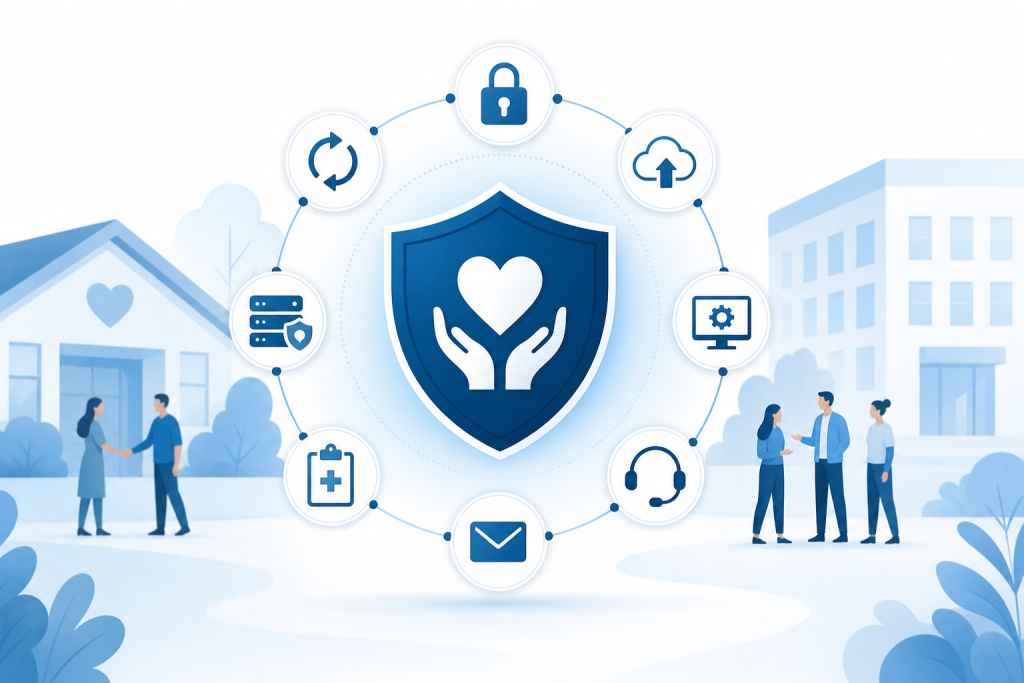
Not all IT support is equal. A vendor who shows up when things break is a very different arrangement from a provider running a proactive, structured program. Here is what a real program includes.
Network Security and Monitoring
Your network is the backbone of everything your organization does. A real IT program monitors it around the clock — not just during business hours. That means watching for unusual activity, catching threats before they become incidents, and keeping firewall rules current.
Endpoint detection and response (EDR) is part of this layer. Every device connected to your network — a staff laptop, a front-desk workstation, a shared tablet — is a potential entry point. EDR tools monitor those devices in real time and flag behavior that looks suspicious.
Data Backup and Disaster Recovery
Losing your donor database or grant files to a ransomware attack or hardware failure is not a hypothetical. It happens to organizations of every size. A real IT program includes automated, tested backups running on a schedule and a documented recovery plan so you know exactly how long it takes to get back online.
Backup without a tested recovery process is not actually protection. When evaluating any provider, ask whether they test restores — not just whether they run backups.
Patch Management
Software vulnerabilities are one of the most common entry points for attackers. Operating systems, browsers, and applications all release security patches on a regular basis. A real IT program handles patch management automatically, keeping every device on your network current without requiring staff to remember to update anything.
HIPAA-Aware Support for Healthcare and Social Services Nonprofits
If your organization provides healthcare services, mental health support, or any program that touches protected health information, your IT environment has to meet HIPAA requirements. That means encrypted communications, access controls, audit logs, and a business associate agreement with any vendor who handles that data.
Many general IT providers are not equipped to support HIPAA-covered environments. A provider working with healthcare nonprofits or community health organizations needs to understand these requirements specifically — not just in broad strokes.
Hosted Email and Communications
Free email accounts are not appropriate for organizational use when sensitive data is involved. A real IT program includes hosted business email — typically through a platform like Microsoft Exchange — with proper security settings, spam filtering, and the ability to enforce policies across all accounts.
This also extends to VoIP telephone systems for organizations that need reliable phone service without managing physical infrastructure on-site.
Help Desk and Responsive Support
When a staff member cannot log in or a printer stops working before a major event, they need someone to call. A real nonprofit IT support program includes a help desk with defined response expectations — not just a general email address that may or may not get answered the same day.
Responsive support matters more for nonprofits than many people realize. A program director who loses two hours to a tech problem is two hours away from the work that justifies your funding.
Security Awareness Training
Technology alone does not prevent breaches. People do. Phishing attacks, social engineering, and weak passwords are behind a significant share of incidents. A real IT program includes regular security awareness training so staff can recognize threats and respond appropriately.
It does not have to be a full-day workshop. Short, recurring training modules that address current threats are more effective than a single annual session.
What a Real Program Does Not Look Like
A few things that get sold as IT support but fall short of a real program:
- Break-fix only: You pay when something breaks, and nothing is monitored in between. Reactive, not protective.
- Antivirus software alone: A single antivirus subscription is one layer of one component — not a security program.
- Volunteer or board member IT help: Well-intentioned, but rarely consistent, documented, or available when you actually need it.
- A national provider with no local presence: Remote-only support works for some things but leaves gaps when on-site work is needed or when organizational context matters.
Local Nonprofits in Coos County Have a Specific Option
Nonprofits, healthcare clinics, and community organizations in Coos County have access to a local provider that understands the specific environment here. Epuerto delivers managed IT services to nonprofits and small organizations in Coos Bay and the surrounding area — including network security, 24/7 monitoring, backup and disaster recovery, endpoint protection, patch management, hosted Exchange email, and security awareness training.
Because Epuerto is based in Coos Bay and has existing relationships with community institutions across Coos County, they bring a level of local accountability that a national provider simply cannot replicate. If your organization needs HIPAA-aware support or serves a vulnerable population that depends on your systems staying up, that local relationship matters.
The service model is fully done-for-you. Your staff does not manage the IT program. Epuerto does.
Questions to Ask Before Signing With Any IT Provider
Before committing to a nonprofit IT support arrangement, ask these:
- Do you have experience with HIPAA-covered organizations?
- How do you handle after-hours incidents?
- What does your backup and recovery process look like, and how often do you test restores?
- What is included in monitoring, and what triggers an alert?
- Who is our primary point of contact, and are they local?
The answers will tell you quickly whether you are looking at a real program or a basic service agreement dressed up with technical language.
FAQs
What is nonprofit IT support?
Nonprofit IT support is a managed technology program designed for organizations without in-house IT staff. It typically covers network security, device management, data backup, help desk support, and security training — delivered by an outside provider on a retainer or managed services basis.
Do nonprofits need HIPAA-compliant IT support?
Any nonprofit that handles protected health information — a community health clinic, mental health organization, or social services provider — must meet HIPAA requirements. This includes encrypted communications, access controls, audit logs, and a business associate agreement with any IT vendor who touches that data.
What is the difference between break-fix IT and managed IT support?
Break-fix means you call someone when something goes wrong and pay for that incident. Managed IT support is proactive: your systems are monitored continuously, patches are applied automatically, and problems are often caught before they affect your operations.
Can a small nonprofit afford managed IT support?
Managed IT support is often more affordable than organizations expect — especially when weighed against the cost of a single data breach, extended downtime, or a part-time IT hire. Many providers offer tiered programs that fit smaller organizations.
What should a nonprofit IT support program always include?
At minimum: 24/7 network monitoring, endpoint protection, automated and tested data backups, patch management, business-grade email, and a help desk with defined response times. Organizations handling sensitive data also need security awareness training and compliance-aware configurations.
How do I know if my current IT support is adequate?
If your organization has never had a formal security audit, if backups have not been tested, if staff are using personal email for organizational work, or if you have no documented recovery plan, your current setup likely has meaningful gaps.
Is local IT support better than a national provider for nonprofits?
For many nonprofits, yes. A local provider can respond on-site, understands the community context, and is accountable in ways a remote national vendor is not. For organizations in Coos County, a local provider with existing community relationships adds a layer of trust and responsiveness that matters when something goes wrong.
A real nonprofit IT support program is not a single product or a one-time setup. It is an ongoing relationship with a provider who monitors your environment, keeps your systems current, responds when problems arise, and helps your staff stay aware of threats. If your organization is running on good intentions and volunteer help, it is worth having an honest conversation about what a structured program would actually cover. Start that conversation at epuerto.com.