
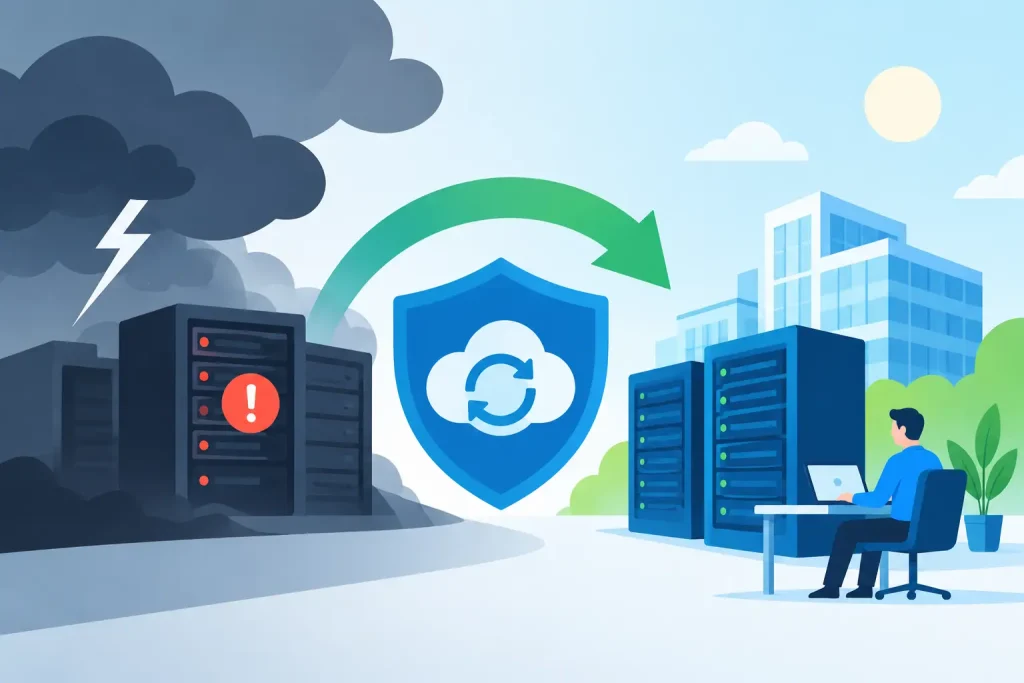
A business disaster recovery example becomes real when a Monday morning outage prevents staff from opening files, processing payments, accessing email, or serving the people who depend on them. For a local organization, the damage is not limited to lost technology. It can mean missed appointments, delayed services, frustrated customers, and a hard-earned reputation put at risk.
Consider a fictional but realistic organization: Harbor Health Clinic, a regional healthcare practice with 22 employees, two locations, cloud-based scheduling, electronic records, shared files, VoIP phones, and a public website. On a Friday evening, a staff member opens a convincing email attachment. Ransomware begins encrypting files on a shared server and attempts to spread through the network.
The clinic’s recovery plan does not eliminate the disruption. A good plan rarely does. It gives the organization a clear path to protect people, contain the incident, restore essential operations, and communicate responsibly while technology is repaired.
The incident: a disruption with real business consequences
At 6:15 a.m. Saturday, the clinic’s monitoring system detects unusual file activity and alerts its IT provider. The provider isolates the affected server and disconnects selected systems from the network before the encryption process can reach every device.
By 7:00 a.m., the clinic administrator, medical director, office manager, and IT lead are on a call. Their first question is not, “How do we get every computer back right now?” It is, “What must be working before patients arrive on Monday?”
That distinction matters. Disaster recovery is about restoring technology, but business continuity is about continuing the most critical work while recovery happens. For Harbor Health Clinic, the priorities are patient records, appointment schedules, secure communications, phones, prescription workflows, and payment processing. The staff can temporarily live without archived marketing files or a nonessential shared drive. They cannot safely operate without access to current patient information.
A business disaster recovery example in action
The clinic had invested in a layered backup approach. Its primary backup ran frequently to a protected local appliance, while encrypted copies were also stored offsite and isolated from the production network. Because backups were monitored and tested, the IT team could confirm that a clean recovery point existed from 10:00 p.m. Thursday, before the malicious activity began.
The recovery team follows a documented sequence rather than making decisions under pressure.
First, they preserve evidence and assess the scope of the incident. They identify affected devices, reset potentially compromised credentials, and determine whether sensitive information may have been exposed. For healthcare, legal and regulatory responsibilities may shape every communication and next step. A retail business, nonprofit, or manufacturer will have different obligations, but no organization should assume an outage is only an IT inconvenience.
Next, they restore the systems that support Monday’s essential services. A clean virtual server is built in a separate environment. Critical applications are restored from verified backups, then tested before users are permitted to reconnect. Workstations that may be compromised are rebuilt rather than simply placed back on the network.
The clinic also activates its temporary operating procedures. Staff receive printed schedules for the first part of Monday, use approved secure communication alternatives, and follow a defined process for documenting appointments and payments until normal systems are confirmed. This is less efficient than regular operations, but it keeps care moving safely.
By Sunday afternoon, scheduling, phones, and the electronic record system are operating in a protected environment. Nonessential file shares are restored later, after the IT team completes additional scanning and access reviews. Monday is not perfect, but the clinic opens, sees patients, and avoids a full shutdown.
Why the plan worked
The technology helped, but the outcome came from preparation. Harbor Health Clinic had defined recovery priorities before the emergency. It knew which systems were essential, who could authorize decisions, where staff would receive updates, and how long the organization could function without each service.
Three recovery measures made the biggest difference: backups that could actually be restored, clear ownership during an incident, and regular testing. Many businesses have some form of backup. Fewer know whether that backup contains the right data, is protected from ransomware, and can be restored within the time the organization can tolerate.
A backup is not the same as a recovery plan. If restoring a server takes two days but your business must resume billing or scheduling within four hours, there is a gap that needs to be addressed. That may require a cloud-based recovery environment, better backup frequency, replacement equipment on standby, or simpler manual procedures for a short-term outage.
Build recovery goals around your actual operations
Every organization should set two practical targets for its critical systems. The recovery time objective, or RTO, defines how quickly a system must be available again. The recovery point objective, or RPO, defines how much data loss is acceptable.
For example, a chamber of commerce may be able to tolerate its archived files being unavailable for a day, but it may need its event registration system restored within a few hours. A busy clinic may need scheduling and patient records back far faster. A local retailer may prioritize payment terminals, inventory access, and online order notifications.
These decisions involve trade-offs. Faster recovery and smaller amounts of acceptable data loss usually require greater investment in backup infrastructure, cloud resources, monitoring, and testing. The right plan is not necessarily the most expensive one. It is the one that matches the cost of downtime to the service level your organization promises customers, members, patients, or donors.
Start with a simple system inventory
List the applications, devices, data, vendors, and accounts your organization needs to operate. Then identify what would happen if each one failed for an hour, a day, or a week. Include less obvious dependencies such as internet service, domain access, email, phone systems, multifunction printers, building access, and the website contact form.
This exercise often exposes hidden risks. A business may have excellent file backups but no documented access to its domain registrar. It may use cloud software but lack administrative credentials if the office manager is unavailable. It may have a beautiful website but no plan for posting an outage message when the regular communications tools are down.
Assign decision-makers before an emergency
During an outage, employees need to know who is authorized to pause operations, speak with vendors, notify customers, approve emergency spending, and communicate externally. Document primary and backup contacts, including after-hours numbers, in a format that remains available if email and shared drives are offline.
Communication should be direct and useful. Staff need to know what is unavailable, what temporary process to use, and when the next update will arrive. Customers do not need technical speculation. They need accurate information about appointments, orders, service availability, and the best way to reach your team.
For community-facing organizations, this is where technical recovery and public trust meet. A current website notice, phone greeting, social update, or email message can reduce confusion if it is approved quickly and uses consistent language.
Test the plan when nothing is wrong
The most valuable recovery test is not a meeting where everyone agrees the plan looks good. It is a controlled exercise that proves whether people, backups, credentials, and procedures work under realistic conditions.
At least once a year, restore a critical system or representative data set to a separate environment. Time the process. Confirm that the information is current, the application opens correctly, and the right employees can complete essential tasks. Afterward, document what slowed the process down and update the plan.
Smaller organizations do not need to simulate a major catastrophe every quarter. They do need a routine that fits their risk. A nonprofit with limited staff may conduct a tabletop exercise and one restoration test annually. A healthcare organization or business with high transaction volume may need more frequent, more formal testing.
Recovery is part of business resilience
Disaster recovery planning should sit alongside cybersecurity, managed IT support, website administration, and customer communication planning. An incident can begin with ransomware, a failed hard drive, a power event, a storm, human error, or an unavailable cloud account. The cause changes, but the questions remain the same: What must come back first, who is responsible, and how will the organization keep serving its community?
Epuerto helps organizations bring those questions into one practical plan, combining dependable technical support with the communication tools that keep customers informed when circumstances change. The goal is not to promise that disruption will never happen. It is to make sure one difficult day does not become a lasting setback.
The best time to test your ability to recover is a quiet afternoon, with your team available and your options intact. That preparation gives your organization more than a backup file. It gives your people the confidence to act when the unexpected arrives.