
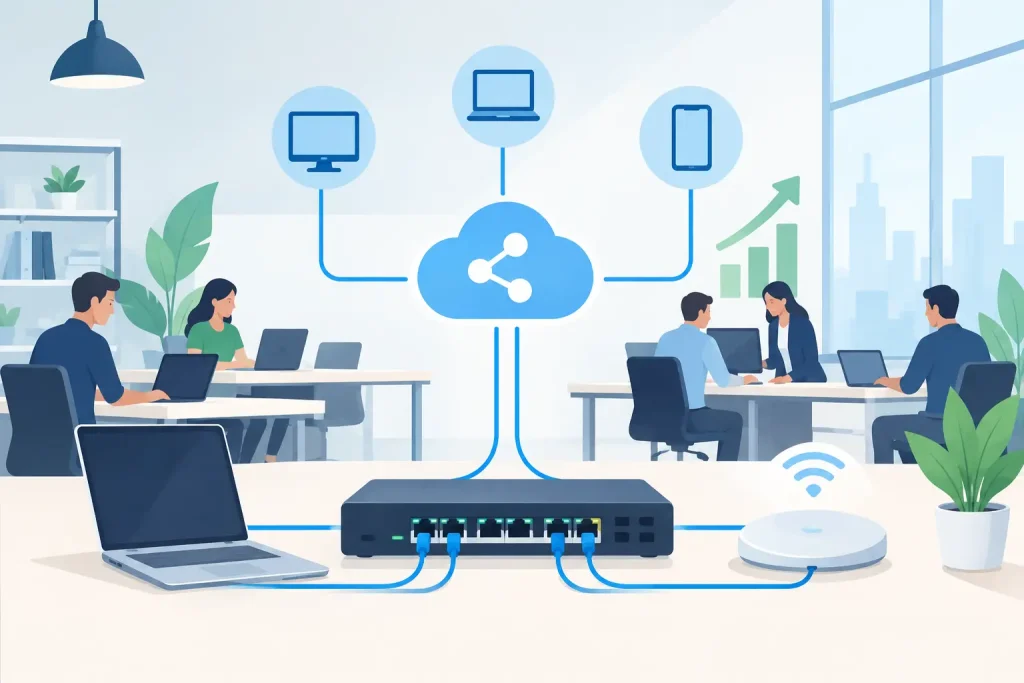
A slow connection at 2:00 p.m. is rarely just a slow connection. It can interrupt a point-of-sale transaction, stall cloud files, freeze a video meeting with a donor or client, and leave staff unsure whether the problem is their device or the entire office. This office network upgrade guide helps business and community leaders make a practical plan before small frustrations become operational risks.
For a growing business, nonprofit, healthcare office, museum, or local organization, a network upgrade is not simply a hardware purchase. It is an opportunity to improve security, support better customer service, protect essential information, and give staff dependable tools to do their work. The right approach focuses on what your organization needs now, what it is likely to need next, and how to make the transition with minimal disruption.
Start With the Problems Your Network Must Solve
Before comparing routers, switches, or Wi-Fi equipment, document what is happening in the office. General complaints such as “the internet is bad” are useful signals, but they do not identify the cause. The issue may be an overloaded Wi-Fi access point, aging cabling, a weak internet plan, a poorly placed firewall, an unmanaged switch, or an application consuming more bandwidth than expected.
Talk with the people who use the network in different ways. Front-desk staff may need reliable payment processing and guest communication. A director may need secure remote access to files. A marketing team may upload large video assets. Healthcare and community-service organizations may need privacy controls around sensitive records. These needs should shape the project more than a generic equipment checklist.
It also helps to identify when problems occur. If performance drops during a weekly staff meeting, the issue may be video conferencing demand. If guest Wi-Fi slows internal operations, the networks may not be separated correctly. If a connection fails whenever weather affects a remote site, internet redundancy may deserve more attention than faster indoor Wi-Fi.
Build an Accurate Network Inventory
A network cannot be upgraded well if no one has a clear view of what is already connected. Create a current inventory of internet service, firewall or router, switches, wireless access points, servers, cloud applications, printers, cameras, phones, workstations, mobile devices, and network cabling.
Include the age of each component, whether it is still supported by its manufacturer, and who manages it. Unsupported devices can become security liabilities even when they appear to function normally. A five-year-old switch may still pass traffic, for example, but it may lack the power capacity, monitoring features, or network speed needed for newer wireless equipment.
Do not overlook the physical environment. Access point placement, wall materials, storage rooms, refrigeration equipment, metal shelving, and older building construction can all affect wireless coverage. Coastal organizations and businesses in older commercial spaces may also need to consider power quality, environmental exposure, and the condition of existing cabling.
Measure Capacity, Not Just Internet Speed
Many offices assume their internet provider is the only factor behind poor performance. Internet speed matters, but the local network must be able to deliver that connection effectively. A fast service plan will not solve a crowded Wi-Fi channel, a 100 Mbps switch feeding high-demand devices, or a poorly configured network.
Review the number of connected devices and how they are used. A 15-person office may easily have 40 to 60 connected devices once laptops, phones, printers, security cameras, tablets, smart TVs, and guest devices are included. Add cloud backups, hosted phone systems, video meetings, and digital displays, and demand can rise quickly.
Plan for growth rather than buying only for today’s headcount. That does not always mean choosing the most expensive equipment. It means selecting systems that can accept additional access points, switch ports, users, and security services without forcing a full replacement next year.
Prioritize Security During the Upgrade
An office network upgrade is one of the best times to correct security gaps that have accumulated over time. Older networks often grow organically: a printer is added, a guest password is shared, a camera system is installed, and temporary remote access becomes permanent. Over time, the result can be a flat network where too many devices can communicate with too many other devices.
Separate traffic based on its purpose. Staff devices, guest Wi-Fi, payment systems, security cameras, building controls, and public-facing devices should not all occupy the same network segment. Segmentation limits the impact of an infected or compromised device and makes it easier to apply appropriate access rules.
A modern firewall should be configured around the organization’s actual needs, not left at default settings. Multi-factor authentication should protect administrative accounts and remote access. Wi-Fi should use current encryption standards, unique credentials, and a process for removing access when employees or volunteers leave.
For organizations handling protected health information, financial data, student records, donor information, or customer payment data, the exact controls will depend on applicable requirements and risk level. The common goal is clear: know where sensitive data travels, who can reach it, and how access is monitored.
Treat Wi-Fi as Business Infrastructure
Wi-Fi is no longer a convenience layer added after the network is built. For many organizations, it is the primary way staff, visitors, tablets, phones, and cloud tools stay connected. That means coverage, capacity, and security all matter.
A professional wireless assessment looks beyond whether a device can connect in the lobby. It tests signal strength and performance in offices, meeting rooms, public areas, outdoor spaces where appropriate, and the edges of the building. It also accounts for high-density moments, such as a chamber event, public program, training session, or board meeting where many devices connect at once.
Guest Wi-Fi can support a better visitor experience, but it should be isolated from internal systems and managed with clear bandwidth rules. A public guest network does not need the same priority as staff systems that support phone calls, cloud applications, and transaction processing.
Plan for Continuity, Backup, and Monitoring
A faster network does not protect a business from an internet outage, hardware failure, ransomware event, or accidental deletion. The upgrade plan should include continuity measures that match the cost of downtime for your organization.
For some offices, a backup internet connection through a second provider or cellular failover can keep critical operations running during an outage. For others, a documented response plan and reliable offsite backups may be the larger priority. The right choice depends on whether your staff can work offline, how long an outage can be tolerated, and which services must remain available.
Network equipment should also be connected to properly sized battery backup units where appropriate. A brief power interruption can cause more than a temporary outage if devices shut down improperly or restart in an unpredictable order.
Monitoring is equally valuable. When systems are watched around the clock, potential issues such as a failing access point, a disconnected backup, unusual traffic, or a full storage device can be addressed before they stop business operations. This changes IT support from reactive troubleshooting to planned maintenance.
Create a Phased Upgrade Plan
Replacing every component at once can be efficient, but it is not always necessary or budget-friendly. A phased approach often makes sense when the core infrastructure is sound but Wi-Fi coverage, security, or switching capacity needs attention first.
Start with the items that create the highest operational or security risk. An unsupported firewall, inconsistent backup process, and exposed guest network deserve attention before cosmetic upgrades. Next, address capacity constraints such as aging switches, limited cabling, or wireless dead zones. Finally, make room in the budget for lifecycle management, licensing, monitoring, and future expansion.
Schedule implementation around your busiest periods. A retail business may avoid weekends, while a nonprofit may avoid fundraising events or program registration deadlines. Communicate the expected interruption clearly, test critical systems after each phase, and keep configuration records updated. A successful upgrade is measured by dependable operations after installation, not by how quickly new hardware is unpacked.
Choose Support That Connects Technology to Growth
A network upgrade should make it easier for your organization to serve people, communicate clearly, and grow with confidence. That requires more than installing equipment. It requires a partner who understands daily operations, cybersecurity, cloud tools, backup requirements, and the customer-facing systems that depend on them.
Epuerto helps organizations bring those moving parts together through comprehensive digital solutions, from managed IT and 24×7 monitoring to web infrastructure and local visibility efforts. When technology is planned as part of the broader business, teams spend less time chasing connection problems and more time creating real, measurable outcomes for their customers and communities.
The most useful next step is simple: map the systems your team relies on for one ordinary workday. That map will show where an upgrade can do more than improve speed – it can strengthen the work your organization is here to do.